EDN228
22
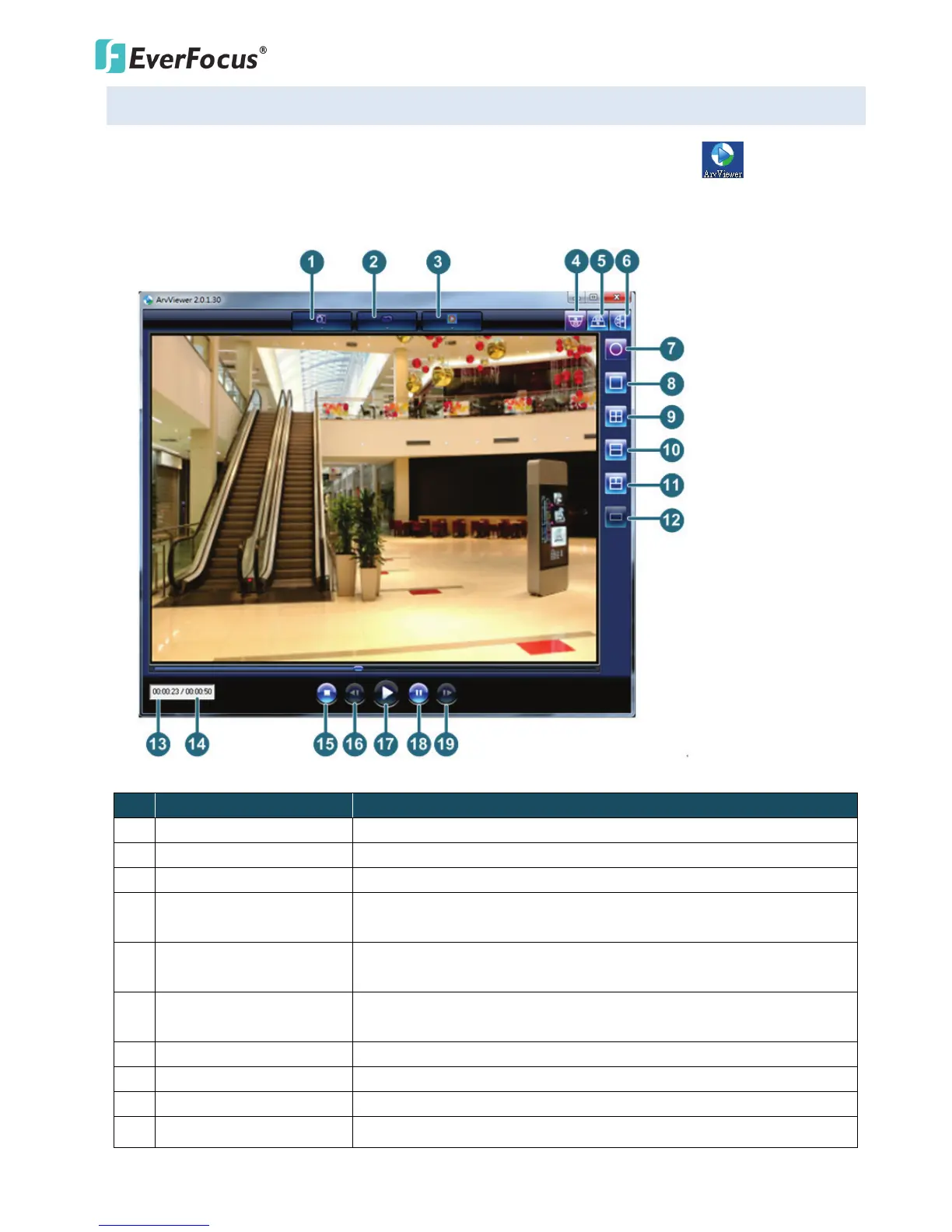
6.3 Playing Back Using ARV Viewer
You can play back the recordings stored in the computer using the ARV Viewer included in
the software CD. To store the recordings in the computer, please refer to Copy in 6.1 Remote Playback
Using Playback Page.
No
Item Name Descriptions
1 Snapshot Click to take and save a snapshot.
2 Load File Click to load the recordings for playing back.
3 Convert ARV to AVI Convert the recording from ARV format to AVI format.
4 Ceiling Mount
Click to enable the Ceiling Mount view modes on the right-side bar.
Please refer to the View Mode Table below for more details.
5 Desk Mount
Click to enable the Desk Mount view modes on the right-side bar.
Please refer to the View Mode Table below for more details.
6 Wall Mount
Click to enable the Wall Mount view modes on the right-side bar.
Please refer to the View Mode Table below for more details.
7 Fisheye View Click to display fisheye view.
8 Single View Click to display single view.
9 Quad View Click to display quad view.
10 Dual 180 Degree Click to display dual 180 degree view.



 To Next Page