EDN228
14
the recording time, see File Size in 7.1.3 Storage. To change the location, see Record to Local in 7.1.3
Storage. To record long-period recordings, please set up a recording schedule (7.3.2 Schedule
Settings). To change the source video stream and recording format, see Recording and Snapshot
Settings in 7.1.3 Storage.
5. Setting
Click the Setting button to enter the Settings page (see 7. Settings).
6. Wizard
Click the Wizard button to enter the Setup Wizard.
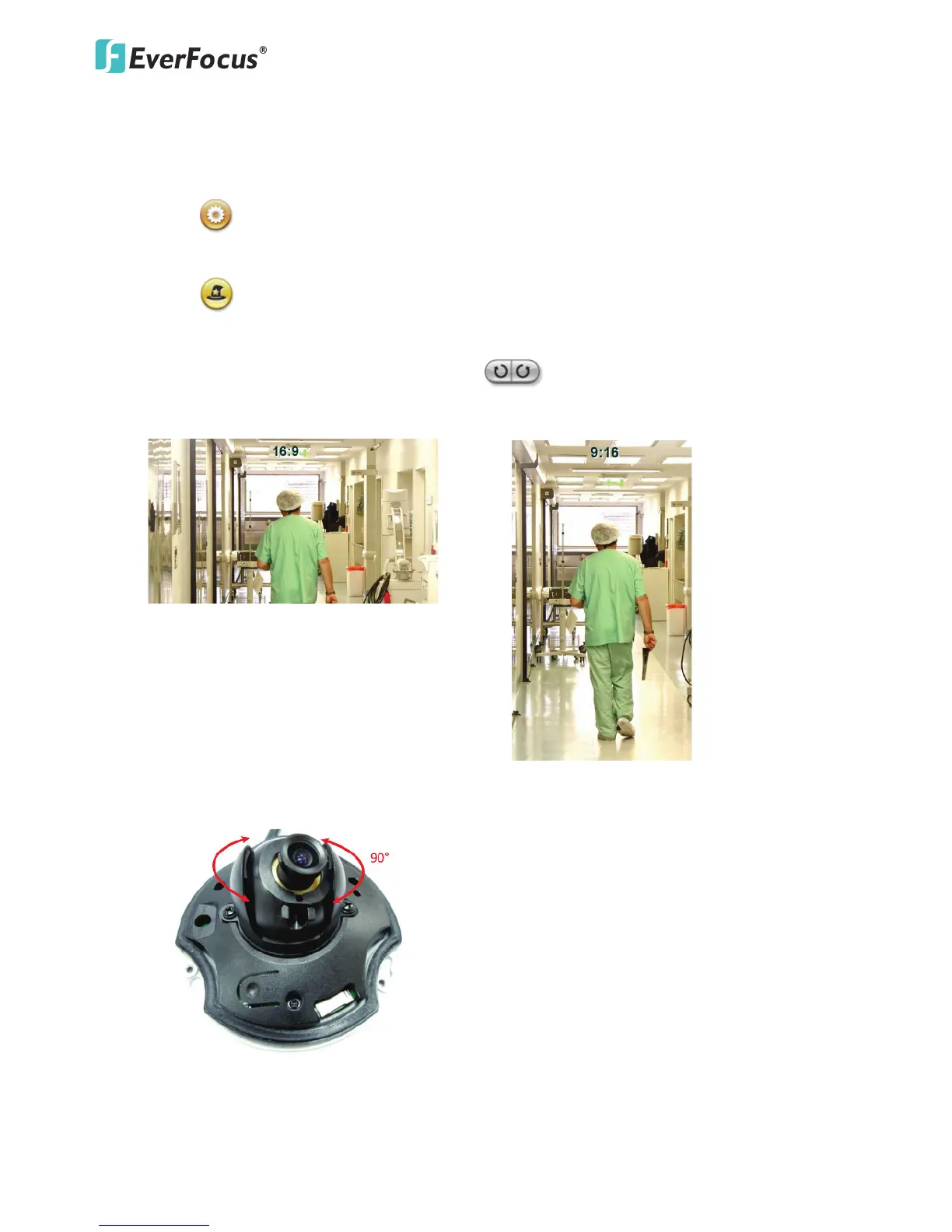
7. Hallway Display (9:16): Click the Rotate button to rotate the live image. This function
allows users to monitor vertically-oriented areas such as hallway, corridors and aisles.
Note: To achieve the best 9:16 display effect, it’s recommended to:
1. Install the camera sideways by rotating the camera to the left or right by 90°.
2. Select a 16:9 View Size (e.g. 1920x1080 / 1024x768).
3. Use the Rotate button.



 To Next Page