EDN228
29
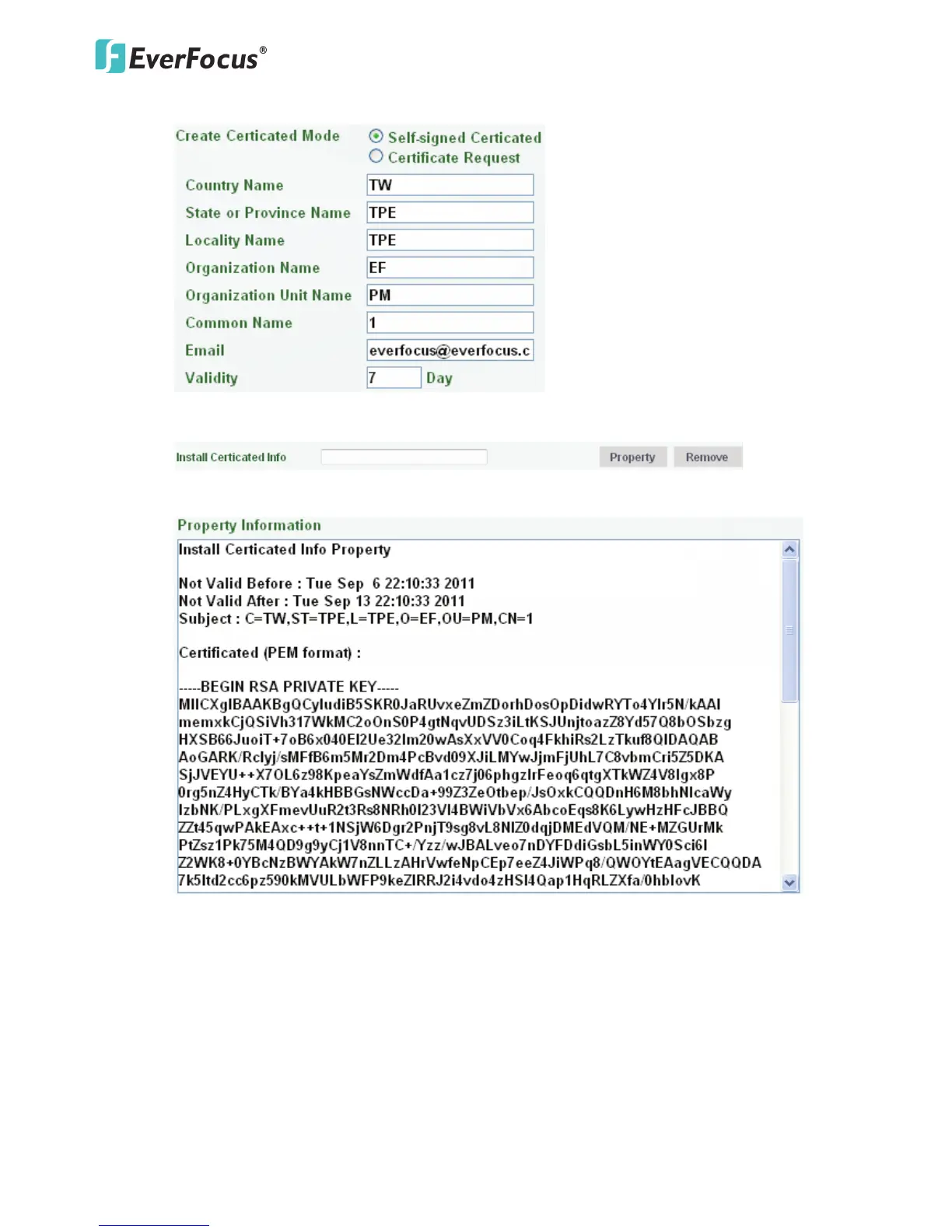
1. Select Self-Signed Certificated and fill in the following information.
2. Click the Apply button. The subject line will be displayed in the Install Certificated Info field.
3. Click the Property button, a pop-up window appears to display the details of the certificate.
4. To optionally create and install other certificates, remove the existing one by clicking the
Remove button to erase the certificate.
5. On the Web page, change the address from “http://” to https:// in the address bar and press
Enter on the keyboard. Some Security Alert dialogs will pop up. Click OK or Yes to enable HTTPS.



 To Next Page