(4) SERVER 1 : assign the IP address of Alarm server 1.
(5) SERVER 2 : assign the IP address of Alarm server 2.
(6) SERVER 3 : assign the IP address of Alarm server 3.
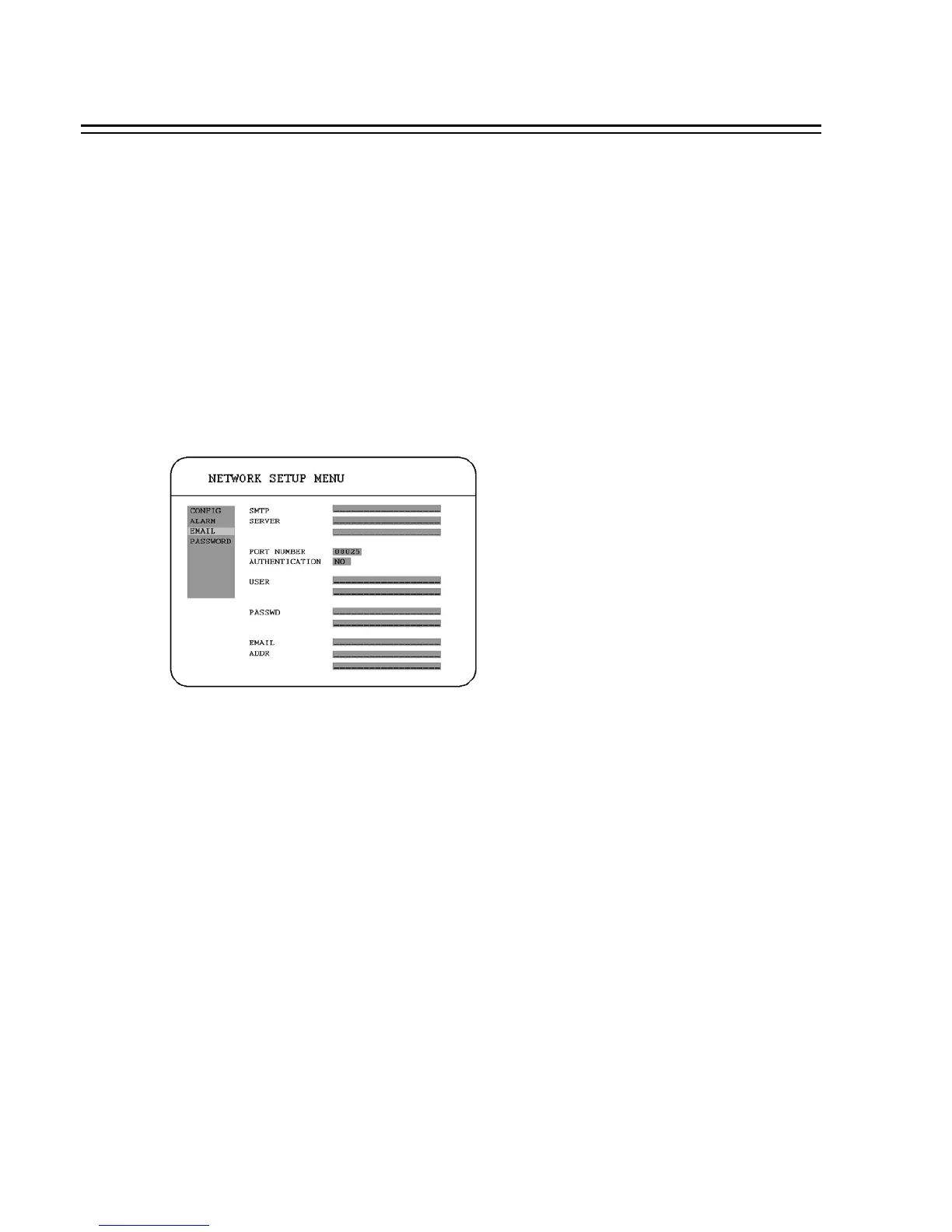
3.7.3 EMAIL
In the ALARM of the NETWORK SETUP MENU, we define :
(1) SMTP SERVER: assign the SMTP (e-mail) server’s IP address.
(2) PORT NUMBER: assign the port number for SMTP server.
(3) AUTHENTICATION: select “YES”, if the SMTP server requires Authentication/Login.
(4) USER: Input the login user ID if the SMTP server requires Authentication.
(5) PASSWD: Input the password if the SMTP server requires Authentication.
(6) EMAIL ADDR: Input the e-mail address for receiving e-mail message when the EVENT is
enabled and triggered.
For example: In Motion Setup Menu, if the “EMAIL/NETWORK” is set to “YES”, this e-mail
address will receive a text message from DVR when Motion is triggered.
In Alarm Setup Menu, if the “ALARM EMAIL” is set to “YES”, this e-mail address will
receive a text message from DVR when the Alarm is triggered.
45














 To Next Page