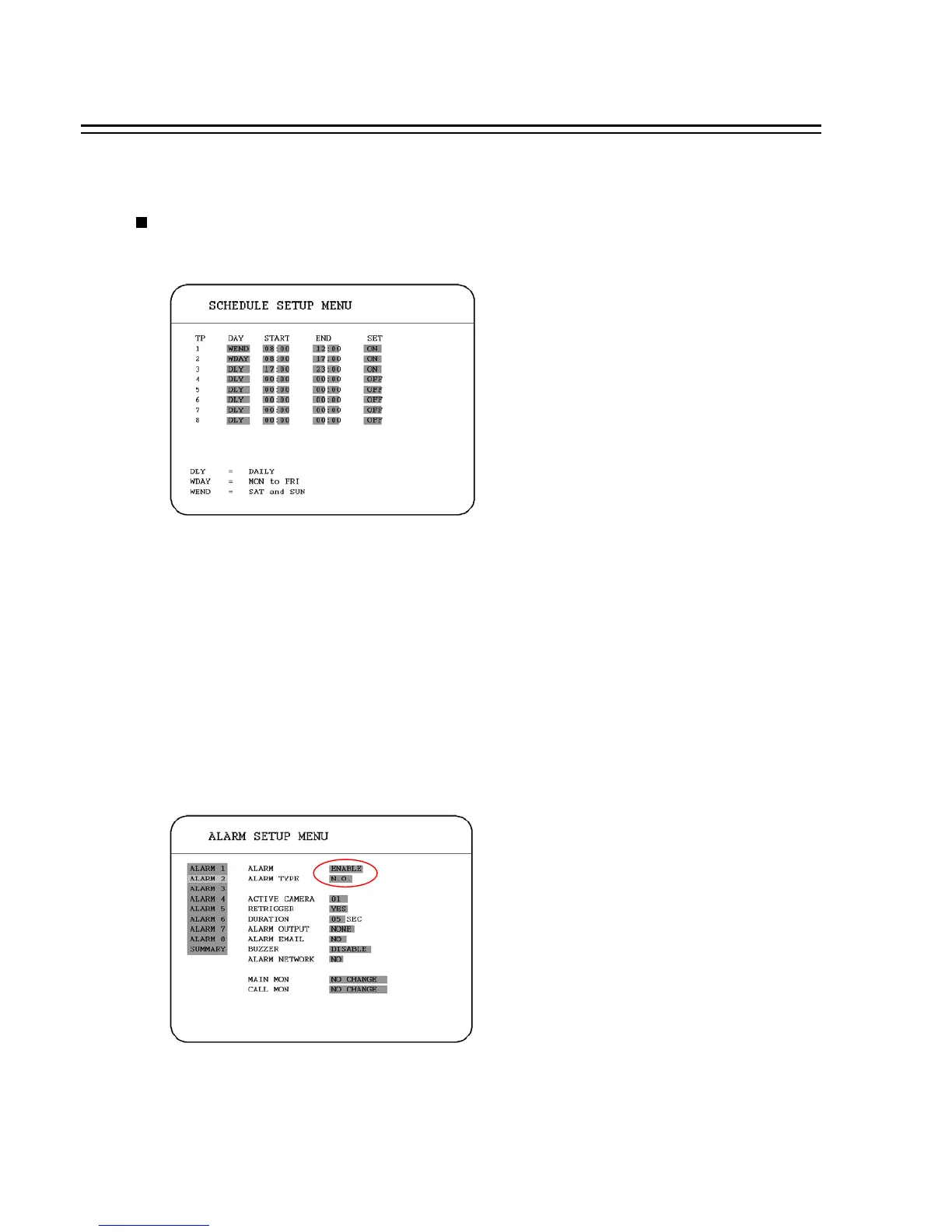
Set up the DAY, START time, END time and then enable the SET in the SCHEDULE SETUP MENU.
Please refer to SCHEDULE SETUP MENU, to see setting procedure and more details.
4.2 SCHEDULE RECORDING
4.3 EVENT RECORDING
We define two event types which are ALARM and MOTION events can be recorded. After the event
recording is enabled, the EDR810/410 will start an event recording when an event occurs.
In order to start an event recording, you need:
1. Enable the event in each event setting first. For example, to enable alarm 2 in the ALARM
SETUP MENU(shown in below). You can also enable more alarms, or add a motion event.
58














 To Next Page