104
Alert Descriptions and Actions (continued)
Alerts
App DisplayDescription
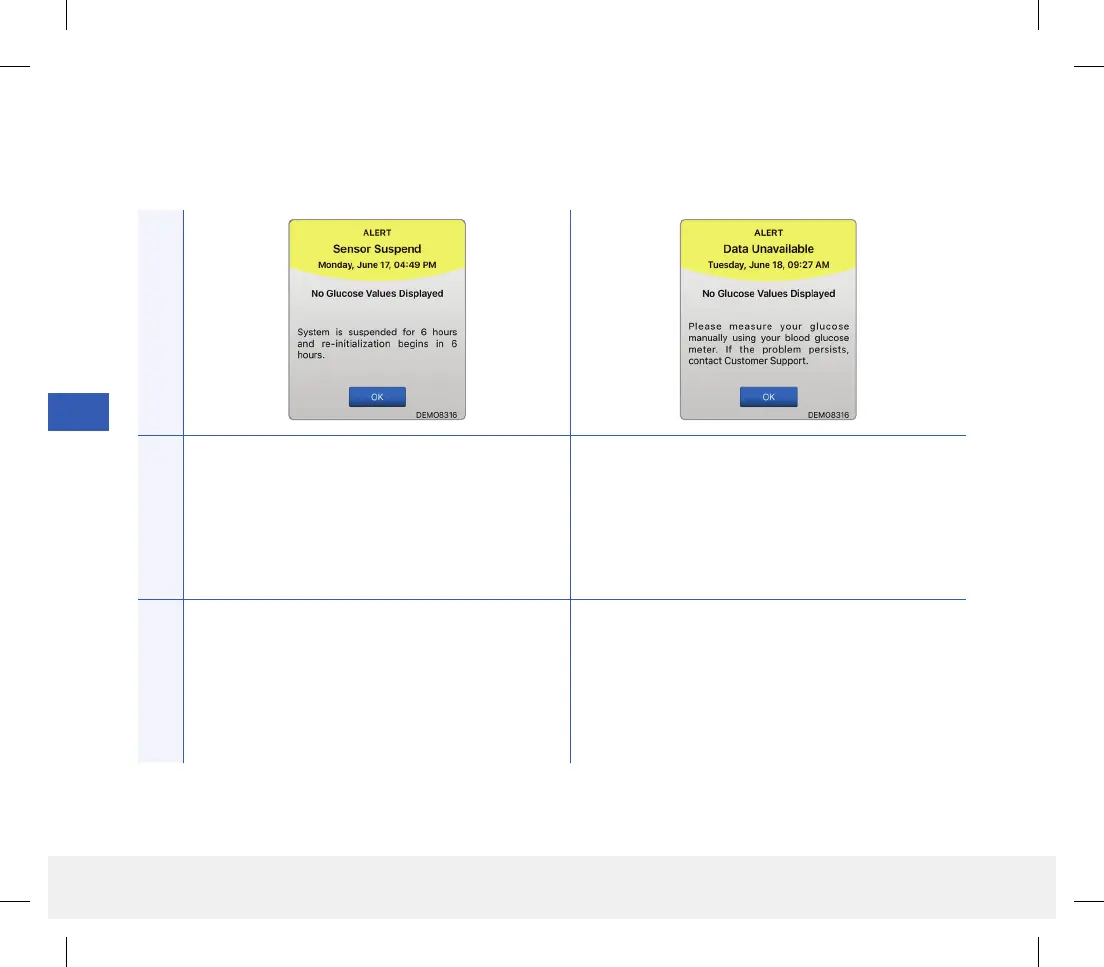
Sensor Suspend
Appears when the system’s internal checks detect a
need to restart the Initialization Phase for additional
calibrations. Glucose values will be displayed a few
minutes after the second successful calibration
during the Initialization Phase.
Data Unavailable
Appears when the system’s internal checks detect a
system error. No glucose reading is displayed until
the error is corrected.
Actions
Re-initialization of the system begins in 6hours. Plug the charging cradle with cable into a wall outlet
or USB port. Put the smart transmitter into the cradle
and remove it. If the condition persists, follow the
steps shown in the Troubleshooting section to reset
your smart transmitter. If you are unable to complete
the reset, contact Customer Support.
LBL-1602-01-001 Rev N_Eversense User Guide_mgdL_R1.indd 104LBL-1602-01-001 Rev N_Eversense User Guide_mgdL_R1.indd 104 2/26/20 12:59 PM2/26/20 12:59 PM



 To Next Page