29
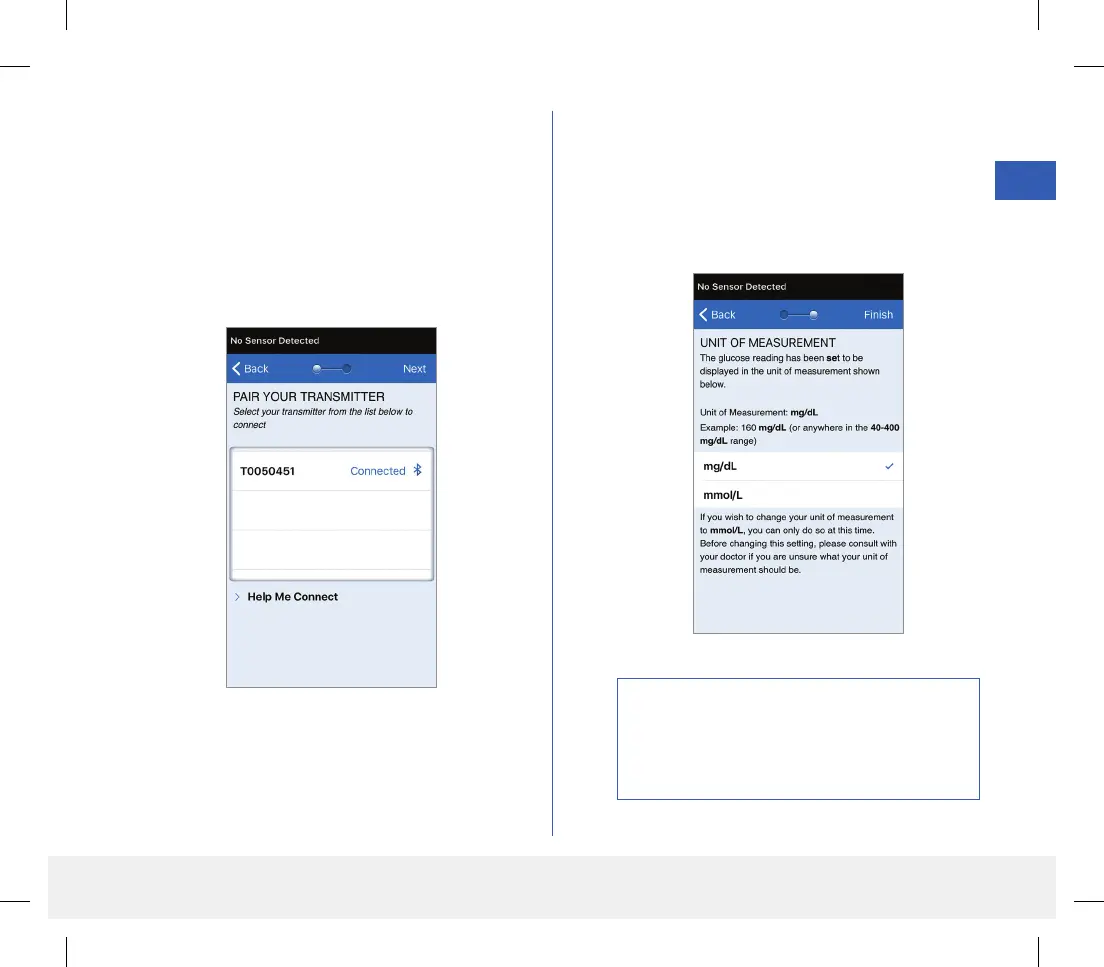
10. “Connected” appears next to the smart
transmitter ID once the pairing is complete.
The smart transmitter will provide intermittent
vibrations until the smart transmitter is linked
with the inserted sensor (see Inserting and
Linking the Sensor).
• Tap Next.
11. The UNIT OF MEASUREMENT screen
appears and indicates the standard unit of
measurement for your region. Your glucose
readings will always be displayed in this unit of
measurement.
Precaution: DO NOT change the unit of
measurement unless you have discussed it with
your health care provider. When the unit of
measurement is confirmed, tap Finish.
LBL-1602-01-001 Rev N_Eversense User Guide_mgdL_R1.indd 29LBL-1602-01-001 Rev N_Eversense User Guide_mgdL_R1.indd 29 2/26/20 12:58 PM2/26/20 12:58 PM



 To Next Page