28
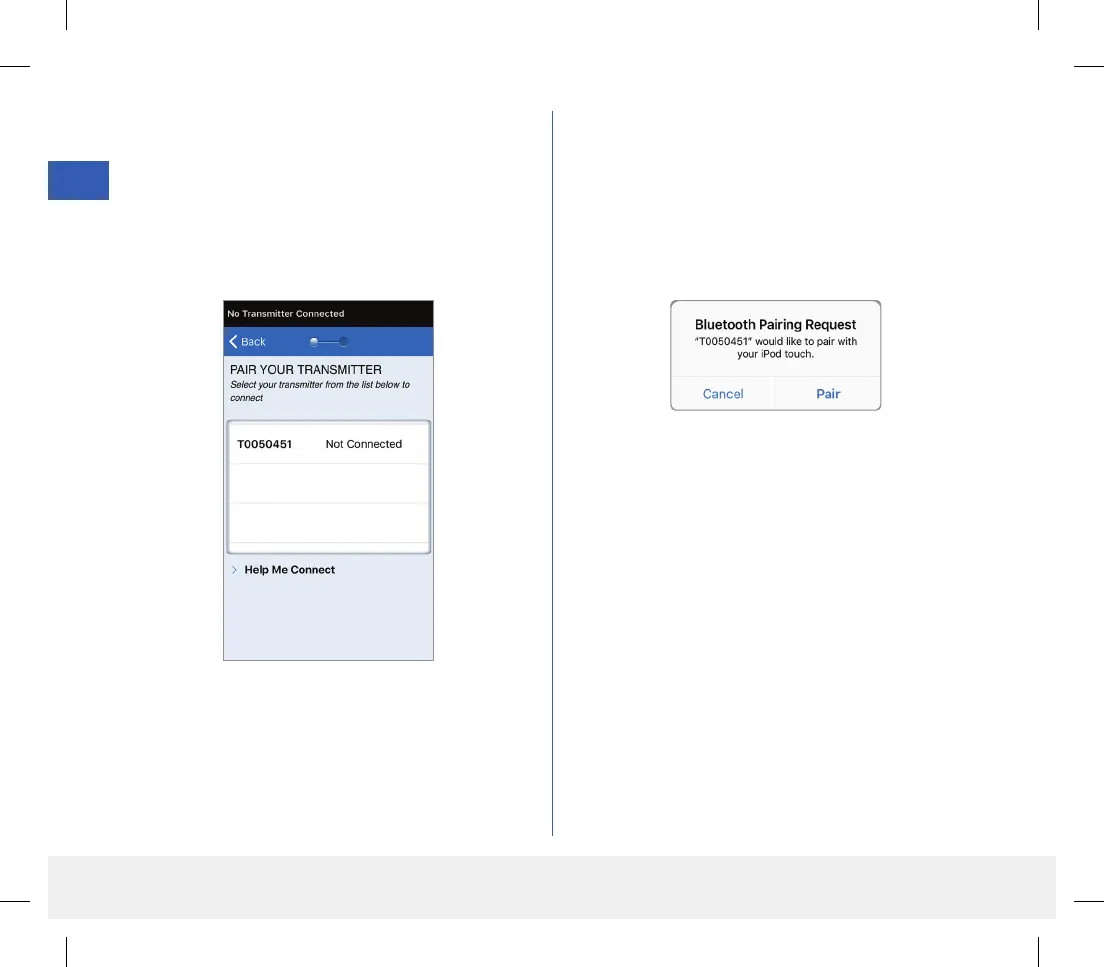
8. On the PAIR YOUR TRANSMITTER
screen, the smart transmitter ID detected by the
app is listed as “Not Connected”. (Your smart
transmitter ID matches the serial number found
on the back of the smart transmitter.)
Tap Not Connected to begin pairing process.
9. A BLUETOOTH PAIRING REQUEST
pop-up screen appears.
Tap Pair to complete the pairing process.
Note: The smart transmitter can only be paired
with one mobile device at a time.
LBL-1602-01-001 Rev N_Eversense User Guide_mgdL_R1.indd 28LBL-1602-01-001 Rev N_Eversense User Guide_mgdL_R1.indd 28 2/26/20 12:58 PM2/26/20 12:58 PM



 To Next Page