CP-2272E
Page 18 Revision 1.0
Preset a source, requires a Take confirmation before source is routed.
This key toggles sources.
Scroll down to the next available page of destinations.
Scroll up to the next available page of destinations.
Static Destination
Destination button is not affected by destination order list changes; it will
always be locked to the assigned position.
Static Source
Source button is not affected by source order list changes; it will always be
locked to the assigned position.
Static Source Preset
Source Preset button is not affected by source order list changes; it will
always be locked to the assigned position.
System Salvo
This key type allows one of the system salvos (defined by the salvo combo
box) to be fired.
Take
This key takes the current preset source selection to the current destination
on all the currently enabled levels. The button will display the currently routed
source on the lowest enabled level, unless a legend is given to this key.
Clears the source preset after take.
Table 5-1: Type Drop Down Menu
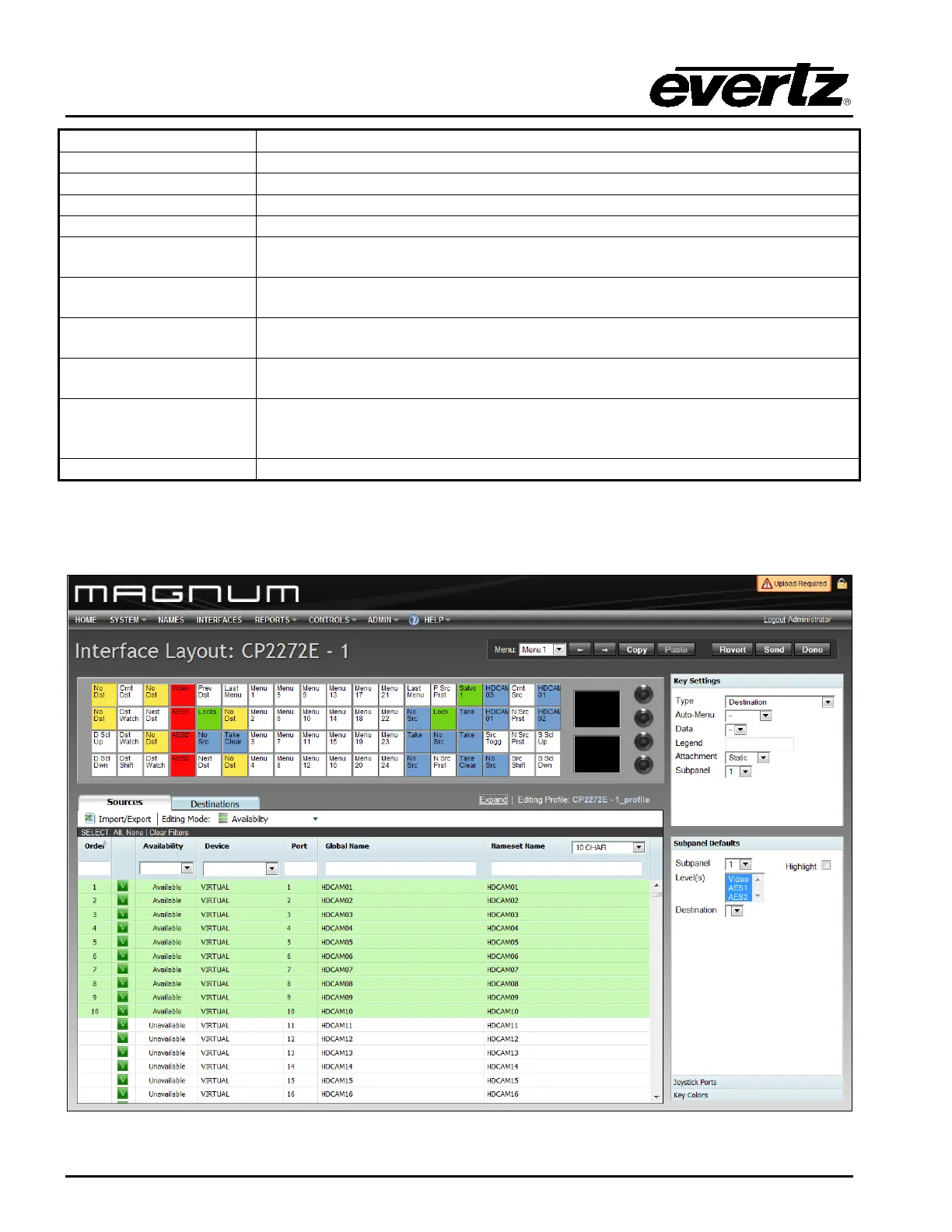
8. A fully populated interface will look similar to the configuration shown in Figure 5-8.
Figure 5-8: Populated Control Panel Interface



 To Next Page