EVISTR VOICE RECORDER
http://blog.evistr.com support-us@evistr.com
Page - 23 - of -28 -
C. Do not swing the MicroUSB cable when connect to computer, in case of unstable connection
D. Sometimes failed connection due MicroUSB cable is broken or USB socket is loose, change a new
cable (like your android phone cable) or connect by another USB socket, or simply reboot your
computer
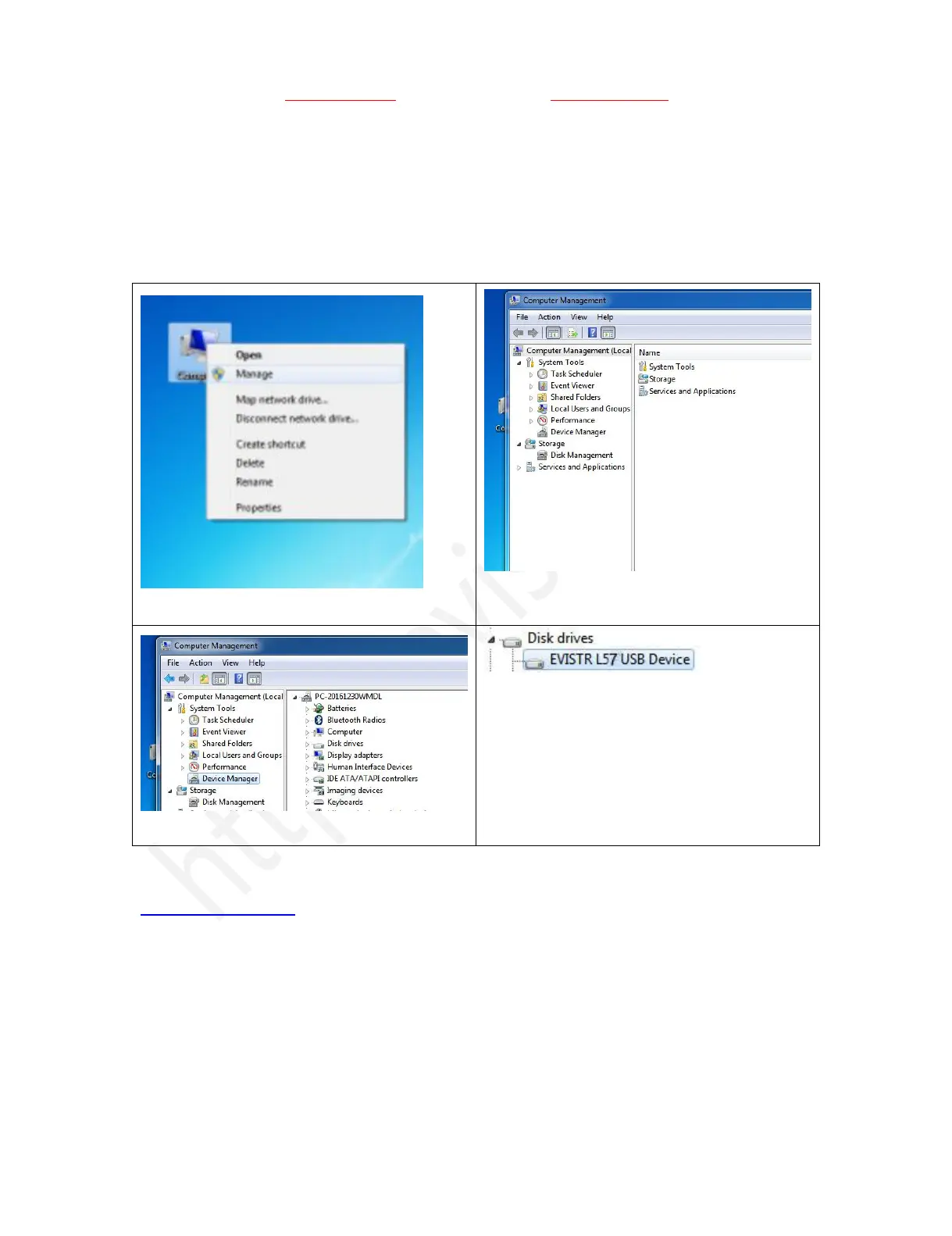
E. Even worse, still failed connection, here is an advanced solution
We could do debug as following:
1) On your computer, go to Computer manage
4) Click right mouse button, enable the recorder
device / or scan update hard drive changes to
help you find the recorder drive
If you still meet the failed connect to computer issues, please kindly contact to us
support-us@evistr.com
We will help you soon.



 To Next Page