EVISTR VOICE RECORDER
http://blog.evistr.com support-us@evistr.com
Page - 6 - of -28 -
Record LINE IN / External MIC:
Insert LINE IN (or external mic) -> push up REC -> select -> LINE IN, press PLAY to confirm selection, it
will start to record at line in.
NOTICE: if record external mic, we need select at External MIC
Set Date and Time:
Menu options -> set -> date and time -> time settings -> set time, so we could adjust time by press
+/- and or , press PLAY to confirm selection. SAME way to set date.
Noise Cancellation:
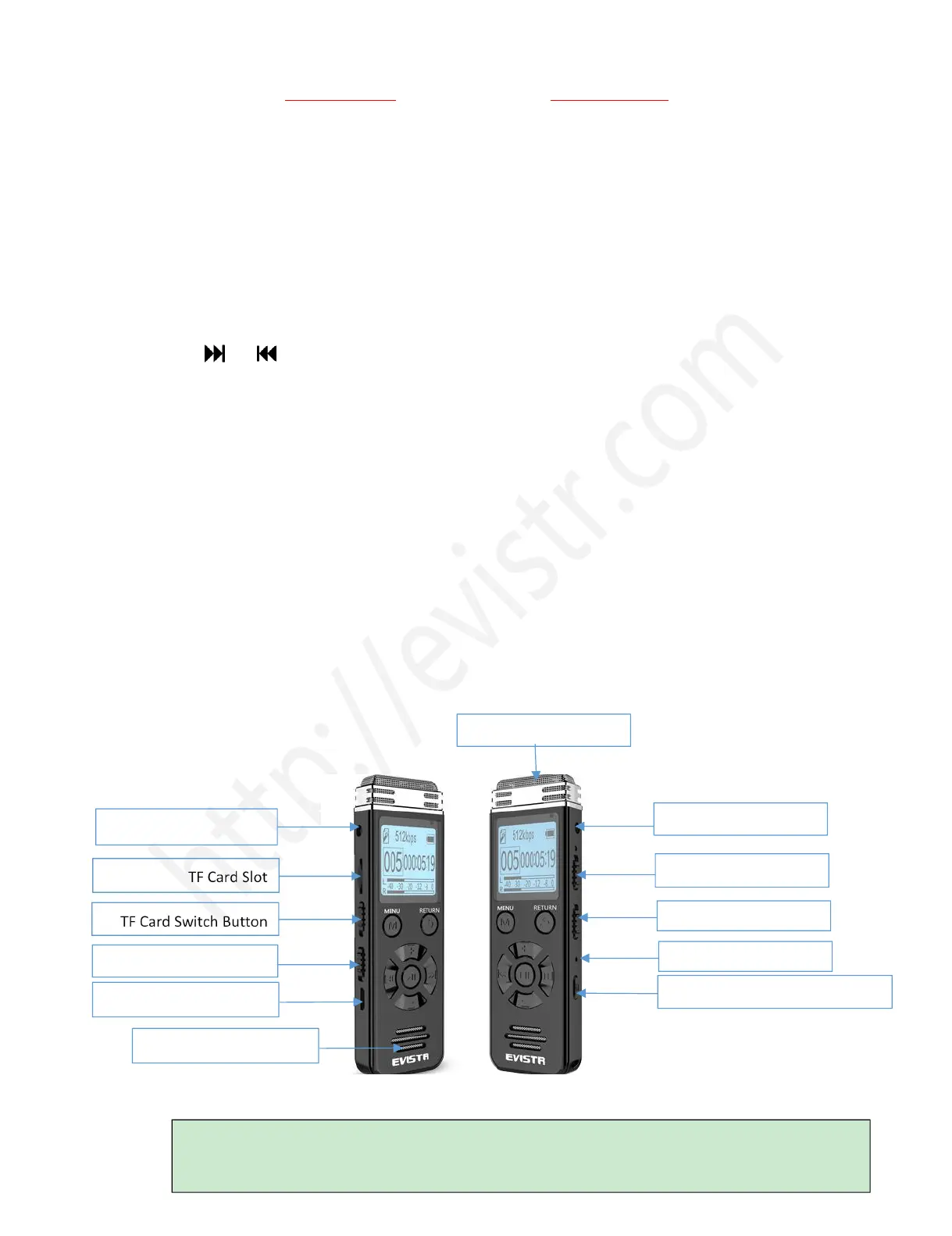
Push at the Denoise button at right side, turn on this function, it will display DENOISE
RESET:
When device frozen or went wrong, push the RESET HOLE at the at the right side to reboot the
device.
V508 Device Important Notices
1) The Operation Guide Explain
DEL /AB Repeat (when Playing)
Power Button: for storing the device, cut off its power
In daily using, we can turn on / off the device by pressing PLAY button, no need to cut off its power



 To Next Page