EasyManua.ls Logo

Evolis Dualys - Indicators

Evolis Dualys
20 pages
Print Icon
To Next Page IconTo Next Page
To Previous Page IconTo Previous Page
Loading...
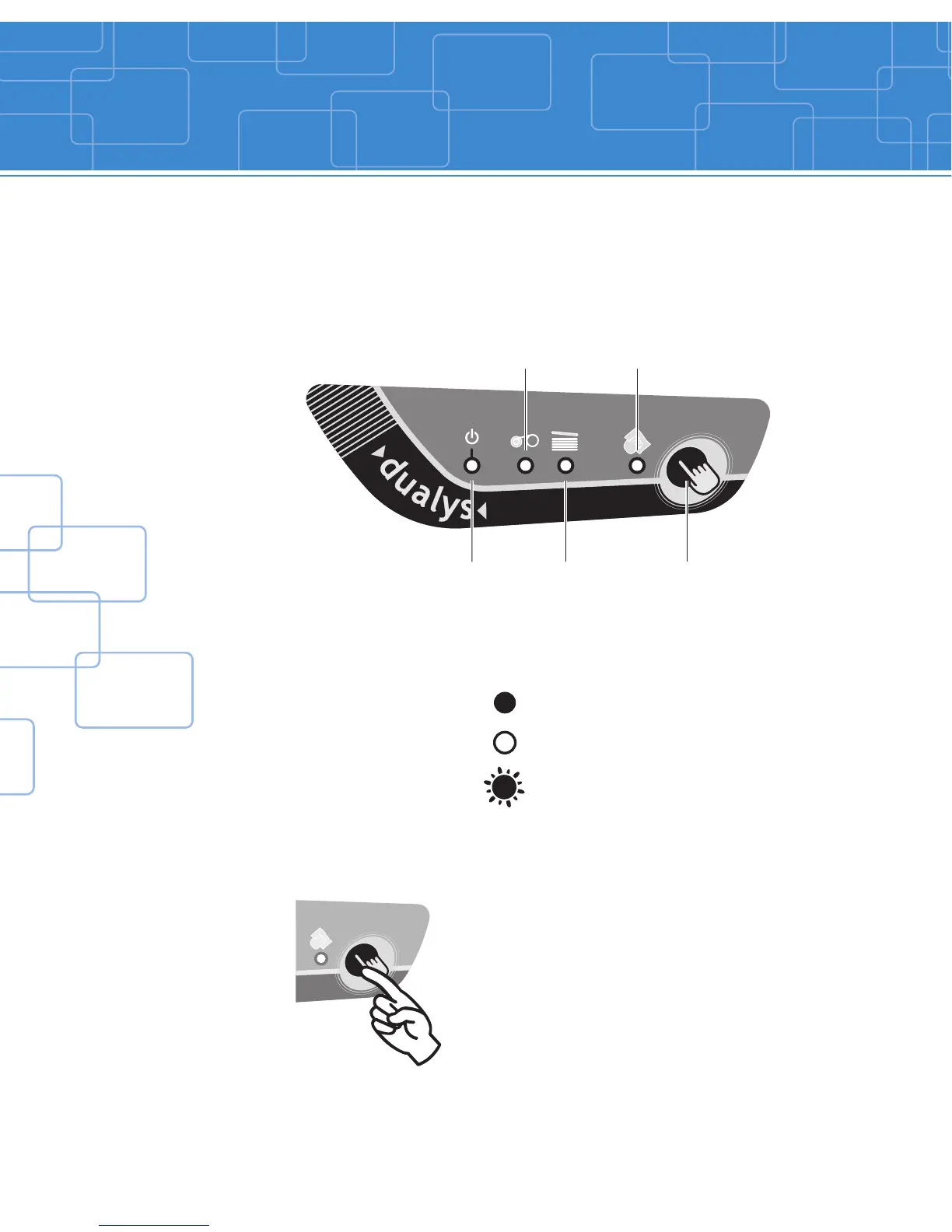
There is a Control Panel on the upper part of the printer with four LED’s.
Each is associated to a symbol showing the Dualys activity during printing.
The lights show:
The control panel LED’s are in either of the following conditions:
The push button allows re-initialization in case of:
max.
max. max.
max.
max. max.
max.
max. max.
max.
max. max.
max.
max. max.
Indicators
6
Switch on,
data reception
Push button
Cleaning signal
No card
SWITCHED ON
SWITCHED OFF
FLASHING
Ribbon end
NO CARD or INTERNAL PRINTER PROBLEM
MAGNETIC ENCODING ERROR
CARD EJECTION
It also allows:
- Printing of a test card
- Running of a cleaning cycle

Other manuals for Evolis Dualys

Related product manuals