EasyManua.ls Logo

Evolis Dualys - Loading the Cards

Evolis Dualys
20 pages
Print Icon
To Next Page IconTo Next Page
To Previous Page IconTo Previous Page
Loading...
9
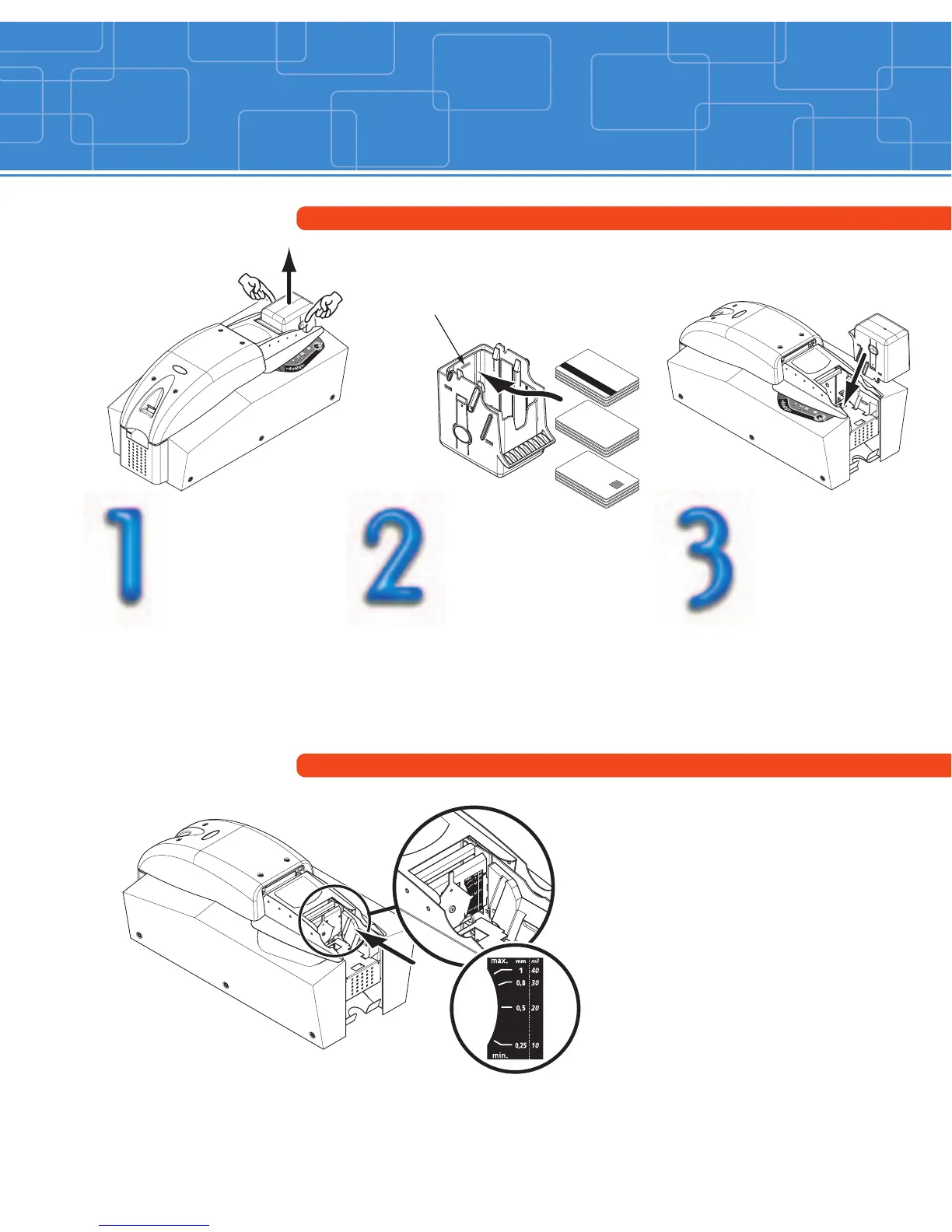
Cards loading
Remove the feeder
from the printer
as shown.
Replace the feeder
in the printer.
max.
max. max.
max.
max. max.
Press the spring system down
inside the feeder and insert
the cards as shown (100
cards max. 0.76mm-30mil).
Note: The side to be printed
must be facing down.
Move up or down the handle
as shown to adjust the card
thickness.
Note: factory setting for card
thickness is 0.76mm (30mil).

max.max.max.
max. max.
Card feeder
Card thickness adjustment

Other manuals for Evolis Dualys

Related product manuals