29
Ò
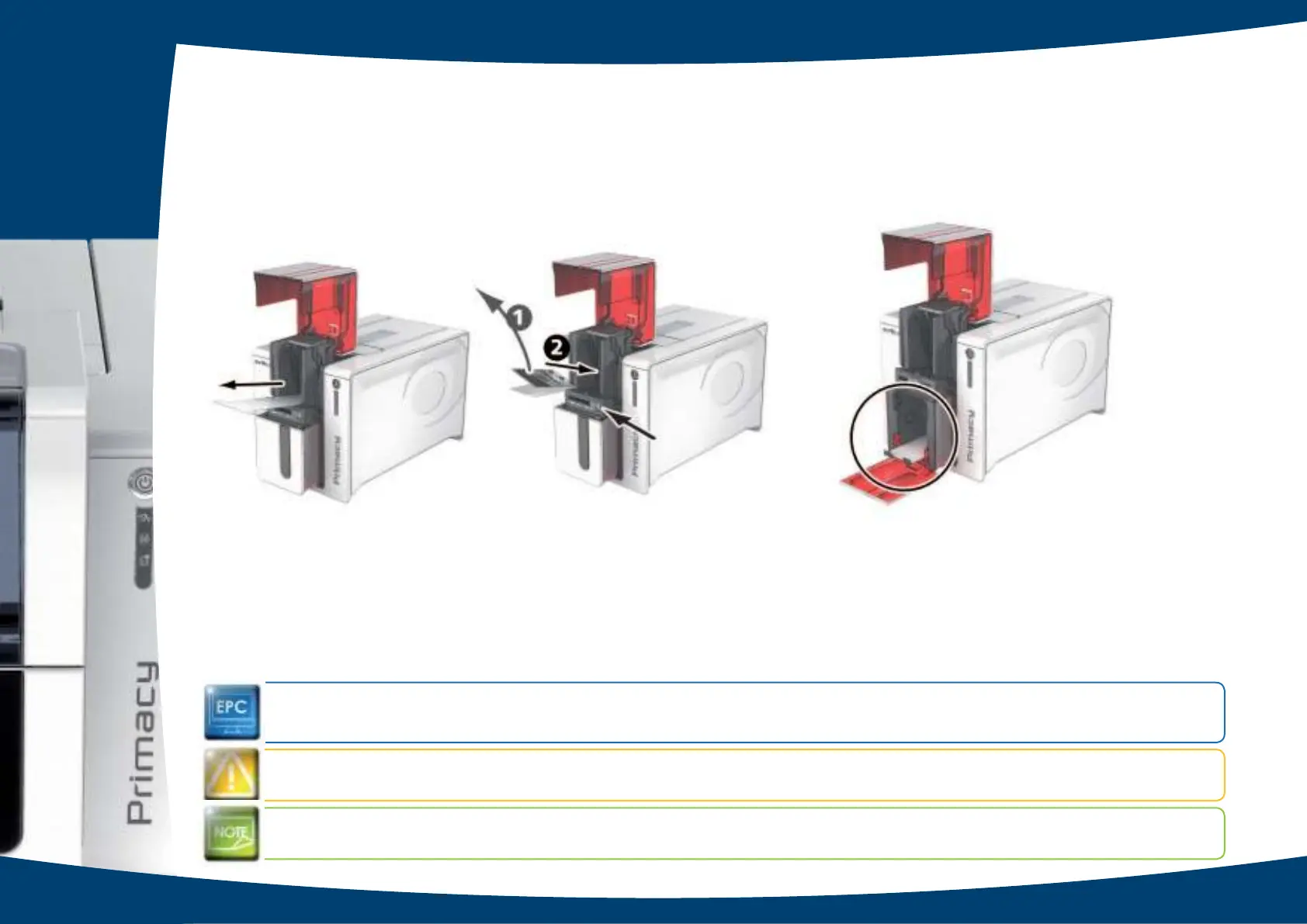
Remove the “T” shaped card, then remove the lm from the adhesive cleaning card
Ê
a nd inse rt the c le a ning c a rd
into the fe e d e r a s sho wn, a d he sive sid e up
Ë
. C le a ning sta rts.
Ó
The use d a d he sive c a rd is e je c te d a uto ma tic a lly into the o utp ut ho p p e r.
Ro utine c le aning m ay also b e c arrie d o ut fro m the Evo lis Print C e nte r b y c lic king o n “Start c le aning ”.
Wa rning , the “T” sha pe d c a rd m ust be use d just a fte r the sa c he t is o pe ne d.
Be fo re using y o ur printe r, re me mb e r to re se t the g aug e to the de sire d c ard thic kne ss.
3
Ò Ó



 To Next Page