
 Need help?
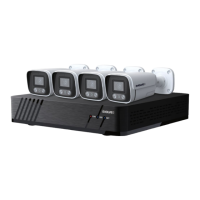
Do you have a question about the Evolveo Detective POE8 SMART and is the answer not in the manual?
Steps to set and manage user passwords for system access and security.
Instructions for logging into the NVR system using username and password credentials.
Procedure for safely shutting down and turning off the NVR system.
Guide to initial setup and general configuration of the NVR for first-time use.
Configure HDD format, recording schedules, and disk management settings.
Managing and adding remote devices (IP cameras) to the NVR system.
Viewing live video feeds from connected cameras in real-time.
Setting up customized recording schedules for cameras based on user needs.
Querying and playing back recorded video footage from the NVR.
 General
| HDD size | 2.5/3.5 \ |
|---|---|
| Audio input | 1 |
| Video input channels | 8 channels |
| DC voltage | 12 V |
| Power source type | AC |
| Ethernet LAN | Yes |
| Ethernet interface type | Gigabit Ethernet |
| Cables included | AC, SATA |
| Product color | Black |
| Playback modes | Normal, Fast backward, Fast forward, Frame-by-frame |
| Video capturing speed | 30 fps |
| Maximum video resolution | 1920 x 1080 pixels |
| Video compression formats | H.265 |
| International Protection (IP) code | IP66 |
| HDD interface | SATA |
| Storage media type | HDD |
| Card reader integrated | - |
| Supported video modes | 1080p |
| LED type | IR |
| Sensor type | CMOS |
| Camera interface | Wi-Fi/RJ-45 |
| Built-in microphone | No |
| Optical sensor size | 1/2.9 \ |
| Placement supported | Outdoor |
| Minimum illumination | 0 lx |
| Night vision distance | 20 m |
| Connectivity technology | Wireless |
| Number of illumination LEDs | 24 |
| Surveillance camera form factor | Bullet |
| Display diagonal | - \ |
| Operating temperature (T-T) | -15 - 50 °C |

 To Next Page

