44
4. Guide
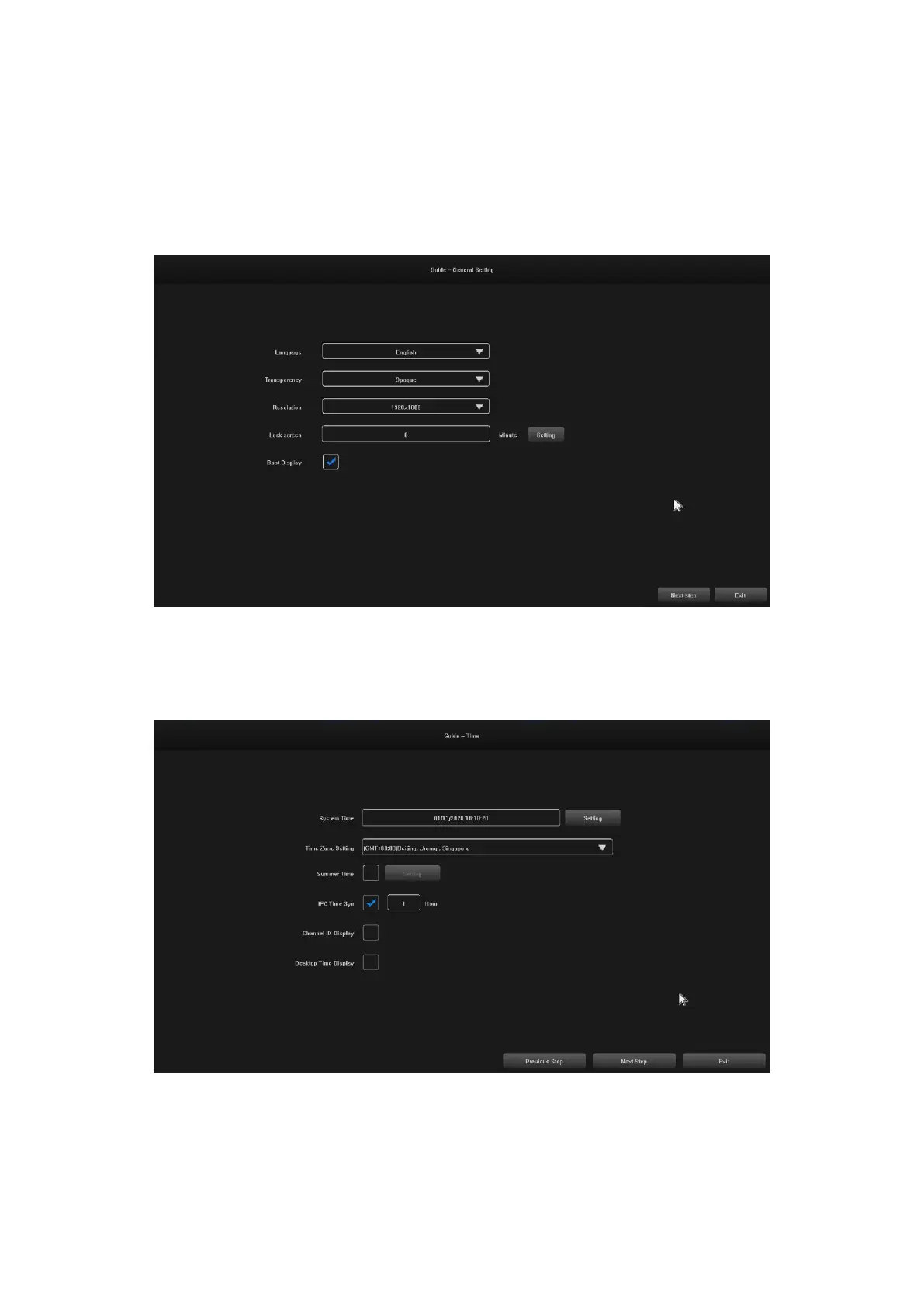
After logging in, the "Guide-General Setting" interface opens by default, which guides the user through the
basic settings to allow the machine to operate normally.
Steps:
4.1 Settings 1: The user can set the language/transparency/resolution and other menu options, see the
following image:
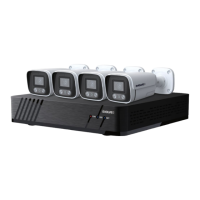
4.2 Settings 2: System Time / Time Zone Settings / Daylight Saving Time and other menu options can be set
by users, see image below:


 To Next Page