55
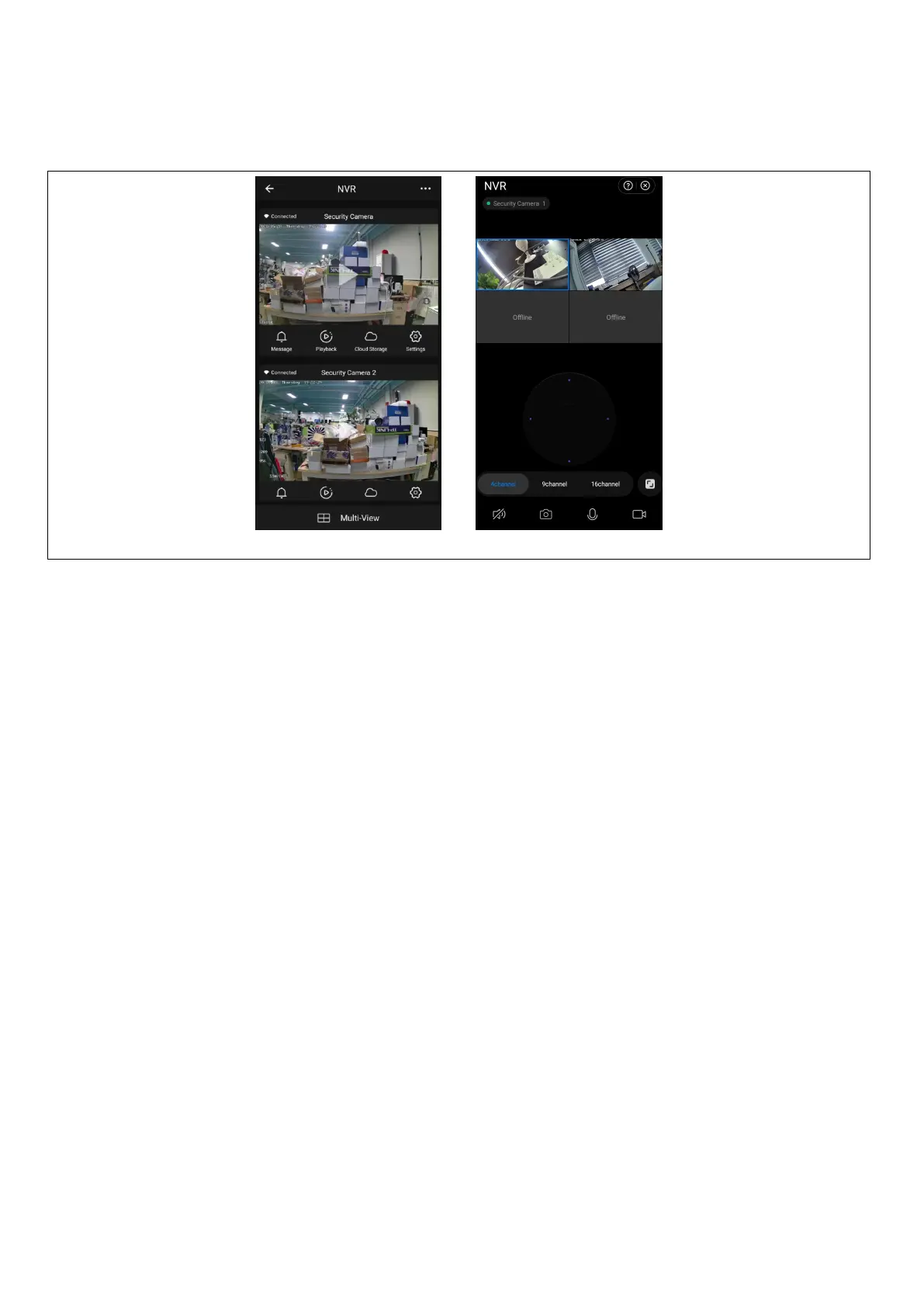
6. To preview the image, click the corresponding smart camera, enter the real-time image preview page, and
click the [Multi-channel Preview] button to perform simultaneous multi-channel preview as shown below:
7. Security measures
1. Do not place any containers (e.g. vases) with liquid on the VCR.
2. The network video recorder should be placed in a sufficiently ventilated area to avoid blocking the air
vents.
3. Check the power supply and voltage to prevent damage due to voltage mismatch.
4. The network video recorder should operate within the temperature and humidity range allowed by the
technical specifications.
5. The network video recorder should be placed horizontally and avoid installation in an environment with
high vibration.
6. Dust on the circuit board can cause a short circuit when it gets wet. In order to keep the NVR working
normally for a long time, you can periodically use a brush to remove the dust on the circuit
board/interconnect panel/enclosure etc.
7. Improper battery replacement can cause an explosion. It is not recommended to replace the battery
yourself. If you need to replace it, only replace it with the same or equivalent type battery, do not attempt to
open or repair the battery.
8. the installation and location of the network video recorder shall be in accordance with the specifications,
which may refer to relevant national or local standards.
FAQ
Q: Is the camera waterproof
A: Equipped with IP 66 protection, the camera will function when exposed to weather conditions such as rain
and snow. However, for proper operation it is necessary that the power connector and the mains connector
are covered, otherwise the camera loses its degree of protection and the claim cannot be accepted.
Q: Camera cannot be added


 To Next Page