54
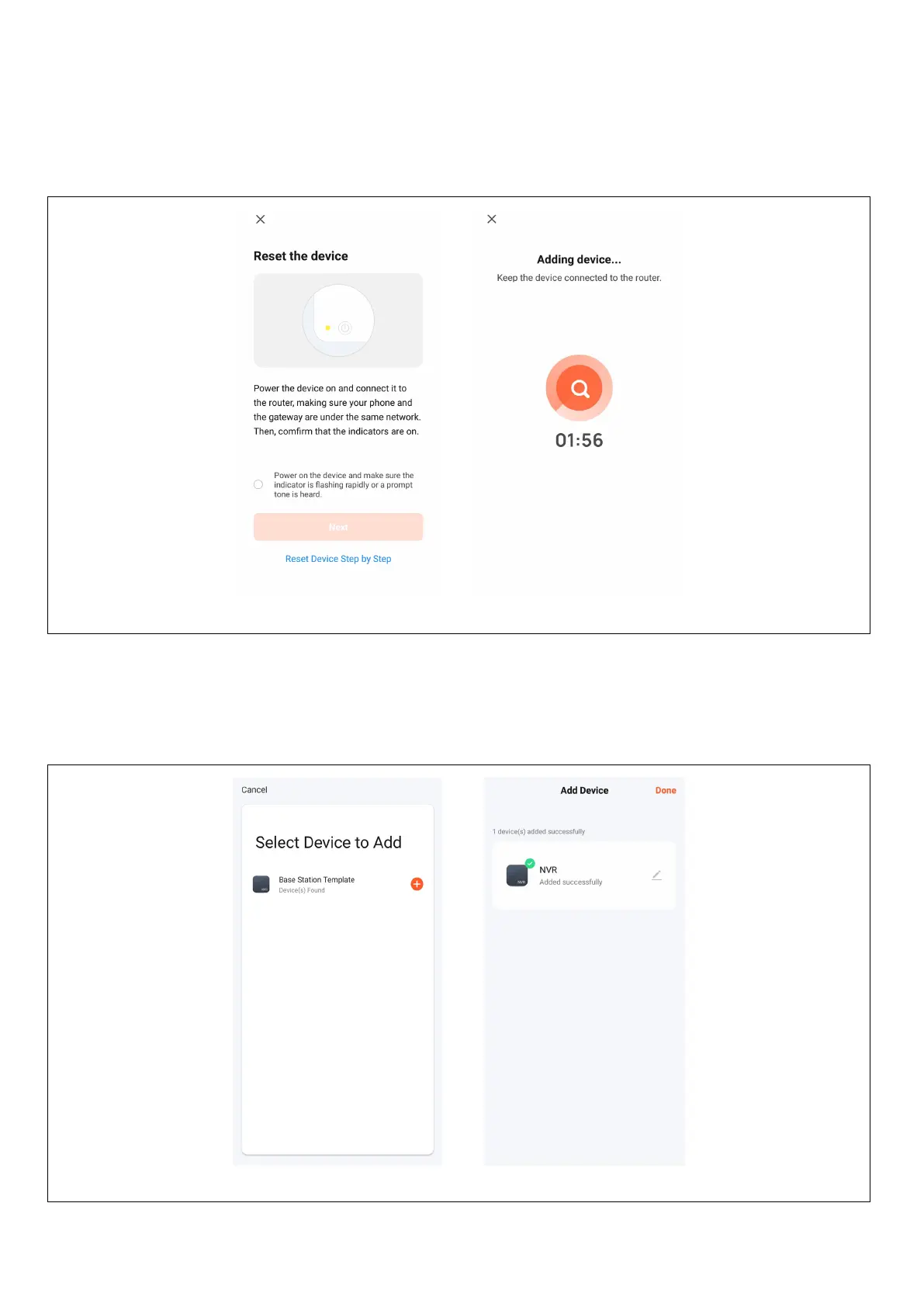
4. Follow the instructions on the page to verify that the power to the network video recorder with hard drive
and the network light are steady and blue, and then click the "Next" button to enter the connected device
page as shown below:
5. After successfully connecting the device, select the "Add Device" option, click the [+] button to enter the
connection page, and after being prompted that the addition was successful, click the "Finish" button to
successfully add the device as shown in the figure below:


 To Next Page