43
Steps:
2.1 Click on the text box after "Username" and enter a username, the default system username is "admin".
2.2 Click on the text box after "Password" and enter your password. The default system password is
"888888".
2.3 Click on the "Confirm" button to complete the login.
2.4 Click on "Pattern Unlock" and log in using the pattern you have set.
2.5 Click on the "Forget Password" button to retrieve your password via the contact details you have
entered.
3. Turn off
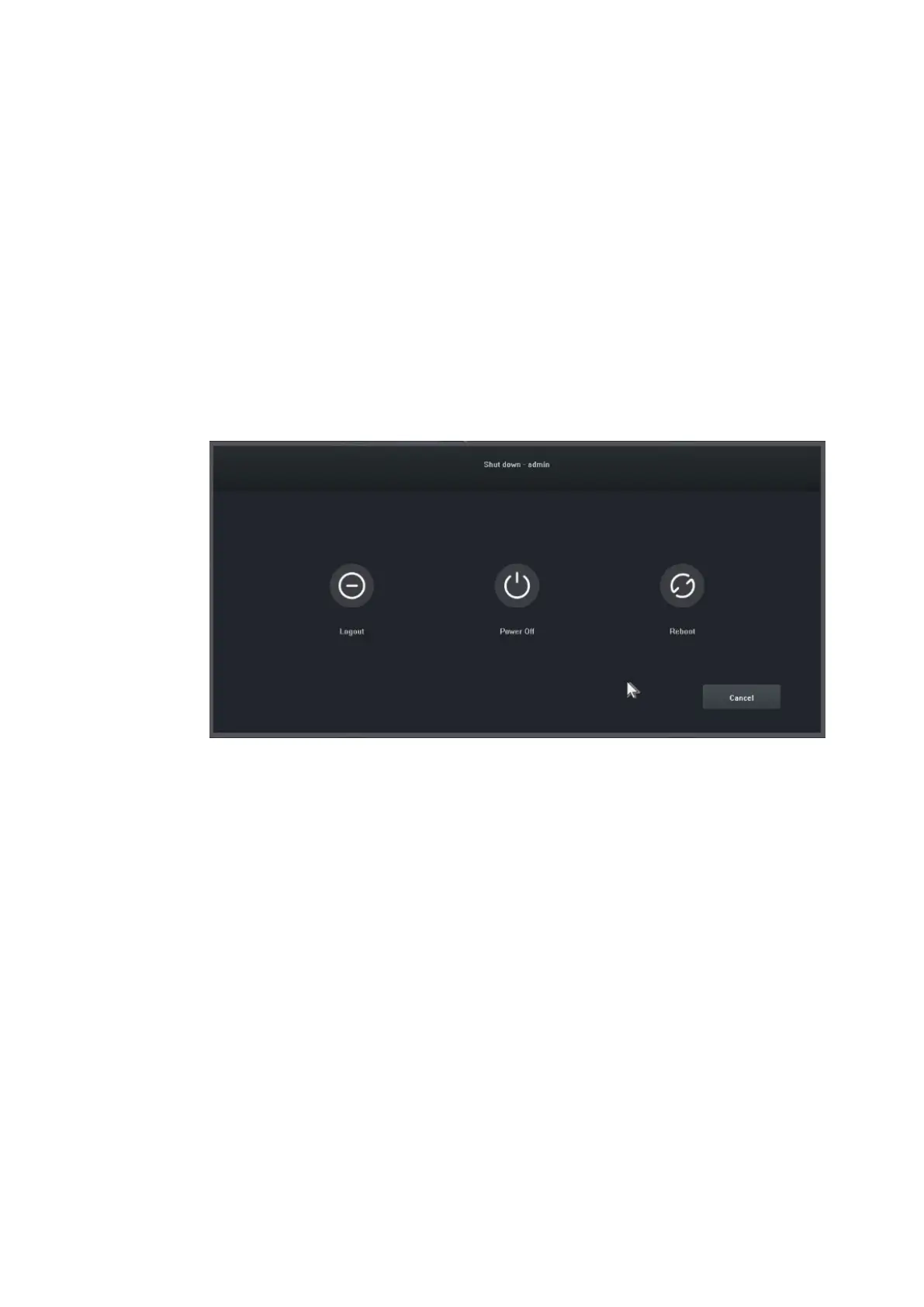
Illustration of function: shutdown and restart can be controlled.
Steps:
3.1 Click the "Shut down" button in the main menu, then the interface below will be displayed:
3.2 Click on the "Power Off" button and turn off the system.


 To Next Page