51
5. Management by PC
1. Install the iCMS client on your computer download at www.evolveo.com
2. Log in to the system
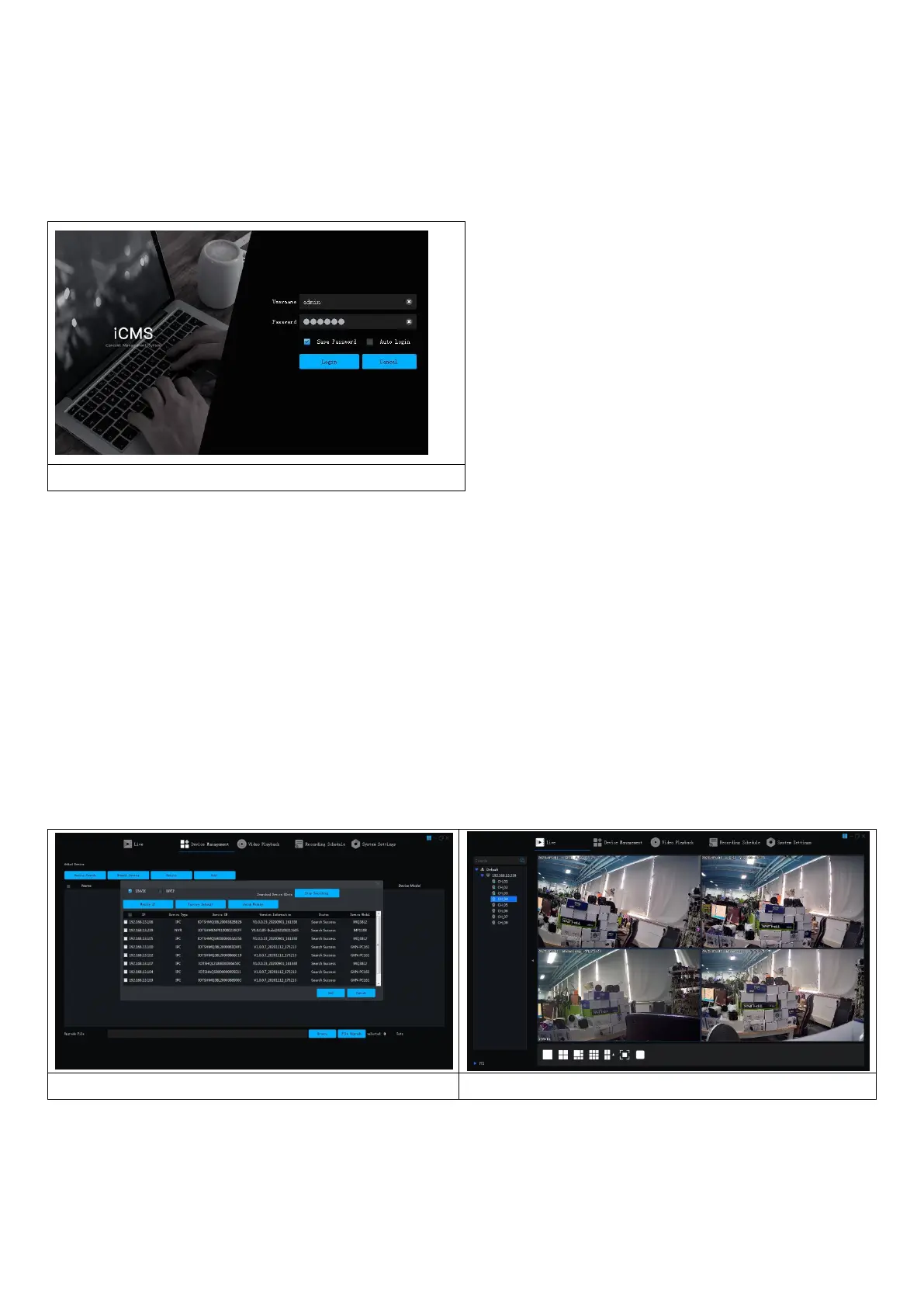
2.1 Login client, username: admin, password: admin. The interface as shown in Figure 3-1 is displayed.
Figure 3-1
2.2 Check that the network video recorder with hard disk is properly connected to the network. (Connect the
power cord and power supply)
2.3 Set the IP address, subnet mask and gateway for the host computer and the network video recorder with
hard disk (if there is no router on the network, assign the IP address of the same network segment. If there is
a router on the network, you need to set the appropriate gateway and subnet. Netmask), the network
settings of the network hard disk VCR can be found in [Main Menu]>[Network Settings].
2.4 Use ping ***.***.***.***.*** (IP address of the network VCR with hard disk) to check whether the network
is connected.
2.5 Open the client, click "Device Management" -> "Search" and click the Add button as shown in Figure 3-2.
2.6 After successfully adding, select "Video Preview", click the preview of the video output device, and the
interface shown in Figure 3-3 will be displayed.
Figure 3-2
Figure 3-3


 To Next Page