46
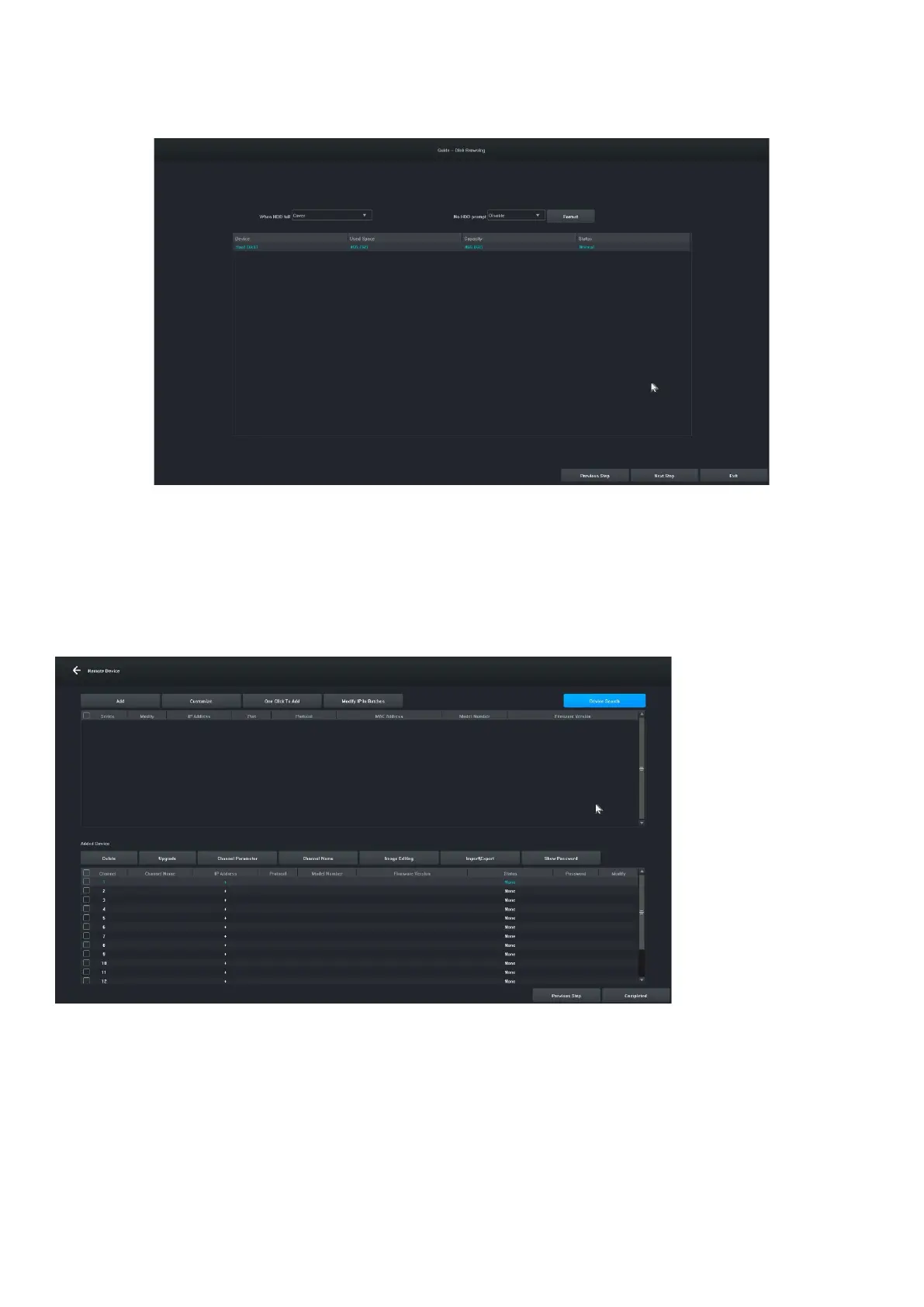
4.5 Settings 5:Users can set the format and recording schedule of HDD, see the figure below:
4.6 Settings 6: Information about all IPC devices of this NVR will be displayed, and click "Finish" to complete
the configuration of the startup wizard.
5. Remote device
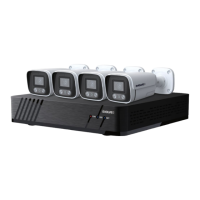
The wizard is completed or click on " Remote Device" to enter, the image is as follows:
[Device Search] Click " Device Search" to search for a device.
[Add] Check the devices you are looking for and click the "Add" button to add the device.
[Customize] " Manually add" devices based on the IP address of the device.
[One-click add] Add all searched devices.
[Bulk IP Edit] Search for a device and edit the IP address of the device in the group.
[Remove] After you have successfully added a device, you can remove it.
[Upgrade] After successfully adding the device, you can upgrade the firmware after checking.
[Channel parameter] After successfully adding a device, you can edit the channel information of the device.


 To Next Page