EasyManua.ls Logo

Excell 120S - Page 13

Default Icon
76 pages
Print Icon
To Next Page IconTo Next Page
To Previous Page IconTo Previous Page
Loading...
12
040112XX
ZSME400000004
EXCELL PRECISION CO., LTD
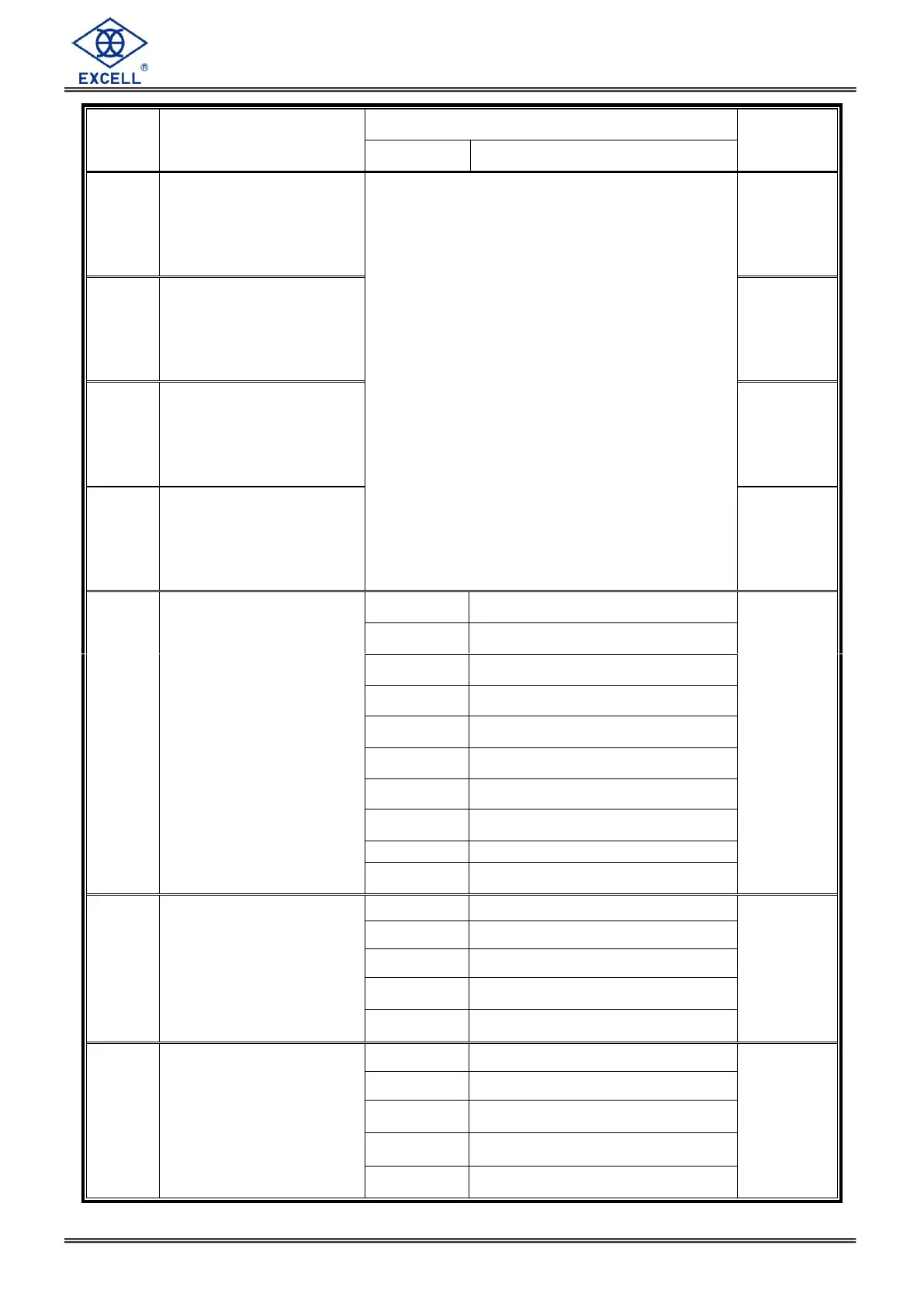
Item
Function
Setting value
Default
Parameter
Description
FNC-06
Front panel indication “◄
setting (top)
Parameter Description
0 Zero
1 MD
2 Gross
3 Net
4 Totalised weight (Accu. V)
5 Totalised transactions (Accu. C)
6 SP1
7 SP2
8 SP3
9 Hi
10 OK
11 Lo
12 Under
13 Over
14 Discharge
15 Running
16 Hold
0
FNC-07
Front panel indication “◄
setting (next to top)
1
FNC-08
Front panel indication “◄
setting (next to bottom)
2
FNC-09
Front panel indication “◄
setting (bottom)
3
FNC-10
Return to zero band
(d: refer to CSP-03)
0
5 d
0
1
10 d
2
20 d
3
40 d
4
60 d
5
80 d
6
100 d
7
150 d
8
200 d
9
250 d
FNC-11
Hold
0
Hold
0
1
Peak hold (positive 1)
2
Peak hold (negative)
3
Peak hold (absolute value)
4
Peak hold (positive 2)
FNC-12
Rate for display rewrite
0
No limitation
0
1
20 times/s
2
10 times/s
3
5 times/s
4
1 time/s

Table of Contents

Related product manuals