Speedtest Settings
28 EX10
System
Date/Time
Automatic Date/Time is enabled (not configurable) and set to
Automatic meaning that the EX10 device uses the smart device date
and time.
Battery
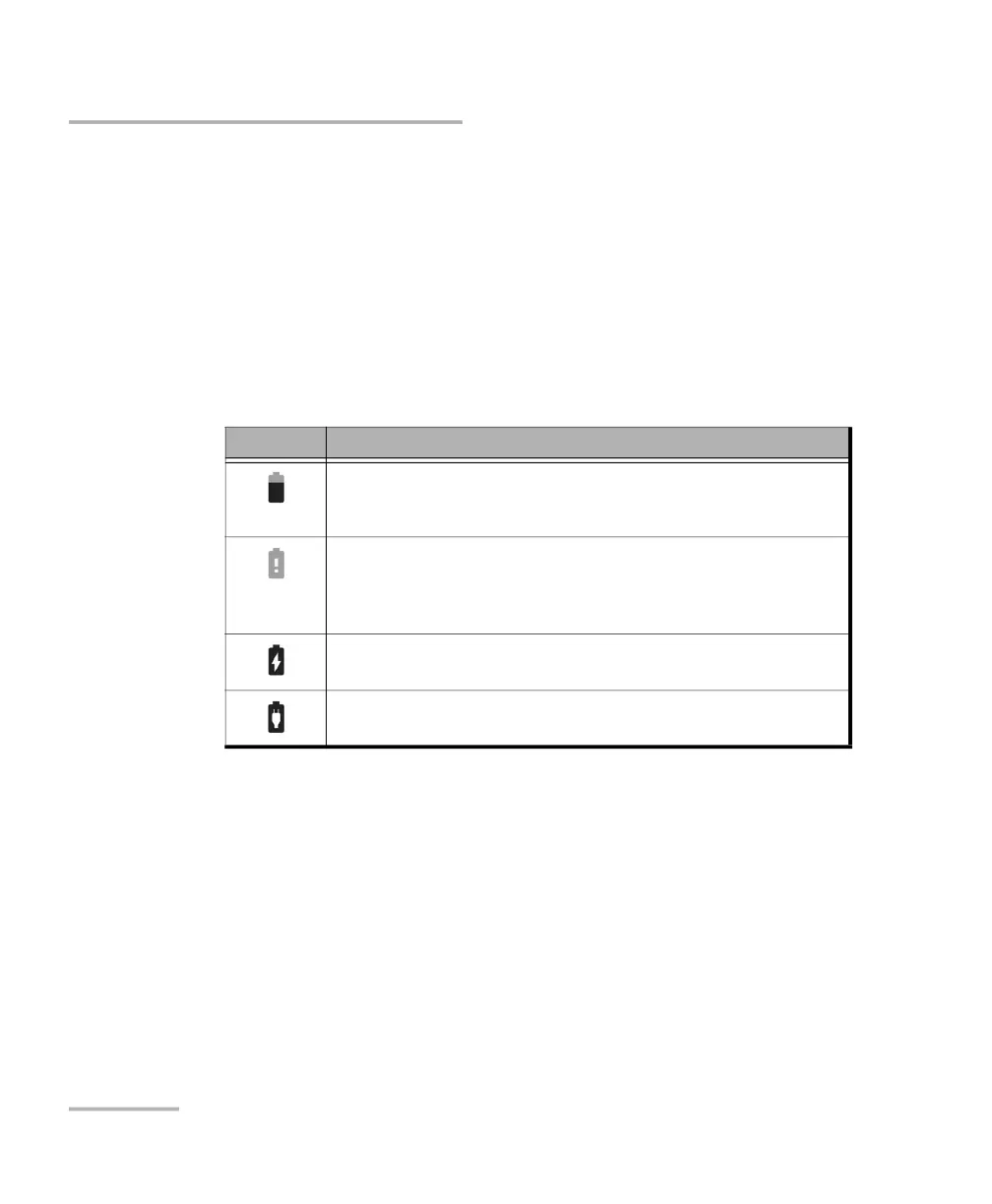
Charge remaining indicates the EX10 device battery status (icon) and
the percentage of the remaining battery charge level as follows:
Power Saving
Auto-Shutdown when enabled (default and dimmed), allows the
EX10 device to shut down once the period of inactivity is reached.
The EX10 device shuts down when there is no activity on the
device (no HTTP communication, test not running, no firmware
update, EXFO EX10 application in closed or in background, etc.)
for the defined period of 3 minutes. When the EX10 device is
charging using the provided USB power adapter, the
Auto-Shutdown feature is disabled.
Icon Level of charge
Charge remaining when above 5%.
A low battery message is displayed when the battery goes below 25%
indicating to charge the EX10 device to extend operation.
Charge remaining when below 5%.
A very low battery message is displayed when the battery goes below 5%
indicating that the EX10 device will shortly shut down and to charge the
EX10 device to extend operation.
Plugged in and charging.
Plugged in but not charging, the power source is not sufficient to charge
the EX10 device.



 To Next Page