EXFO EX10 13
4 EXFO EX10 Main Menu
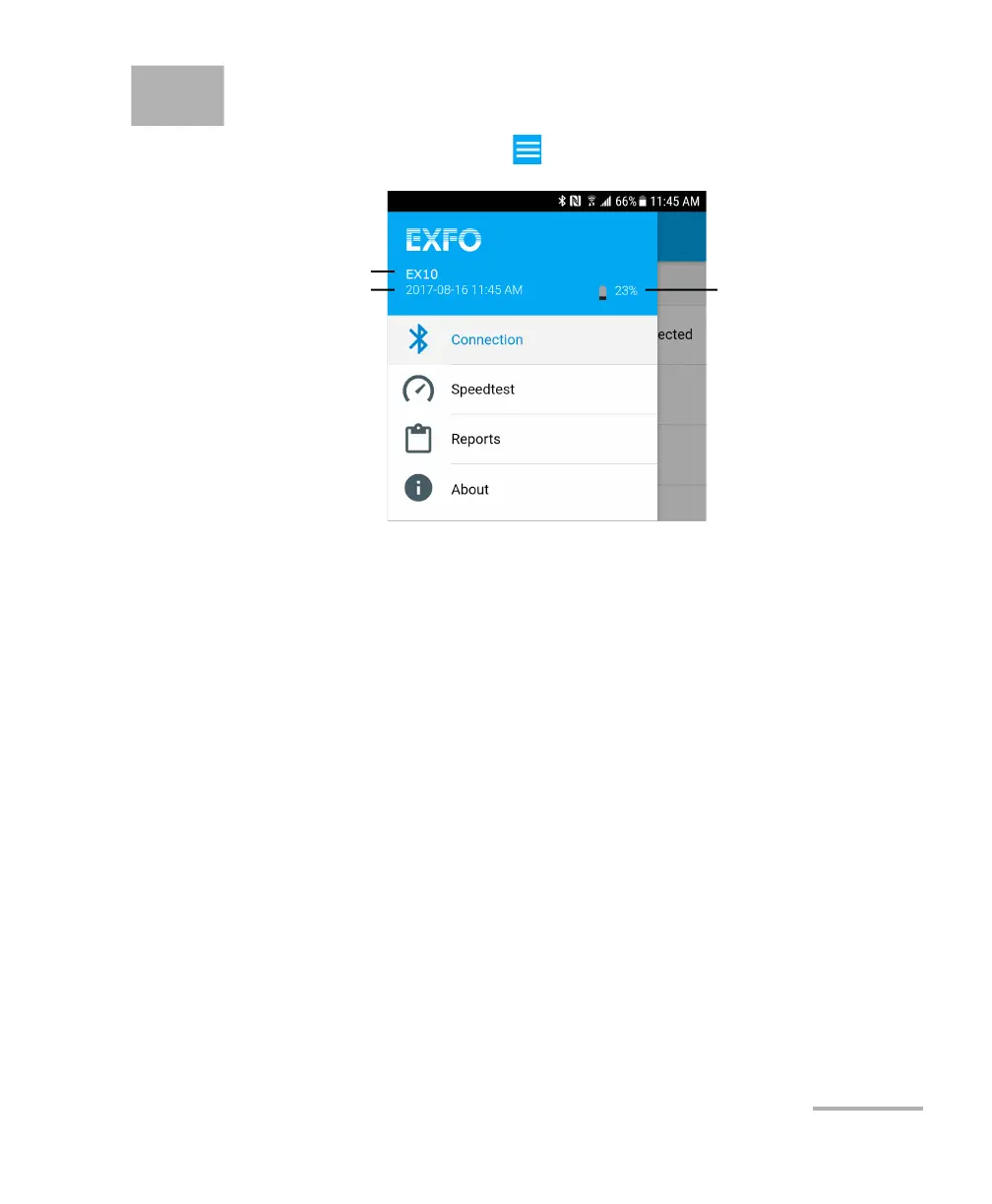
Tab the main menu button:
Note: Only Connection and About are available when not connected to an EX10
device.
Device Information
The following device information is only available when connected to an
EX10 device.
Device Name: Indicates the name of the connected EX10 device.
Device Date and Time: Indicates the current date and time of the EX10
device.
Device Battery: Indicates the battery status and the percentage of the
remaining battery charge level of the EX10 device. Tapping on the
battery icon, opens the battery information and settings, refer to
Battery on page 28 for more information.
Device Name
Device Battery
Device Date and Time



 To Next Page