EXFO EX10 37
8 Troubleshooting
Solving Common Problems
Before calling EXFO’s technical support, please read the following
common problems that can occur and their respective solution.
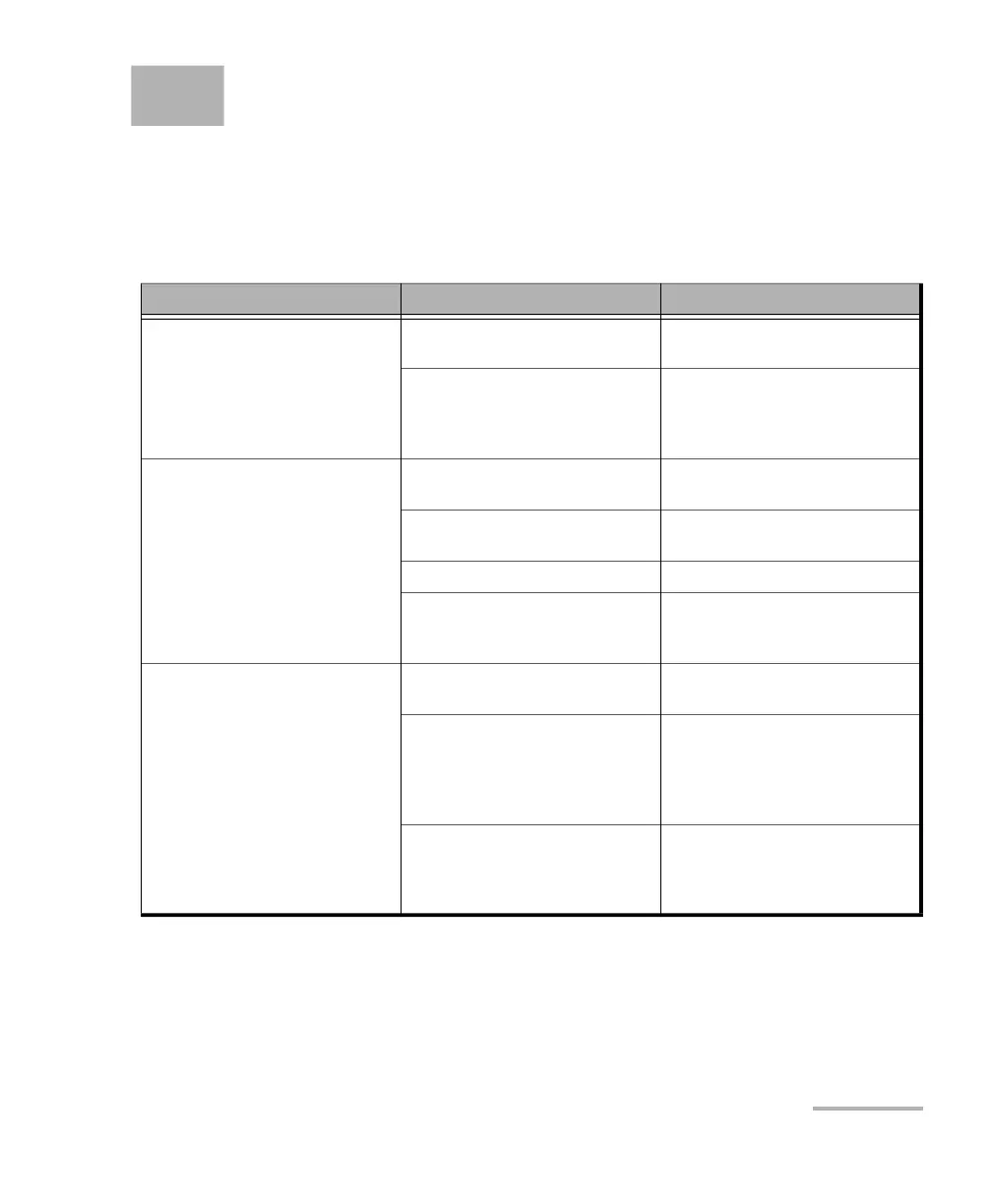
Problem Possible Cause Solution
Unable to establish the connection
between the smart device and an
EX10 device.
Too much distance between the
smart device and the EX10 device.
Reduce the distance between the
two devices.
The Smart Device hardware may
not be supported by the
application. Need to contact EXFO
for list of supported devices.
Make sure that both devices use
compatible firmware and
application versions.
The EX10 device is not appearing in
the list of Available Devices from
the Connection menu.
Too much distance between the
smart device and the EX10 device.
Reduce the distance between the
two devices.
EX10 device is already connected to
another smart device.
Disconnect the EX10 device from
the other smart device.
EX10 device is powered off. Turn the EX10 device on.
EX10 device is booting. Wait until the EX10 device is
completely booted (refer to On/Off
Switch and LED on page 4).
The EX10 device automatically
turns off.
Insufficient battery power. Recharge the battery using the
supplied USB power adapter.
The EX10 device automatically
shuts down after 3 minutes (by
default) of inactivity when the
EX10 device is not charging using
the supplied USB power adapter.
Turn the EX10 device on and if
required, increase the inactivity
time before turning the unit off.
Refer to Power Saving on page 28
for more information.
High temperature environment. Make sure to use the EX10 device
within its operating temperature
range. Refer to Equipment Rating
on page 45.



 To Next Page