Getting Started
12 FPM/FLS/FOT-600
Turning the Unit On and Off
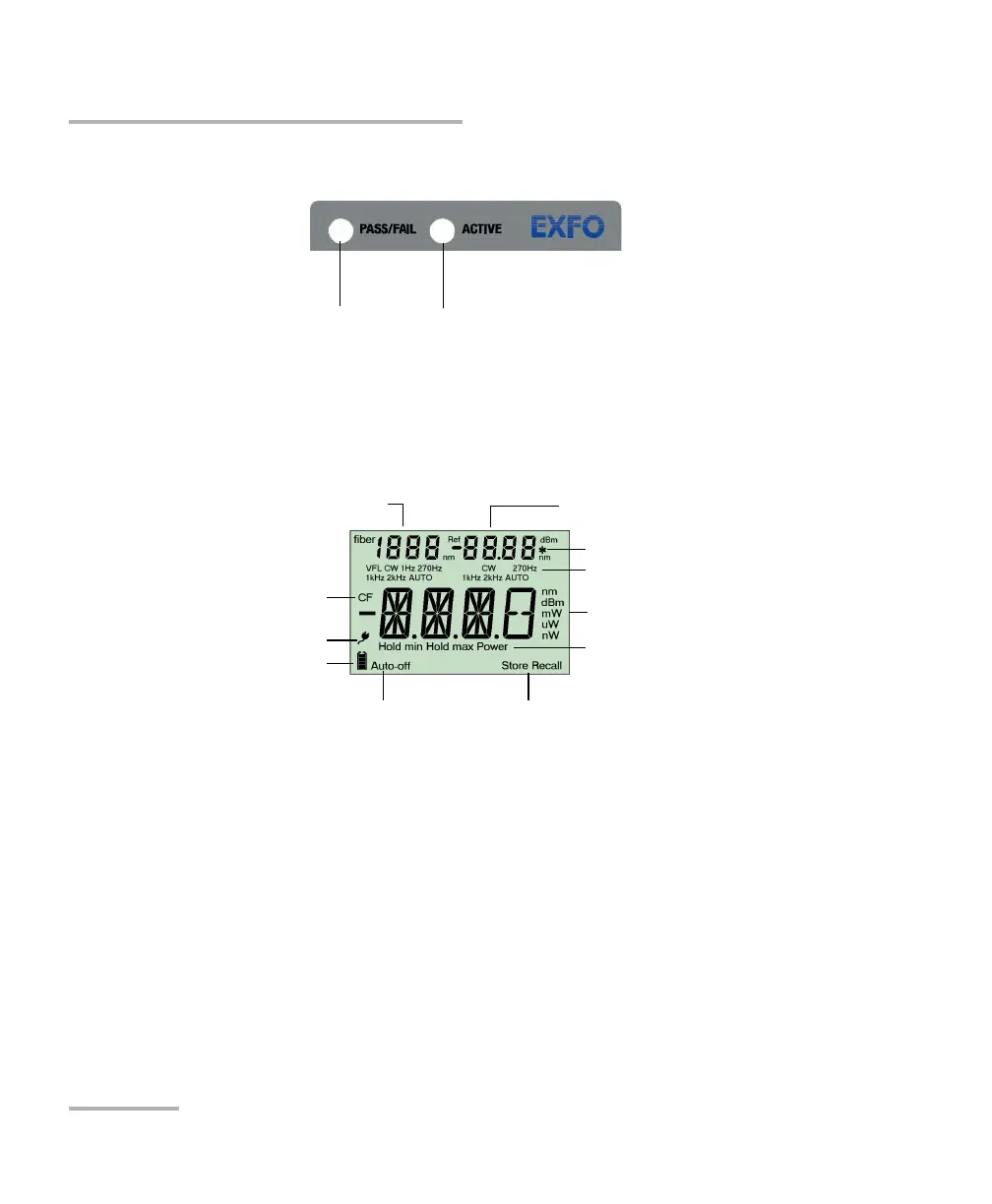
LED Indicators
FPM/FOT-600:
Whether the test passed or failed
according to the thresholds
FLS/FOT-600:
The laser source is active.
AC adapter plugged in
Auto-off activated
Batteries in use
(with level)
Measured power/loss (FPM/FOT)
Active source wavelength (FLS)
Source wavelength (FOT)
Fiber number
Power meter wavelength or
reference power (FPM/FOT)
Display
Correction factor activated
Power meter mode
Data storage or recall modes
Modulation values
Value included in favorites list



 To Next Page