EasyManua.ls Logo

EXFO FTB-2 Pro - User Manual

EXFO FTB-2 Pro
509 pages
Print Icon
To Next Page IconTo Next Page
Loading...
User Guide
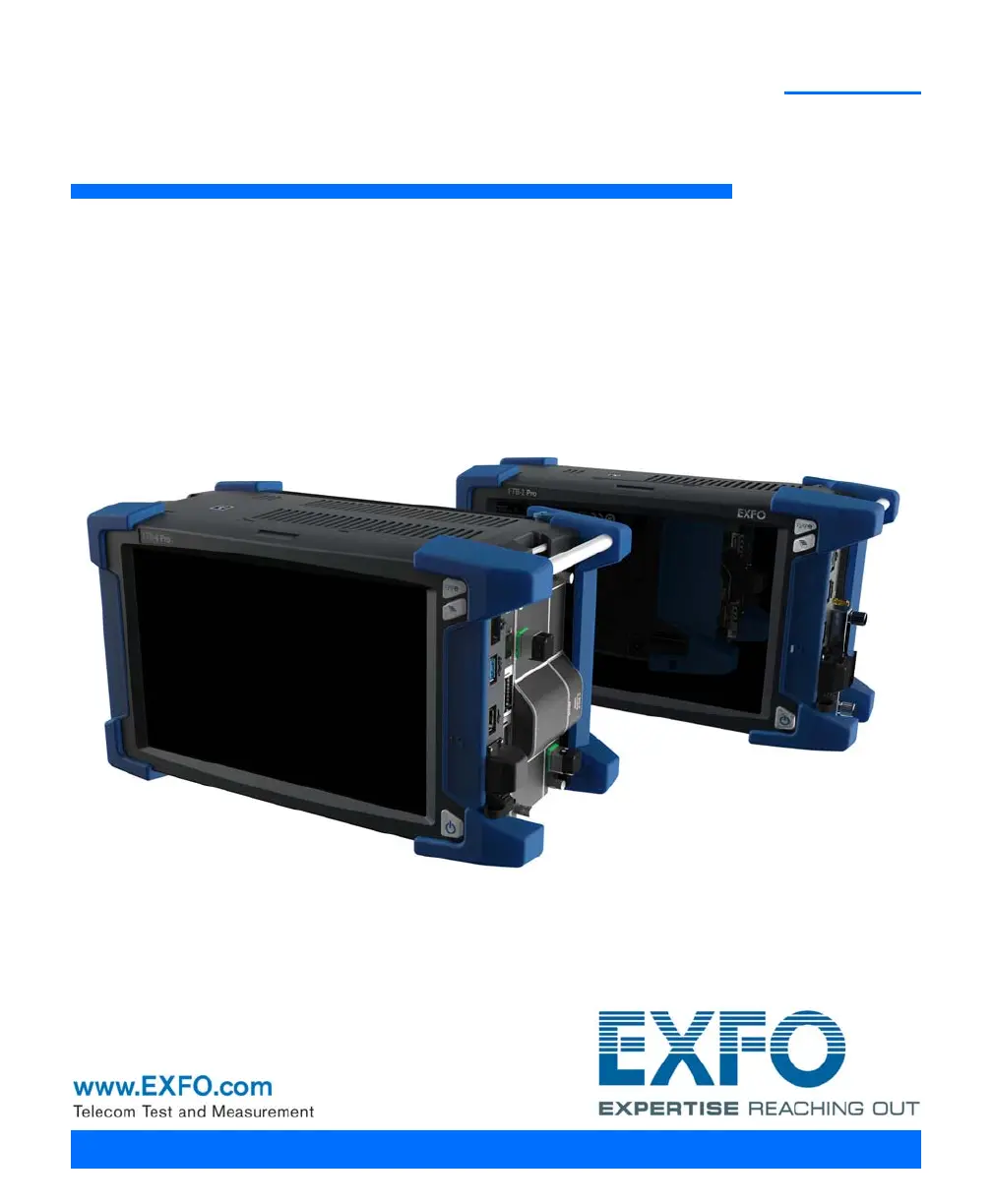
FTB-2/FTB-2 Pro and FTB-4 Pro
ООО "Техэнком" Контрольно-измерительные приборы и оборудование www.tehencom.com

Table of Contents

Other manuals for EXFO FTB-2 Pro

Questions and Answers

  • S
    Stephanie PatelSep 3, 2025
    What to do if the module application does not start on EXFO FTB-2 Pro Measuring Instruments?
    • J
      Jennifer PattersonSep 3, 2025
      If the module application doesn't start when you tap the icon on your EXFO Measuring Instruments unit: * Connect your unit to an external power source, as the module may require more energy than the batteries can provide. * Ensure that the module is supported on your unit by referring to the unit’s technical specifications.
  • J
    Jeffrey PorterSep 1, 2025
    How to calibrate the screen on EXFO FTB-2 Pro Measuring Instruments?
    • E
      Erica HallSep 2, 2025
      If the screen calibration on your EXFO Measuring Instruments unit is not maintained or is difficult to calibrate properly, reset the calibration settings. From the Control Panel, go to Hardware and Sound > Tablet PC Settings. Tap Reset. If further adjustments are needed, use ToolBox X: tap System Settings > Touch Screen Calibration.
  • A
    Alexander RomeroAug 31, 2025
    What to do if EXFO FTB-2 Pro Measuring Instruments unit does not recognize a test module?
    • C
      cjordanAug 31, 2025
      If your EXFO Measuring Instruments unit doesn't recognize a test module: * Install the corresponding application using the Update Manager application. * If the unit recognizes other modules, the one you are trying to use could be defective. * Ensure that the module is supported on your unit by referring to the unit’s technical specifications.
  • C
    Caitlin SmithAug 29, 2025
    Why can't I access the internet with my EXFO FTB-2 Pro Measuring Instruments using a mobile broadband USB modem key?
    • T
      Thomas RobertsonAug 29, 2025
      If you cannot access the Internet with your EXFO Measuring Instruments unit using a mobile broadband USB modem key, consider these possible causes: * Ensure that the SIM card is properly inserted into the USB modem key. * Try disconnecting and reconnecting the modem key, or try a different USB port. * Contact your mobile service provider to verify that the SIM card is activated and that there are no issues with your service or the mobile network.
  • C
    Charles MorrisAug 27, 2025
    Why is my EXFO FTB-2 Pro Measuring Instruments unit running slower than expected?
    • C
      Christopher MoranAug 27, 2025
      If your EXFO Measuring Instruments unit is running slower than expected, it may be due to Windows components configuring in the background. Leave the unit idle for about an hour to allow Windows to complete these tasks.
  • S
    steven04Aug 26, 2025
    Why are the batteries in my EXFO FTB-2 Pro Measuring Instruments not recharging?
    • T
      Thomas RoyAug 27, 2025
      If the batteries in your EXFO Measuring Instruments are not recharging, check the following: * Ensure the ambient temperature is within the specified range for recharging. * For FTB-2 and FTB-2 Pro units: verify the AC adapter is connected to the unit and the AC power cord is connected to both the adapter and the AC outlet. For FTB-4 units: ensure the power cord is properly connected to the unit and the AC outlet.
  • J
    Jason HarrisonAug 25, 2025
    What to do if EXFO FTB-2 Pro Measuring Instruments unit is not responding?
    • R
      rodriguezkathrynAug 25, 2025
      If your EXFO Measuring Instruments unit is not responding, force a hardware reset by pressing the On/Off button for at least fifteen seconds.
  • R
    rhinesAug 22, 2025
    What to do if the USB device I connected to EXFO FTB-2 Pro Measuring Instruments is not working?
    • S
      steven79Aug 23, 2025
      If a USB device isn't working after you connect it to your EXFO Measuring Instruments unit: * Try disconnecting and reconnecting the device. * Turn the unit off and then on again. * Make sure you have the correct driver for the device, which may be provided with the device or available online.

Summary

Introducing the FTB-2;FTB-2 Pro and FTB-4 Pro

Main Features

Details the primary features and hardware components of the FTB-2/FTB-2 Pro and FTB-4 Pro units.

Working With FTB and FTBx Modules

Instructions on how to insert and remove FTB and FTBx modules into the unit.

Power Sources

Details the unit's power sources, including AC adapter and rechargeable batteries.

Safety Information

Laser Safety Information

Provides safety information related to laser products, especially units with a built-in VFL.

Electrical Safety Information

Details electrical safety precautions, including power cord usage and handling.

Getting Started with Your Unit

Inserting and Removing Test Modules

Instructions for safely inserting and removing test modules into the unit.

Activating Software Options

Details the process of activating purchased software options for the unit.

Setting Up Your Unit

Configuring the Power Management Options

Guides on configuring power management plans for optimal performance and battery life.

Getting Ready to Retrieve Geolocation Information

Explains how to prepare the unit and smart device for retrieving geolocation data.

Working with Your Unit

Accessing the Internet with a Mobile Broadband USB Modem Key

Details how to connect to the internet using a mobile broadband USB modem key.

Retrieving the GPS Location of Your Unit

Explains how to retrieve and view the unit's GPS coordinates.

Managing Data

Transferring Data Using the Bluetooth Technology

Guides on transferring data between unit and computer/smartphone via Bluetooth.

Connecting to a Wireless Network

Details how to connect the unit to a wireless network.

Connecting to a VPN from Your Unit

Details how to establish a VPN connection from the unit.

Accessing Your Unit Remotely

Working with Remote Desktop

Guides on enabling and using Remote Desktop Connection to access the unit remotely.

Working With VNC

Explains how to set up and use VNC for remote control of the unit.

Testing Network Connections

Performing a Ping Test

Guides on how to perform a ping test to measure network latency.

Preparing for Automation

Changing Communication Settings

Guides on modifying communication settings for instruments and protocols.

Configuring DCOM Access to Your Unit

Details on configuring DCOM access for controlling devices via Ethernet.

Configuring Your Instruments

Explains how to control instruments via SCPI commands or dedicated applications.

Using Your Unit and Modules in an Automated Test Environment

Standard Status Data Structure

Describes the standard status data structure and registers (ESR, ESE, STB, SRE).

SCPI Command Structure

Provides an overview of SCPI programming, command syntax, and elements.

Writing Remote Control Code

Details rules for message reception and transmission in remote control.

Monitoring Remote Commands

Guides on monitoring remote commands sent to units via IC Monitor or SCPI Telnet Monitor.

Maintenance

Cleaning Detector Ports

Provides instructions for cleaning detector ports to maintain measurement accuracy.

Recharging the Batteries

Guides on recharging the unit's smart lithium-ion batteries.

Replacing Batteries

Provides instructions and safety warnings for replacing the unit's batteries.

Installing or Removing the Power Meter and VFL

Guides on installing or removing the optional power meter and VFL.

Troubleshooting

Solving Common Problems

Lists common problems and their possible causes and solutions.

Restoring Your Unit to Normal Operation

Guides on restoring the unit to a previous state or factory settings.

Warranty

Service and Repairs

Outlines the process for sending equipment for service or repair.

IEEE 488.2 and Specific Command Reference

IEEE 488.2 Commands-Quick Reference

Provides a quick reference for required IEEE 488.2 commands.

IEEE 488.2 Required Commands

Details the required commands for IEEE 488.2 compliance.

Specific Commands

Provides detailed explanations of unit-specific commands.

COM Properties and Events

Properties

Details COM properties like Write, Read, and their parameters.

Communicating Through TCP;IP Over Telnet

Executing SCPI Commands Over Telnet

Guides on executing SCPI commands remotely via TCP/IP Telnet.

EXFO FTB-2 Pro Specifications

General IconGeneral
Module Slots2
ConnectivityEthernet, Wi-Fi, USB
Optical Light Source Wavelengths1310 nm, 1550 nm
Operating Temperature-10°C to +50°C
Storage Temperature-20°C to +70°C
Battery Life8 hours (typical)

Related product manuals