Test Setup - Test Configurator, Timer, and System
188 MAX-800 Series
Streams - Profile
Shaping
TX Mode allows the selection of the transmission mode for the
selected stream when Data profile is selected. The TX Mode is forced
to Continuous for Voice and Video profiles.
TX Rate / Max TX Rate indicates the transmission rate for Voice and
Video profiles, and allows entering the transmission rate for Data
profile.The available stream transmission rate will be calculated
according to the selected TX Mode. The default setting is 100 percent
for all interfaces at the exception of 10Gig-E WAN which is 92.8571
percent (depending on the frame format).
Unit choices are: % (default), Mbit/s, Gbit/s, frame/s, IFG. However
frame/s and IFG are not available for Random and Sweep frame sizes.
Frame Count is only available with n-Frame Transmit Mode. Enter the
frame count number: 1 (default) to 267857142857.
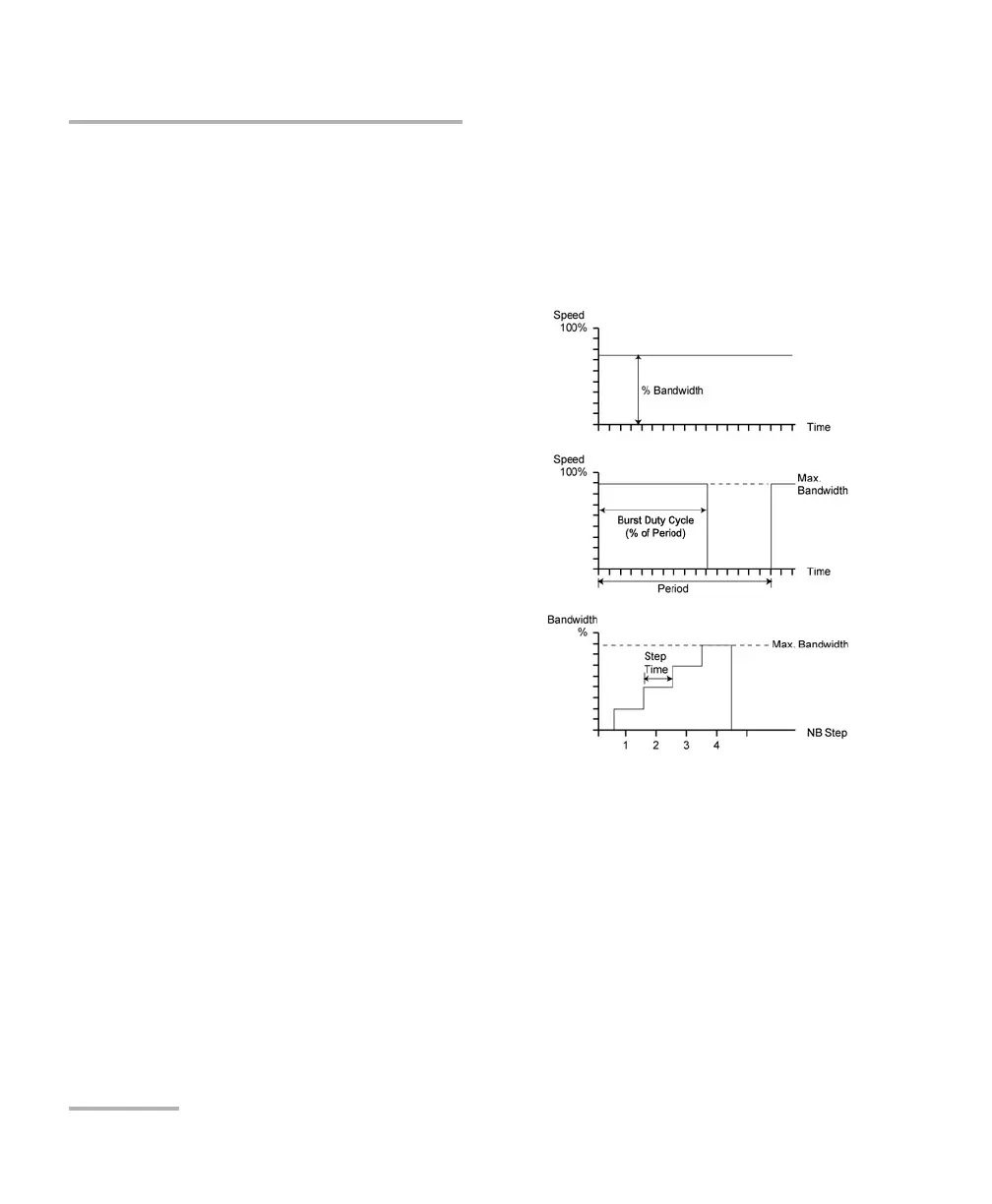
Continuous (default) transfers the
selected frame continuously according to
the selected percentage of bandwidth.
n-Frame transfers the selected number of
frames.
Burst transfers the selected frame at
maximum bandwidth for the selected
Burst Duty Cycle over the Period.
n-Burst transfers the selected number of
Burst.
Ramp transfers the selected bandwidth in
a stair shape according to the selected
step time, number of steps, and maximum
bandwidth.
n-Ramp transfers the selected number of
Ramp.










 To Next Page