Getting Started with Your PON Power Meter
24 PPM-350D
Setting Parameters
Setting Parameters
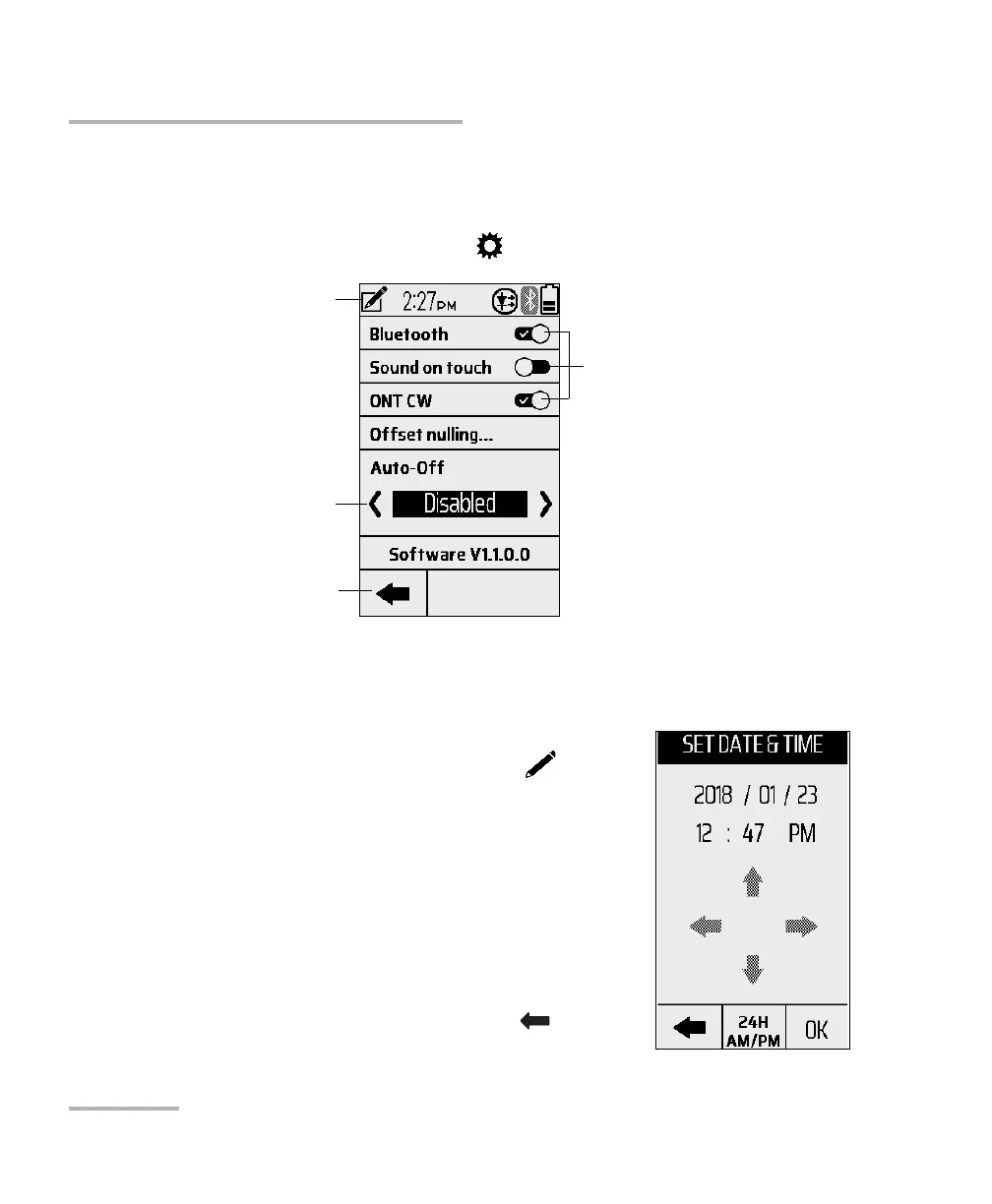
To view or edit the unit’s parameters:
From the menu screen, tap .
Date and Time
To set the date and time:
1. From the parameters screen, tap .
2. Tap to highlight the value you want to edit or
use the left/right arrows to navigate and
highlight the value to be changed.
3. Tap the up/down arrows to increase/decrease
the desired value.
4. Tap the 24H AM/PM to toggle between time
formats.
5. Tap OK to confirm the change or to cancel
any changes and exit.
SET DATE & TIME
Disable, or increase/decrease the
time duration before the unit
automatically powers off:
2, 5 (default), 15, or 30 min
Exit parameters
Toggle on/off



 To Next Page