SAIC Exploranium – GR-135 System Manual page: 62
Selecting the time and date format
IdentiView gives you several time and date formats from which to choose. From the Options menu,
select Time and Date, and choose one of the following:
• Show local time
- Displays the local time of day in the View Spectra Data, View Search Data,
and View Dose Data charts. For display purposes only, data and unit still
contain GMT time.
• Show GMT
(UTC) time
- Displays Greenwich Mean Time of day in the View Spectra Data, View Search
Data, and View Dose Data charts. No time zone conversion is done.
• Synchronize on
- Synchronize the time of day to Greenwich Mean Time (UTC). The default is
automatically set every time the unit is placed in the docking station.
• Synchronize off
- Allows you to set the time manually.
• Date format
- Lets you choose one of the following options for displaying the date:
- MMM DD YYYY
- MM DD YYYY
- DD MM YYYY
- YYYY MM DD
3.4 VIEWING SPECTRA DATA
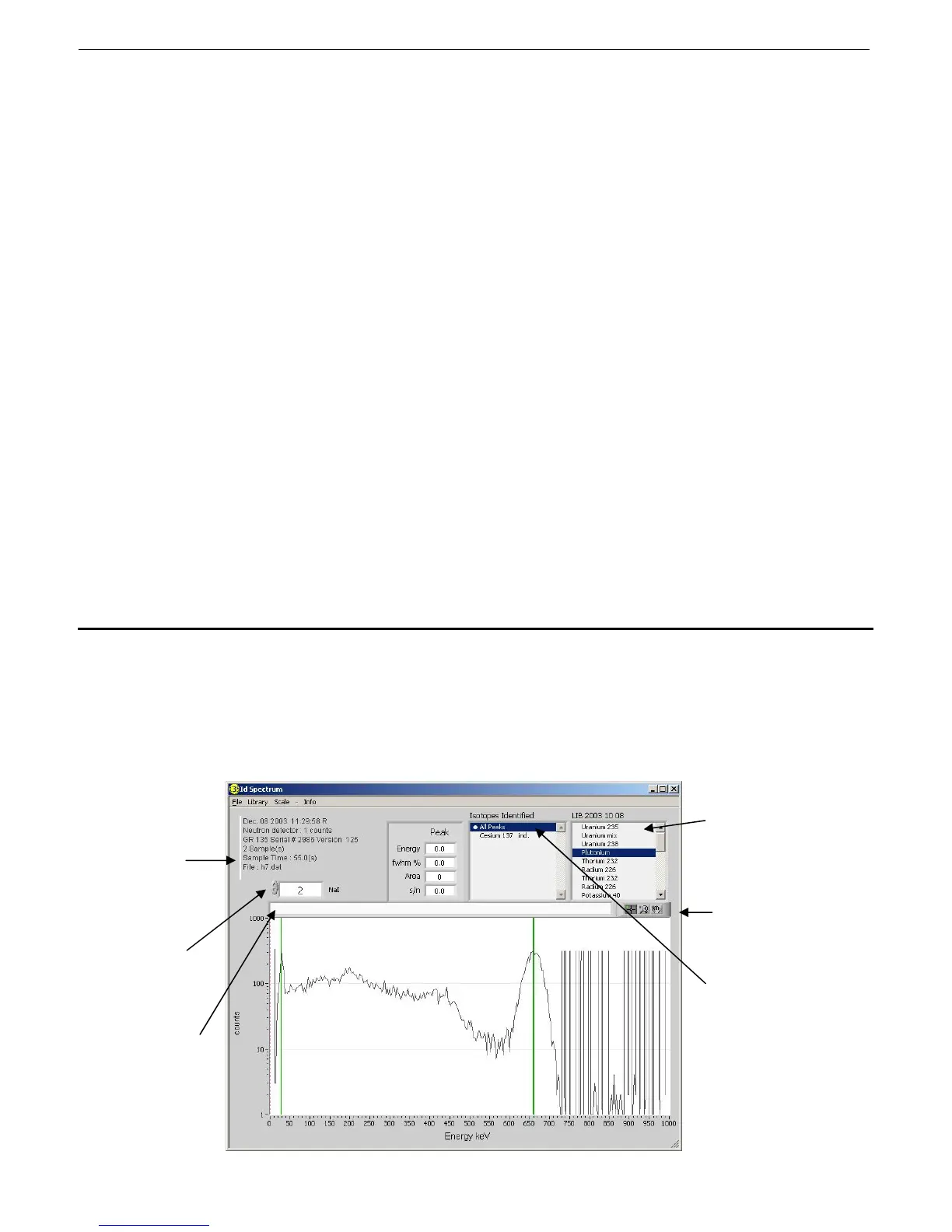
Once the spectra have been down loaded and stored on the PC they can be inspected.
Click the “View Spectra Data” button to see the spectra graphically.
Current library in use.
Graph pallete with
cursor and search
functions.
Active indication (double
click to force All peaks)
Identifies the GR-
135 unit, firmware
version, sample
time, and date and
time of the
spectrum. Each
specific has its own
date/time stamp.
Select spectrum #
using up/down
arrows. This box
goes RED when
the last spectrum is
reached.
Optional user text
box where custom
comments can be
entered (for printing
purposes only)



 To Next Page