5. DIRECTIONS FOR USE
2
3
1
24GB
c. Connecting an automatic gate opener.
Connect it directly to terminals 5 and 6 on the back of the monitor.
The monitor supplies a “dry” contact
without power to connect to the control of the “push button” of your automatic gate opener.
Note this function is only valid when the screen is switched on.
• Pressing the button of the roadside panel triggers a sound signal and the monitor switches on for approx.
30s. Once the visitor is identified, press the key to communicate with him.
Pressing once the key is enough to communicate with the roadside panel.
• Once the conversation is finished, wait for the end of the temporisation of around 2mn or press the
key to switch off the monitor.
• To resume the image for an additional 30s, press the key
• The catch or the mechanism is commanded by the button. .
It should be remembered that the opening functions are only valid if the screen is on.
• To turn on the street board's alarm function, press the button.
a. Use of the video door phone
b. Settings
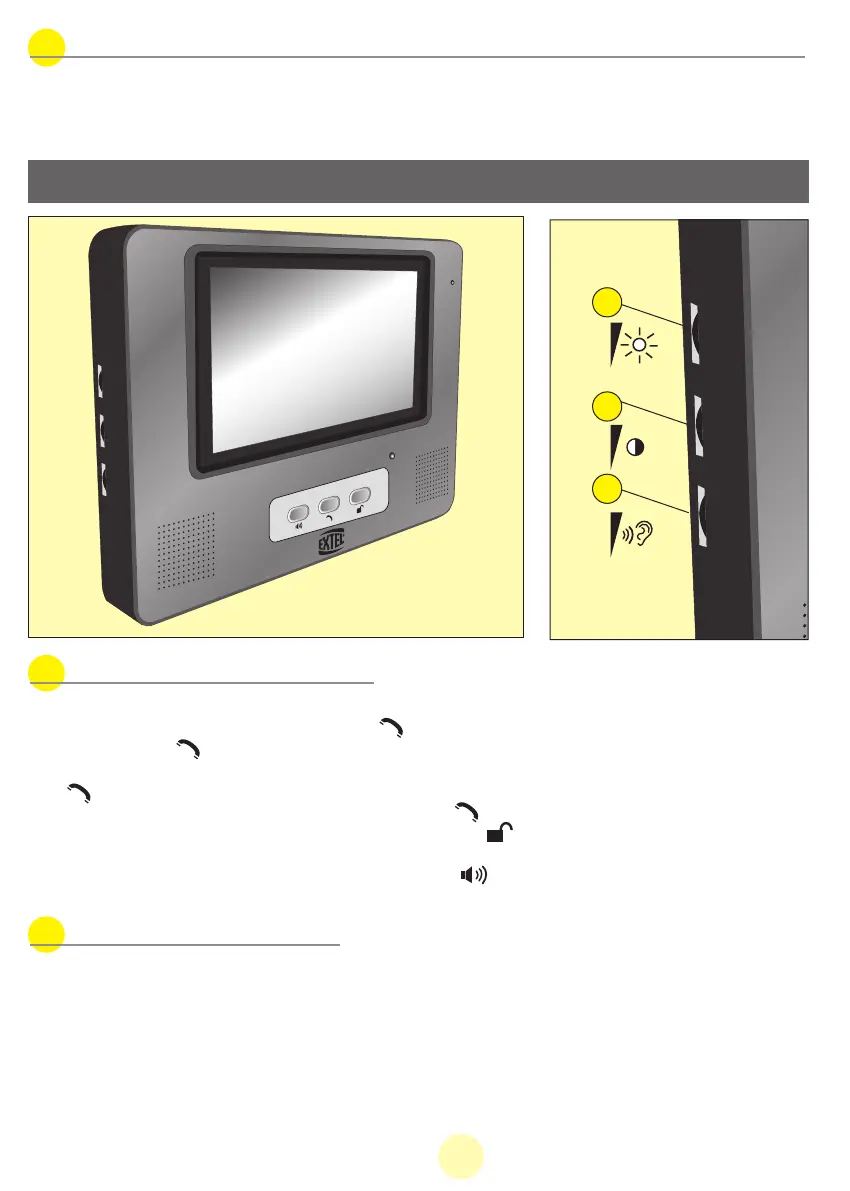
3 settings can be accessed from the side of the monitor:
• 1 - Brightness
• 2 - Colour
• 3 - Volume and ringer cut-off
MANUAL WEVP 626 E BIS LANGU.qxd 28/09/07 16:01 Page 27



 To Next Page