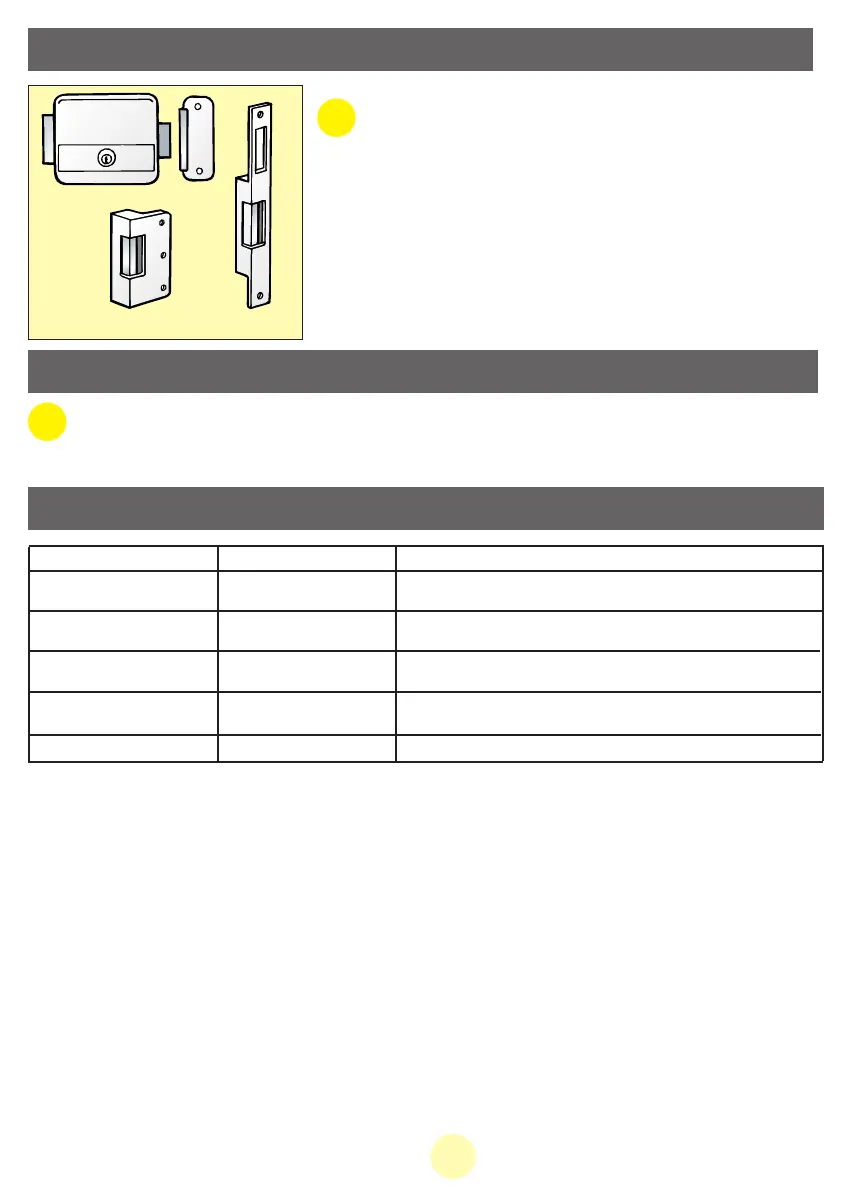
•All Extel electric latches: WECA 90201, WECA 90301, WECA
90501..
•All Extel electric locks: WE 5001/2 bis, WE 5002/2 bis, WE
5003/2 bis and WE 5004/2 bis
• Transformer to supply the catches and locks: WETR 14602
•All Extel electric gate openers: WEATV2, WEATB2 and
WEATC2.
we 5001/2 bis
weCA 90501
weCA 90301
6. OPTIONS
7. USER INFORMATION
• Do not open the equipment as this may invalidate the guarantee.
• If you have to return the system for after-sales service, protect the screen to prevent scratching.
• Only clean with a soft cloth – do not use solvents.
25GB
8. DEBUGGING / GUARANTEE
Fault Possible cause Solution
- No power is reaching
the monitor
- Installation location
• The monitor does
not light up
• Poor image and/or
sound
- Check that the adaptor plug is correctly pushed home.
- Check that the cables used are the correct thickness and that the video
phone connection cables are not in the same cable sheath as 230 V cables.
- Position of the video camera
• Image too bright
- Do not point the video camera directly at the sun or at reflecting s
surfaces.
Extel technical site: “www.cfi-extel.com”, click “Technical Assistance”.
The system is guaranteed 1 year after leaving our workshop . Keep your till receipt as proof of purchase.
- Installation
• Screen blank,
no chime
- Check the installation cable; carry out a trial on a table with 30
centimetres of cable
- Utilisation
• No chime
- Tune volume on mute
MANUAL WEVP 626 E BIS LANGU.qxd 28/09/07 16:01 Page 28



 To Next Page