P1
P2
P3
P4
P5
P6
P1 P4
P3
P2
P5
P6
P6
7
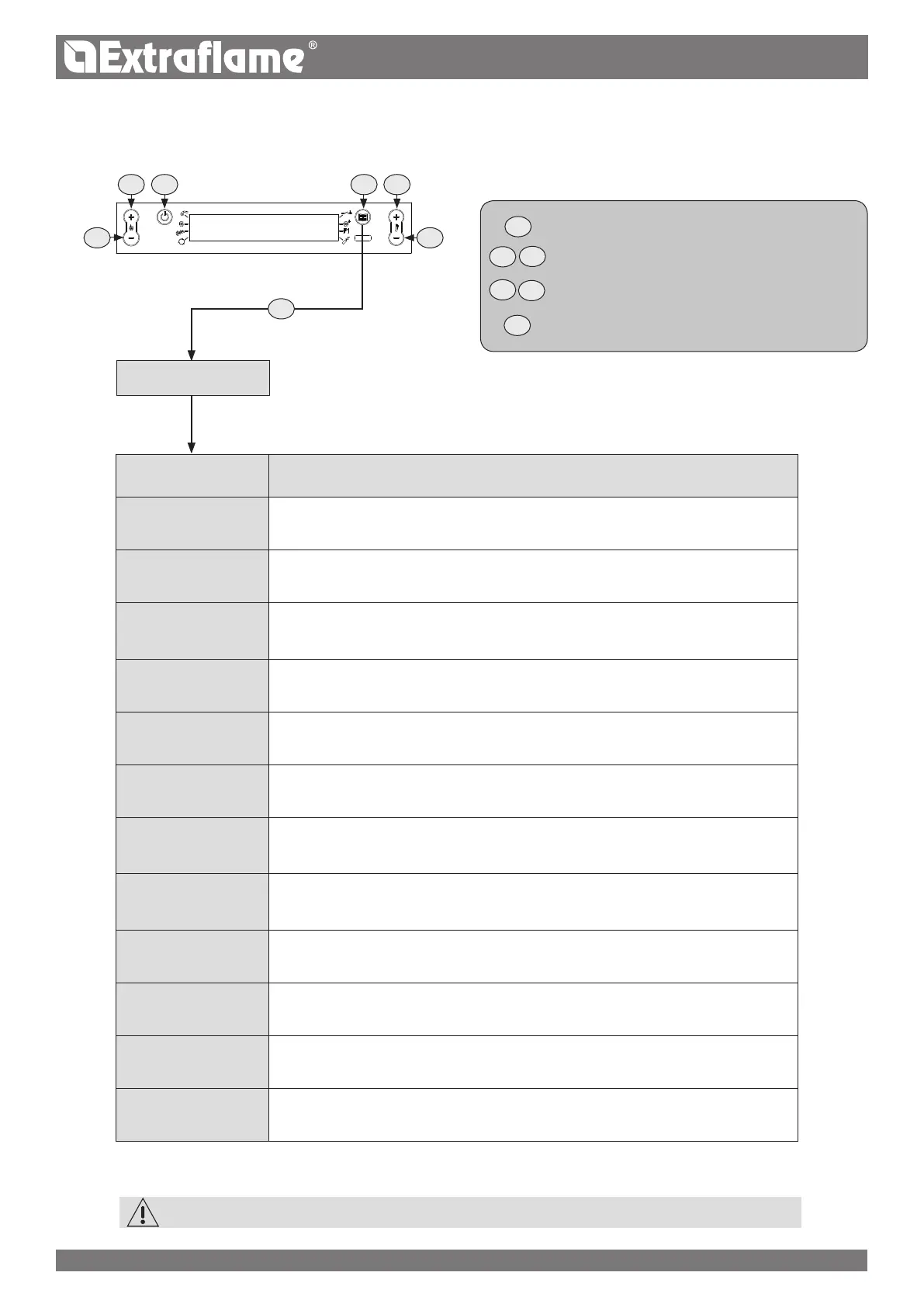
MENU FUNCTION
GENERAL DATA
Allows setting a series of general parameters.
Refer to the corresponding data table.
FACTORY SETTINGS
Allows conguring a series of factory parameters.
Refer to the corresponding data table.
INSTALLER
Allows conguring a series of factory settings.
The possible settings refer to pellet feed,
ue motor and ow all in %.
DUCTED DATA
Voltage setting of the second
motor depending on the various work phases.
CONTROLS ACTIVE
Allows activating or deactivating a series of settings, such as
fumes motor encoder, debimeter, ign-plug, serial.
CHIMNEY TYPE
Key “77" allows setting the
intake ow for the various debimeter operating phases.
OUTPUTS TEST
Allows testing the board outputs: Flue motor and exchanger fans; the voltage can also
be set. As for the auger, the test activation time can be set. As for the ign-plug, it can be
turned on and o.
COUNTERS
MEMORIES
Displays in sequence the consumption hours for the various brands
(auger operating hours), overall operating hours
partial hours, number of start-ups and the last 5 alarms occurred.
DEFAULT Key “O1” (letter "o") allows reloading factory settings.
RESET PART HOURS Key “77” allows resetting partial operating hours.
RELEASE
Key “77” allows skipping all verications for 60 seconds and restarting the stove even
with high ue gas temperature, unreset timers, etc.
ATTIVAZIONE Automatic setting (day - month - year)
STRUCTURE OF THE TECHNICIAN MENU
TECHNIC SET
CODE A0
TECHNICIAN MENU
GO BACK SAVE EXIT
BROWSE PARAMETERS: NEXT P2 ; PREVIOUS P3
MODIFY SETTING DATA: INCREASE P4; DECREASE P5
CONFIRM ACCESS MENU
THE DATA IN TABLES ON THE FOLLOWING PAGES ARE FOR ILLUSTRATION PURPOSES ONLY!


 To Next Page