P6
P6
P2
8
TECHNICIAN MENU
GENERAL DATA
FIRMWARE VXX
PG00 60
PG01 0,6
PG02 0,6
PG03
P1
0,6
PG04
P5
1,6
PG05
ON
1680
PG06 1860
PG07
P1
1380
PG08
P5
1920
PG09 180
PG10 200
PG11 200
PG12 65
PG13 125
PG14 DELTA T OFF 2
PG15 DELTA T ON 2
FACTORY SETTINGS
FIRMWARE VXX
PF00 10
PF01 15
PF02 05
PF03
ON
110
PF04 280
PF05 OFF
PF06 55
PF07 85
PF08 40
PF09 30
PF10 1
PF11 31
PF12 1920
PF13 0,6
PF14 1
PF15 1920
PF16 1920
PF17 1920
PF18 220
PF19 00
PF20 1680
GENERAL DATA
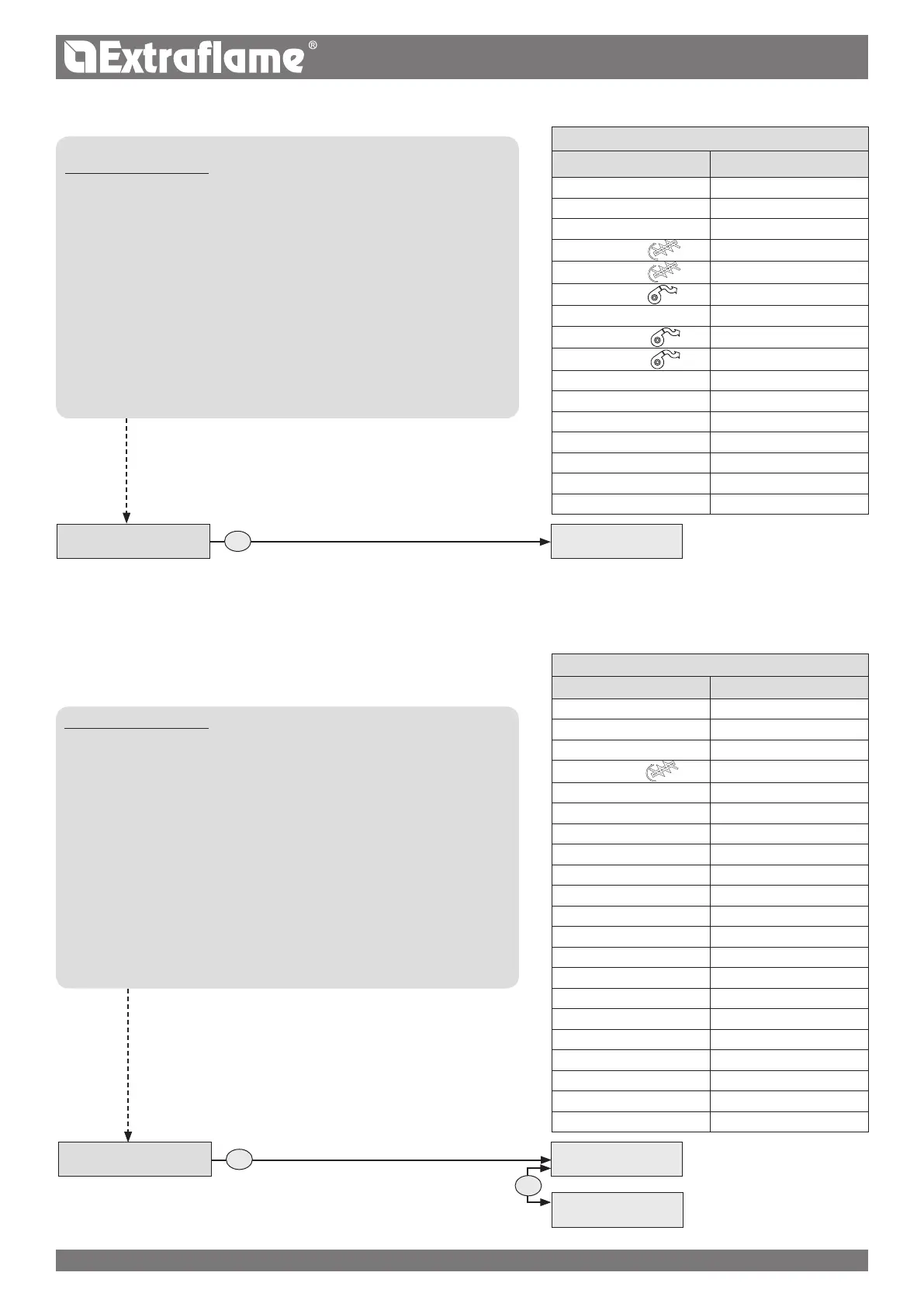
CONTROLS PROCEDURE
Press P6 and SET CLOCK will appear.
Press P2 several times until TECHNIC SET is displayed.
Press P6.
Hold key P4 down to reach the reserved code "A0"
When the code has been reached, conrm by pressing P6
"GENERAL DATA" will appear
Enter pressing P6
To modify a single parameter, press P4 or P5, to
continue and memorise press P2, to retrocede in the various
parameters press P3.
Press P6 to conrm and P1 to return to the previous menus up to the initial
status.
FACTORY SETTINGS
CONTROLS PROCEDURE
Press P6 and SET CLOCK will appear.
Press P2 several times until TECHNIC SET is displayed.
Press P6.
Hold key P4 down to reach the reserved code "A0"
When the code has been reached, conrm by pressing P6
"GENERAL DATA" will appear
Press P2 until FACTORY SETTINGS is displayed.
Enter pressing P6
To modify a single parameter, press P4 or P5, to
continue and memorise press P2, to retrocede in the various
parameters press P3.
Press P6 to conrm and P1 to return to the previous menus up to the initial
status.
GENERAL DATA
TECHNIC SET
CODE A0
TECHNIC SET
CODE A0
GENERAL DATA
FACTORY
PARAMETERS
THE DATA IN THE TABLES ARE FOR ILLUSTRATION PURPOSES ONLY


 To Next Page