To light the stove, press buttons 3 and 5 at the same time and hold for three seconds (Fig. 21);
the stove automatically enters the lighting stage. This is followed by the start-up phase, which
allows the stove to develop and settle the flame.
When the lighting stage is complete, the stove goes into normal operation. The heat setting can
be adjusted using the buttons 4 and 5, and the room temperature setting can be adjusted using
buttons 2 and 3.
To switch off the stove, press buttons 3 and 5 at the same time and hold for three seconds.
Display D1 will show the message “OFF”.
The remote control operates with an MN21 12V battery (the kind used for gate opening remote
controls).
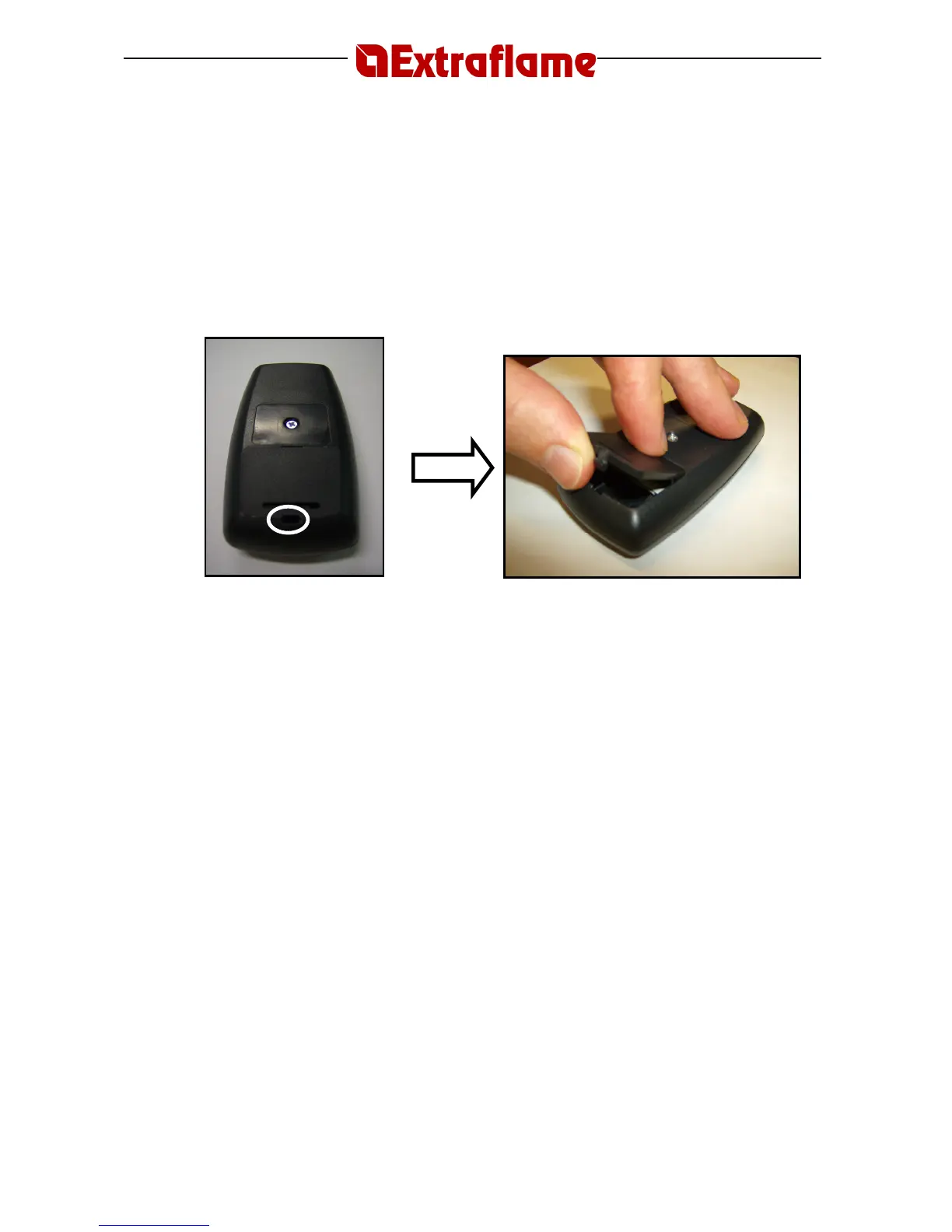
To replace the batteries, open the cover in the rear part as illustrated below.
Open by pressing the part circled in the figure
13. REGULATING THE WATER TEMPERATURE
This appliance has the possibility to control the water temperature by means of a digital probe that
automatically regulates stove operation when the desired temperature is close to being reached.
1. When the stove has been started and has entered normal operation, display D1 shows the
water temperature and display D2 shows the room temperature.
2. Use buttons 2 and 3 to set the desired water temperature. During the setting process,
display D1 shows "SET" flashing and the temperature to be set (maximum range from 60°
to 80°C), and display D2 shows the operating power.
3. When you have set the desired temperature, wait till the word "SET" disappears from the
display.
4. Use buttons 4 and 5 to set the desired operating power.
(N.B.: Extraflame recommends
setting the stove at the maximum power to speed up the water heating process; the stove
will slow down automatically as the temperature selected is close to being reached)
.
5. During normal operation, display D1 shows "H2O and actual water temperature" and
display D2 shows "room temperature and operating power". When the stove has
reached the set temperature, it automatically goes into minimum operating mode and the
corresponding LED on display D1 goes off (see description of display indications).





 To Next Page