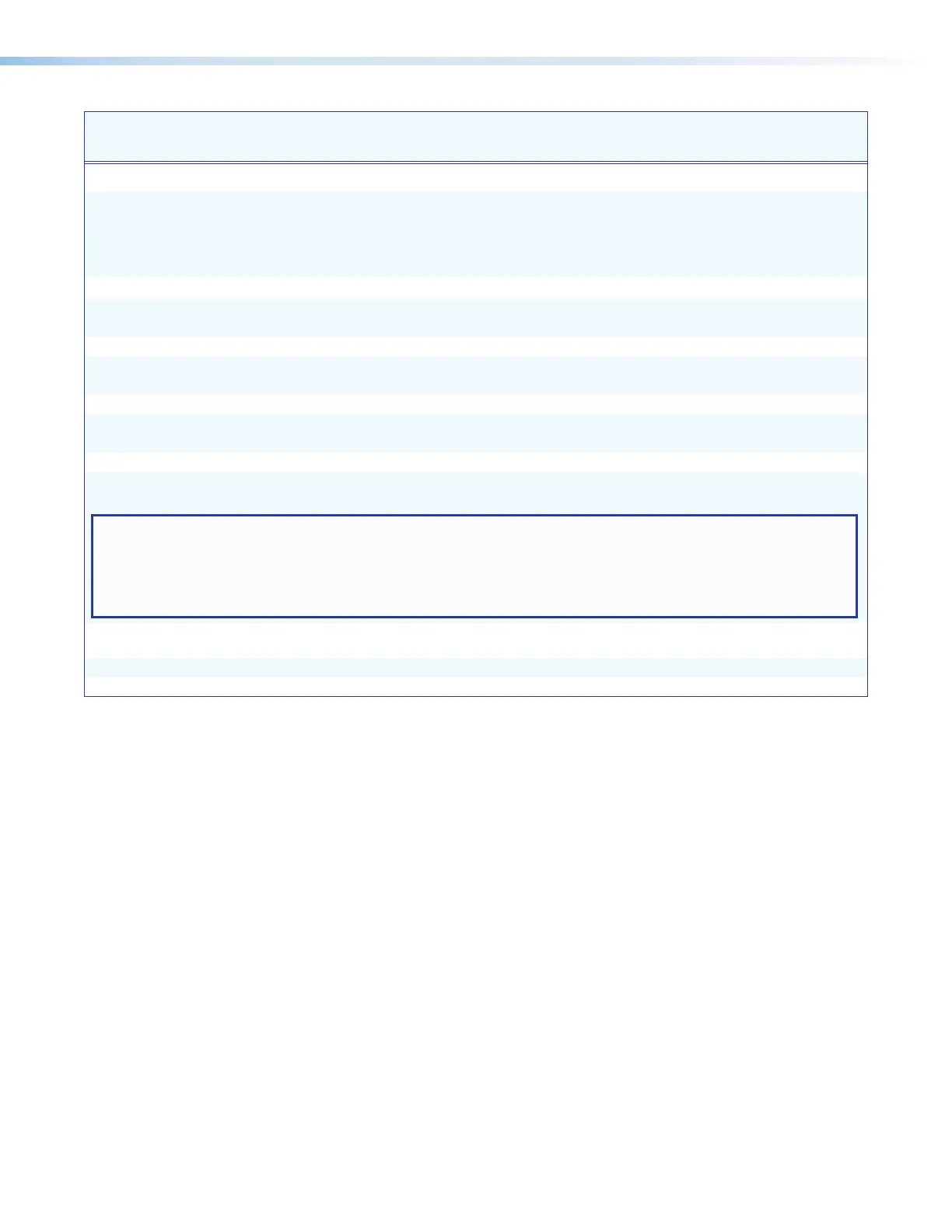
Command
ASCII Command
(Host to Unit)
Response
(Unit to Host)
Additional Description
Network Settings
Set DHCP mode
E
X!
DH
}
Idh
X!
]
Enable or disable Dynamic Host
Configuration Protocol (DHCP) automatic
assignment of IP addresses. For
X!
:
0 = DHCP disabled (default)
1 = DHCP enabled
E
DH
} X!
]
Show current DHCP status
X!
.
Set IP address
E
X@
CI
}
Ipi
•
X@
]
Set IP address
X@
for the unit.
Default: 192.168.254.254.
View IP address
E
CI
} X@
]
Show the current unit IP address.
Set subnet mask
E
X$
CS
}
Ips
•
X$
]
Set subnet mask
X$
for the unit.
Default: 255.255.0.0.
View subnet mask
E
CS
} X$
]
Show the current subnet mask for the unit.
Set gateway IP address
E
X%
CG
}
Ipg
•
X%
]
Set gateway address
X%
for the unit.
Default: 0.0.0.0
View gateway address
E
CG
} X%
]
Show current gateway address of the unit.
Set Config port map
E
K
X^
PMAP
}
Pmap K
X^
]
Set a port number (
X^
) for the Config port.
Default: 06137
NOTES:
• Duplicate port number assignments are not permitted (for example, the Telnet and web port numbers cannot be the
same). If this is attempted, an E13 error code is returned.
• Remapping of a port number (other than to reset it to the default 06137 or disable it by resetting it to 0) must be to
port numbers higher than 1024.
Reset Config port map
E
K 06137 PMAP
}
Pmap K 06137
]
Reset the Config port number to the
factory default (06137).
Disable Config port
E
K 0 PMAP
}
Pmap K 00000
]
Disable the Config port.
View Config port map
E
K PMAP
} X^
]
View the current Config port number.
USB Extender Plus Series • Remote Configuration and Control 26


 To Next Page