Using the Configuration Software
The Extron Product Configuration Software (PCS) is a Windows-based program for the USB
Extender Plus that enables you to tie (pair) the transmitter to multiple receivers (see Pairing
a Transmitter to Multiple Receivers on page 16 to set up this configuration). This
program is available on the Extron website.
Downloading the PCS Configuration Software from the Extron Website
To use the PCS program, download it from www.extron.com and install it on your
PC as described in the following sections. You can also download updates to the PCS
configuration software as they become available. To access the software:
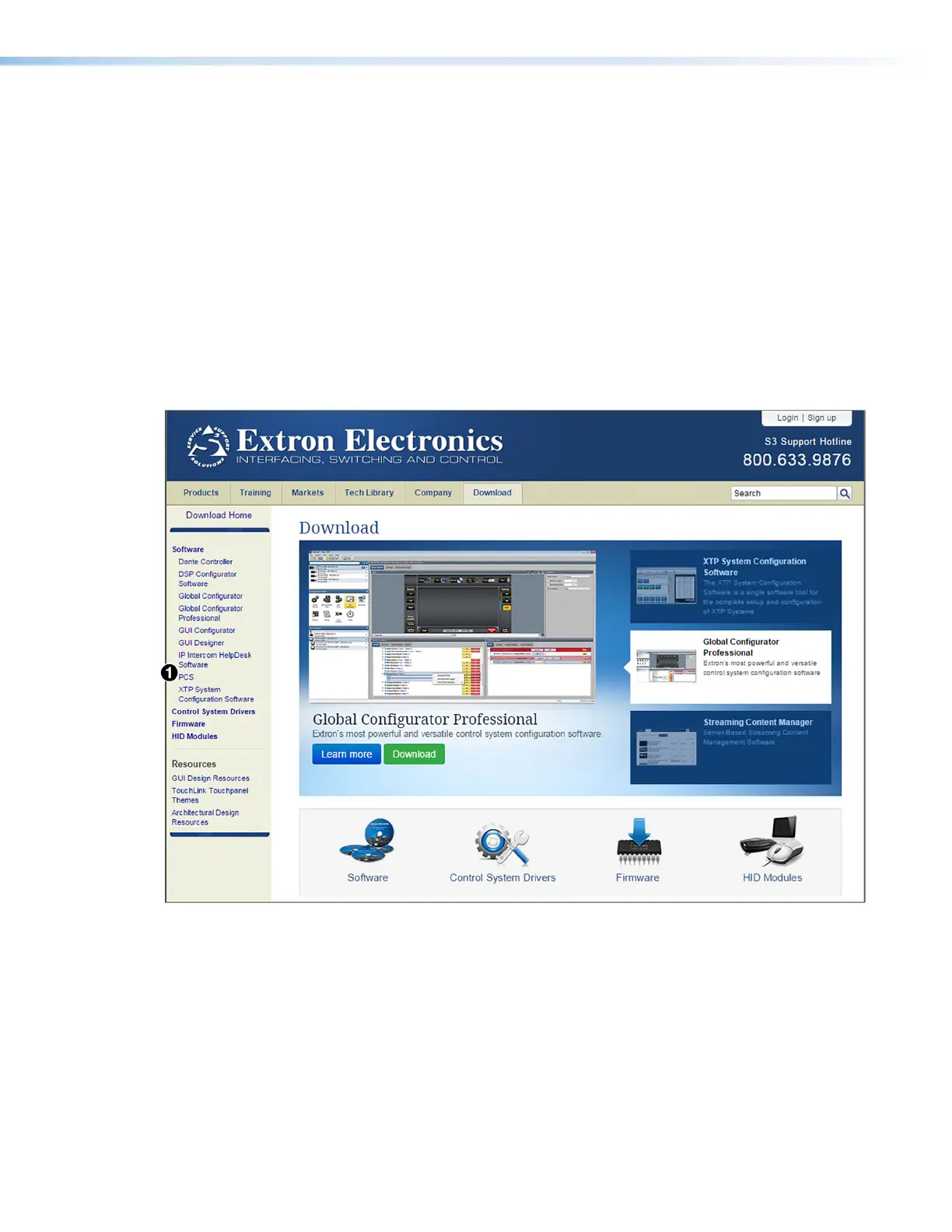
1. Open the Extron Web page and select the Download tab.
2. On the Download Center screen, click the PCS link on the left sidebar menu (see
figure 21,
1
).
Figure 21. Software Links on the Download Page of the Extron Website
USB Extender Plus Series • Remote Configuration and Control 27


 To Next Page