Making Ties Using the Configuration Program
On the USB Extenders Ties screen, you can pair (tie) each listed transmitter with one or
more listed receivers. (You cannot, however, pair more than one transmitter with a receiver.)
Displaying the Ties screen
To display the Ties screen:
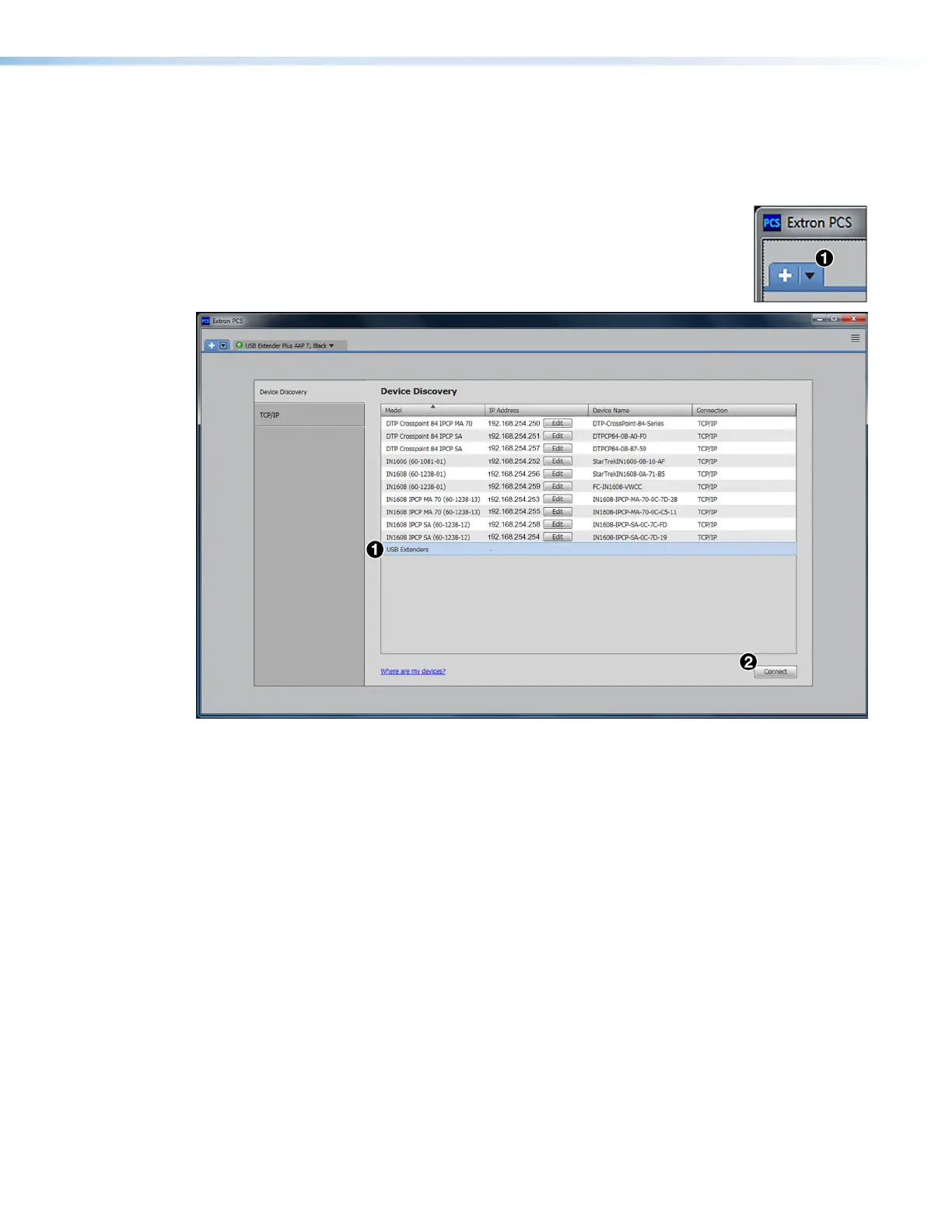
1. If the PCS Device Discovery screen is not displayed, click the down
arrow button (
1
in the illustration at right) in the upper-left corner of
the screen to return to it.
Figure 30. Selecting USB Extenders on the Device Discovery Panel
2. Click USB Extenders in the Device Directory panel (see figure 30,
1
).
3. Click Connect (
2
). The Ties screen appears (see figure 31 on the next page).
USB Extender Plus Series • Remote Configuration and Control 34


 To Next Page