19. How to access the programming mode
19.1 Key menu - Coffee selection
NOTE ONLY if the item “Customer Progr.” is set on “YES"
and the item “Program. block” is set on “NO".
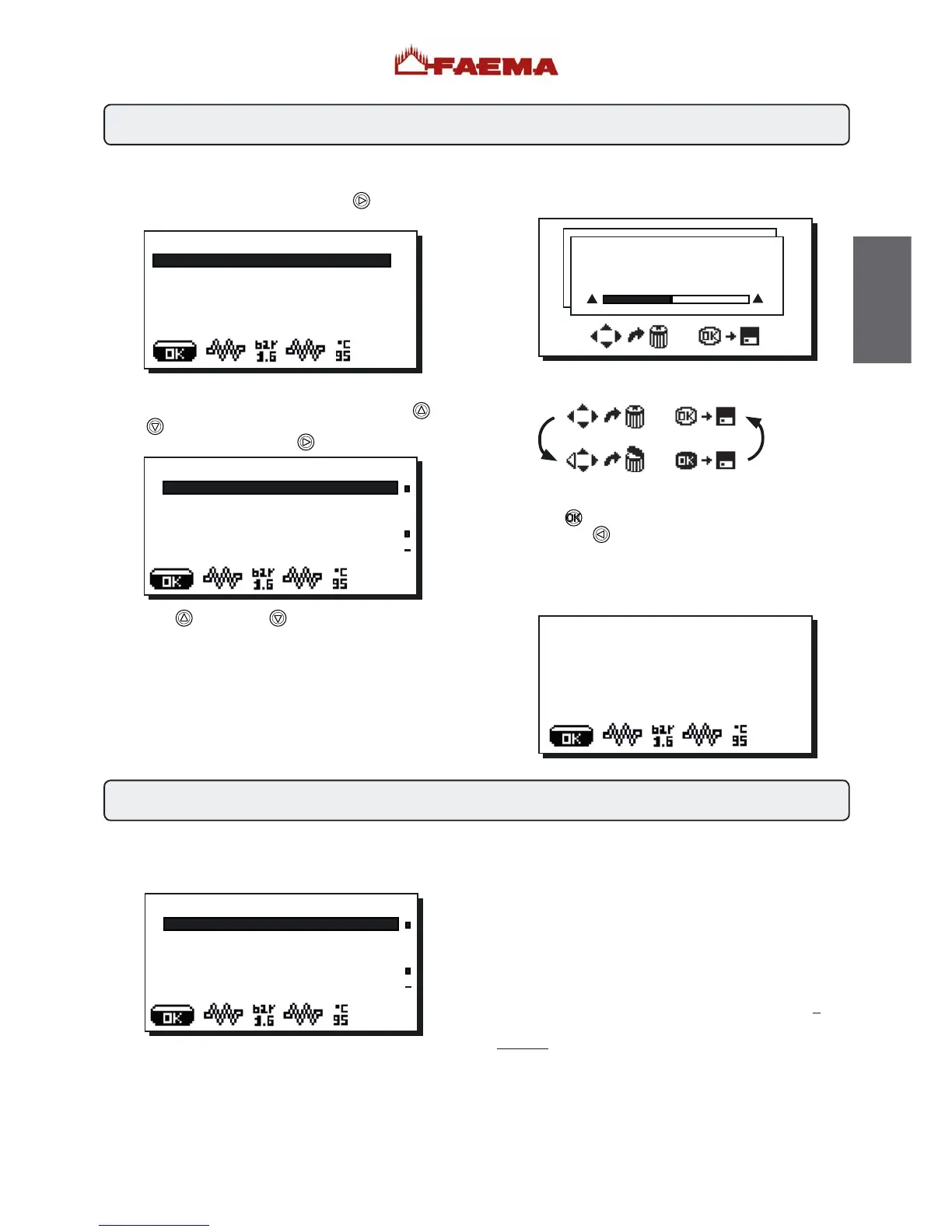
To access programming press the PRG
(29) key; the
following message will appear on the display:
Access to menus: press a selection key.
Access and modification of sub-menus: Use the "+"
(30)
and "-"
(31) keys to position the cursor (black line) on the
desired line, then press the PRG
(29) key.
Use the "+"
(30) and "-" (31) keys also to modify the
message or number.
CUSTOMER PROG.
KEY MENU
KEY MENU
Type 1 coffee
repetition 001
Water dose 110
grinder MM1
MM1 cof, dose 064
+
u
u
MM1 cof. dose 064
-5 064 +5
-
+
CUSTOMER PROG.
NOT ENABLED!
Note: During the Data Modification phase, the cursor turns
into “” or a slide bar with minimum and maximum settings
appears:
The icons below appear in alternating order in the lower part
of the display:
Exiting the programming menu
- Press the
key to confirm changes;
- Press the RES
(24) key to leave settings unchanged and
exit the menu
If the "Customer Progr." is set to "NO", the following message
will appear on the display:
Press one of the coffee dispensing keys (32) (the relative led
will remain on). The following message will appear on the
display:
The following coffee selection parameters can be modified:
- repetition (it represents the number of distributions of the
selected drink, from 001 to 099);
- water dose (volumetric dosage pulses, from 0 to 999, with
increments of 1);
- grinder (chosen between grinder MM1 or MM2);
- coffee dose... (coffee dose grinde ...impulses, 0 ÷ 200 with
increments of 1);
- water start (determines if the water must be added (before)
or (after) the coffee dispensing);
- Additional water (volumetric dosage pulses, from 0 to 999,
with increments of 1).
The components - * - are applied only in some produit
configurations
The dose setting for both grinders has a field range of + 5 of
the value set in the technical programming menu.
Example
technical programming customer programming
coffee dose MM1 045 coffee dose MM1 040÷050
coffee dose MM2 020 coffee dose MM2 015÷025
KEY MENU
Type 1 coffee
repetition 001
Water dose 110
grinder MM1
MM1 cof, dose 064
+
u
u
80
English



 To Next Page