English
35 EN
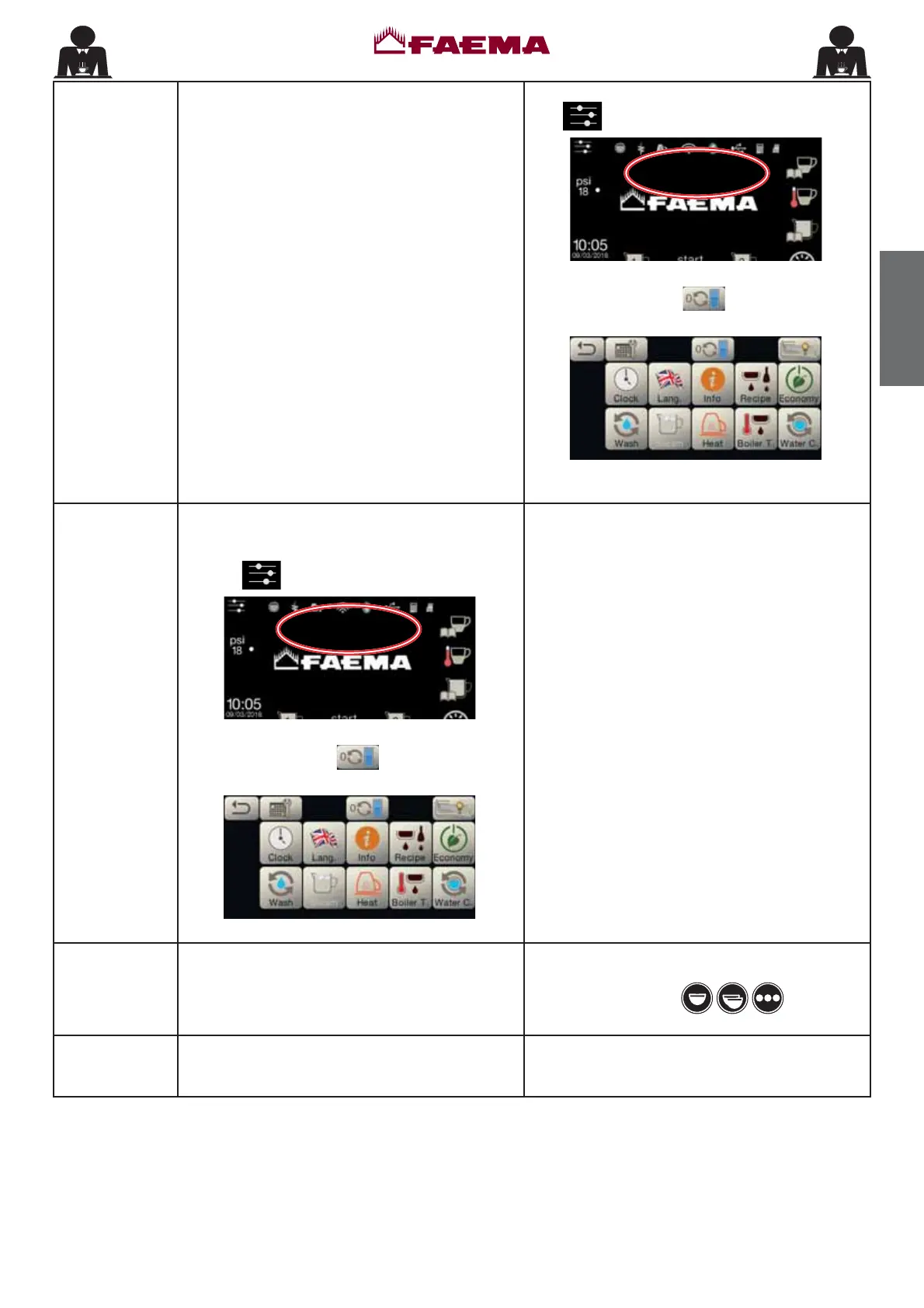
Softener This message is displayed when the softener
UHVLQV QHHG WR EH UHJHQHUDWHG)ROORZ WKH
LQVWUXFWLRQVRQVRIWHQHUPDLQWHQDQFH
2QFHUHJHQHUDWLRQKDVEHHQFRPSOHWHGSUHVVWKH
icon
to access the programming menu:
REGENERATE RESIN
$
and press the icon to cancel out the
message:
$
Note: the need to regenerate the resins is recorded
E\WKHPDFKLQH
.
Change water
¿OWHU
This message is displayed when the machine
req
XLUHVWKHVXEVWLWXWLRQRIWKHZDWHU¿OWHU
In order to eliminate temporary the message, press
the icon
to access the programming menu:
CHANGE W. FILTER
$
and press the icon to cancel out the
message:
$
The message will appear again at regular intervals.
Contact an authorised technician. The message
wi
OOEHGLVSOD\HGXQWLOWKH¿OWHUKDVEHHQUHSODFHG
Note: the
need to WRUHSODFHWKH¿OWHULVUHFRUGHG
E\WKHPDFKLQH
Machine in
stand-by
This message is displayed when the machine
VZLWFK212)) KDV EHHQ SURJUDPPHG7KH
PHVVDJHLQGLFDWHVWKDWWKHPDFKLQHLVVZLWFKRႇ
DQGLVLQVWDQGE\VWDWXV
Refer to the "
Service time menu" chapter
to see
KRZWRSURJUDPWKHVZLWFK212))RIWKHPDFKLQH
Press one of the keys to force the
machine on.
Messages
about
washings
Please consult this manual at the "Cleaning and
maintenance".



 To Next Page