1 2 3
4 65
7 8 9 10
English
24 EN
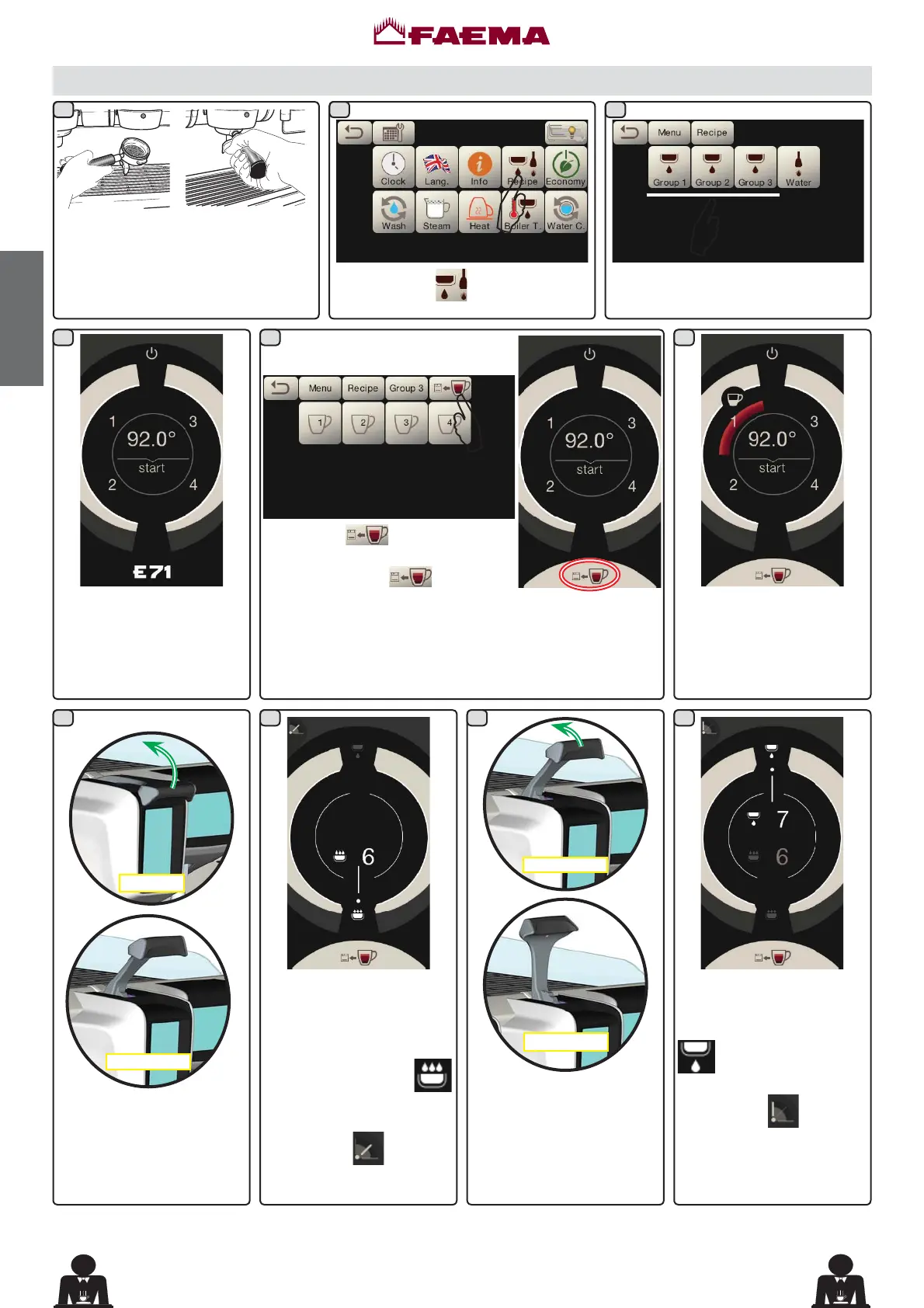
+RRNWKH¿OWHUKROGHUZLWKWKHGRVHRI
ground coffee to the group.
Press the icon
.
Press one of the coffee keys (e.g.
Group 3).
$
$
$
Programming measures using the “SELF-LEARNING” function for dispensing coffee with the Selection
Touchscreen
The numbers relative to
each key appear on the
group display.
Push the button to be
programmed (e.g. key
1): the icon of the key in
question remains selected
on the display.
Infusion
Idle
The infusion phase
starts, represented on the
touchscreen display for the
group with the symbol
. The user sets the duration
of the phase.
The symbol
indicates
the position of the lever.
Move the dispensing lever
from the "Idle" position to the
"Infusion" position.
Move the dispensing lever
from the "Infusion" position
to the "Dispensing" position.
The dispensing phase starts,
represented by the symbol
. The user sets the
duration of the phase.
The symbol
indicates
the position of the lever.
Infusion
Dispensing
Press key WKH EX]]HU ZLOO
sound and the display group will
show the symbol
to indicate
the SELF-LEARNING function.
3ODFHWKHFXSRUFXSVXQGHUQHDWKWKH¿OWHUKROGHUQR]]OHV
The numbers relative to each key appear on the group
display.



 To Next Page