1
3
2
4
5
21
English
23 EN
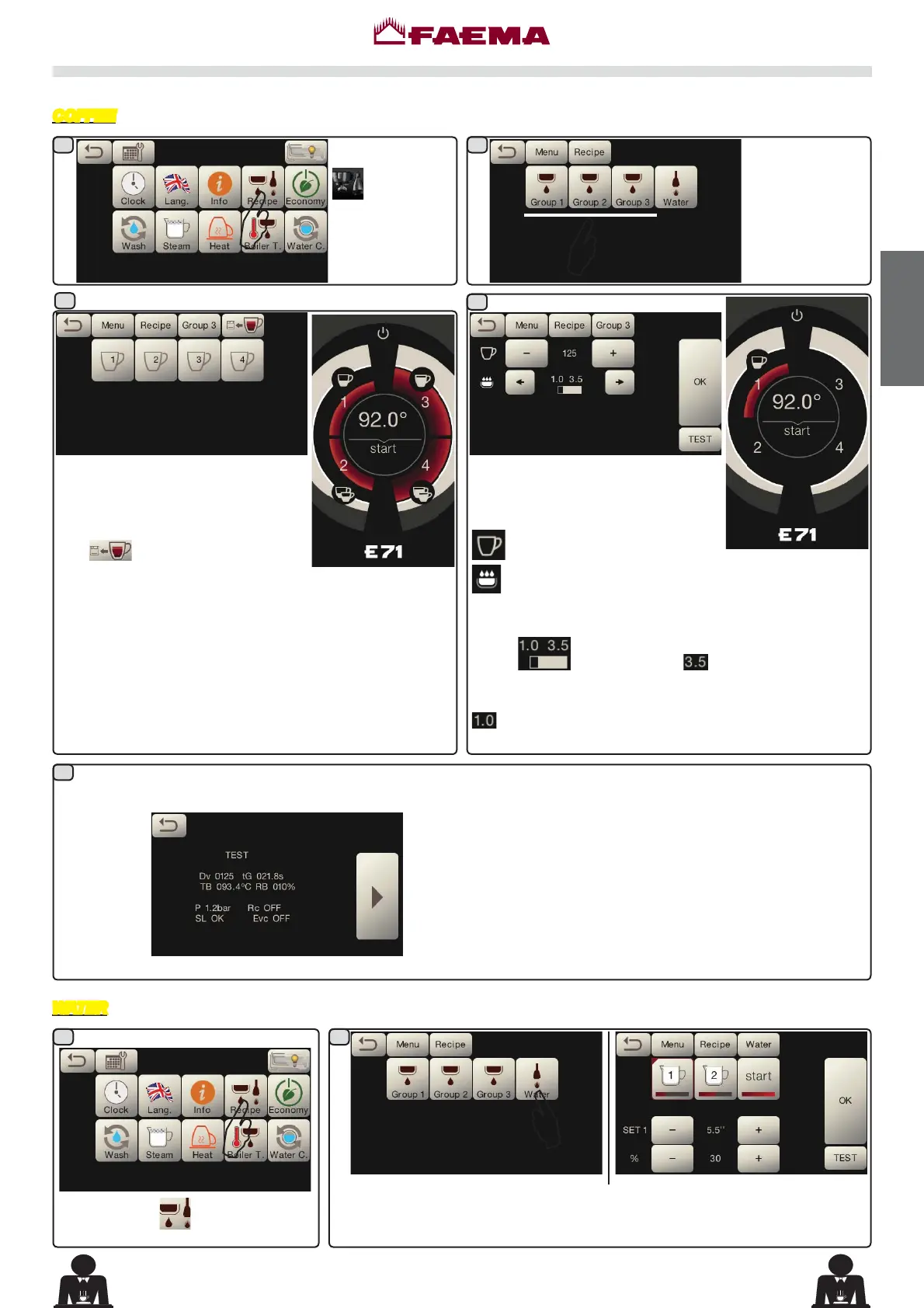
Programming measures function
Press the icon
.
$
The icons of the programmable keys
DUHVKRZQRQWKHVHUYLFHVGLVSOD\WKH
numbers relative to each key appear
on the group display.
The
key makes it possible to
program water doses with the SELF-
LEARNING function (see specific
paragraph).
Press one of the
coffee keys (ex.
Group 3).
By pressing the TEST key, the dispensing starts and
the following screen appears on the services display:
The parameters displayed are:
Dv: Volumetric meter incremental counter
tG:
dispensing time
TB: instant coffee boiler temperature
RB:
% activation coffee boiler resistance
P: service boiler pressure
Rc: service boiler resistance
SL: service boiler water level
Evc: service boiler load solenoid valve
COFFEE
$
$
$
3UHVVWKHZDWHUNH\7KHVHSDUDPHWHUVFDQEHFRQ¿JXUHG
SET...WRVHWWKHGLVSHQVLQJWLPH
% - to set the water temperature.
Press the icon
.
WATER
When one of the coffee keys is
pressed (for example Key 1), the
following parameters are displayed
on the services display:
ZDWHUGRVH
LQIXVLRQWLPH
the icon of the key in question will remain highlighted on
the group display.
NOTE
: in the example, represents the duration
in seconds of the infusion time and can be changed by the
user.
represents a parameter that can only be changed by
technical staff.



 To Next Page