English
37 EN
Direct action by the customer
Before calling service personnel, to avoid unnecessary expense, check whether the machine problem corresponds to
one of the cases listed below.
22. Defects - Malfunctions
PROBLEM CAUSE SOLUTION
The coffee machine does not
work and the display (Ts) is blank.
No electricity supply. Check the electricity supply.
Check the position of the main switch (1).
/HDNLQJIURPWKH¿OWHUKROGHUULP
(11).
Underpan gasket dirty with coffee. Clean using the special brush provided.
Coffee dispensing time too short. Coffee ground too coarse .
Coffee too old.
8VHD¿QHUJULQG
Use new coffee.
Coffee drips out of machine. )LOWHUKROHVEORFNHGRU¿OWHUKROGHU
(11) outlet hole dirty.
&RIIHHJURXQGWRR¿QH
Clean.
Use a coarser grind.
Loss of water under the machine. Discharge well clogged up.
Discharge basin hole blocked.
Clean.
Clean.
Machine heated up, but it does
not dispense coffee.
Water supply or water softener tap
closed.
No water in system.
Open the taps.
Wait until water is available or call a plumber.
The automatic level-control
devices remain in operation.
Same causes as above. Same solution as above.
Messages in explicit mode
MESSAGE POSSIBLE CAUSES: when the message is
visualized
VERIFICATIONS
Machine cold
Please wait
This message will appear on the display if any
dispensing key is pressed every time the machine
is turned on until the service boiler pressure falls
below the pre-set working pressure.
When the service boiler reaches the pre-set
pressure, the message automatically disappears.
Service
needed
This message is displayed when the machine
requires the pe
riodic maintenance intervention.
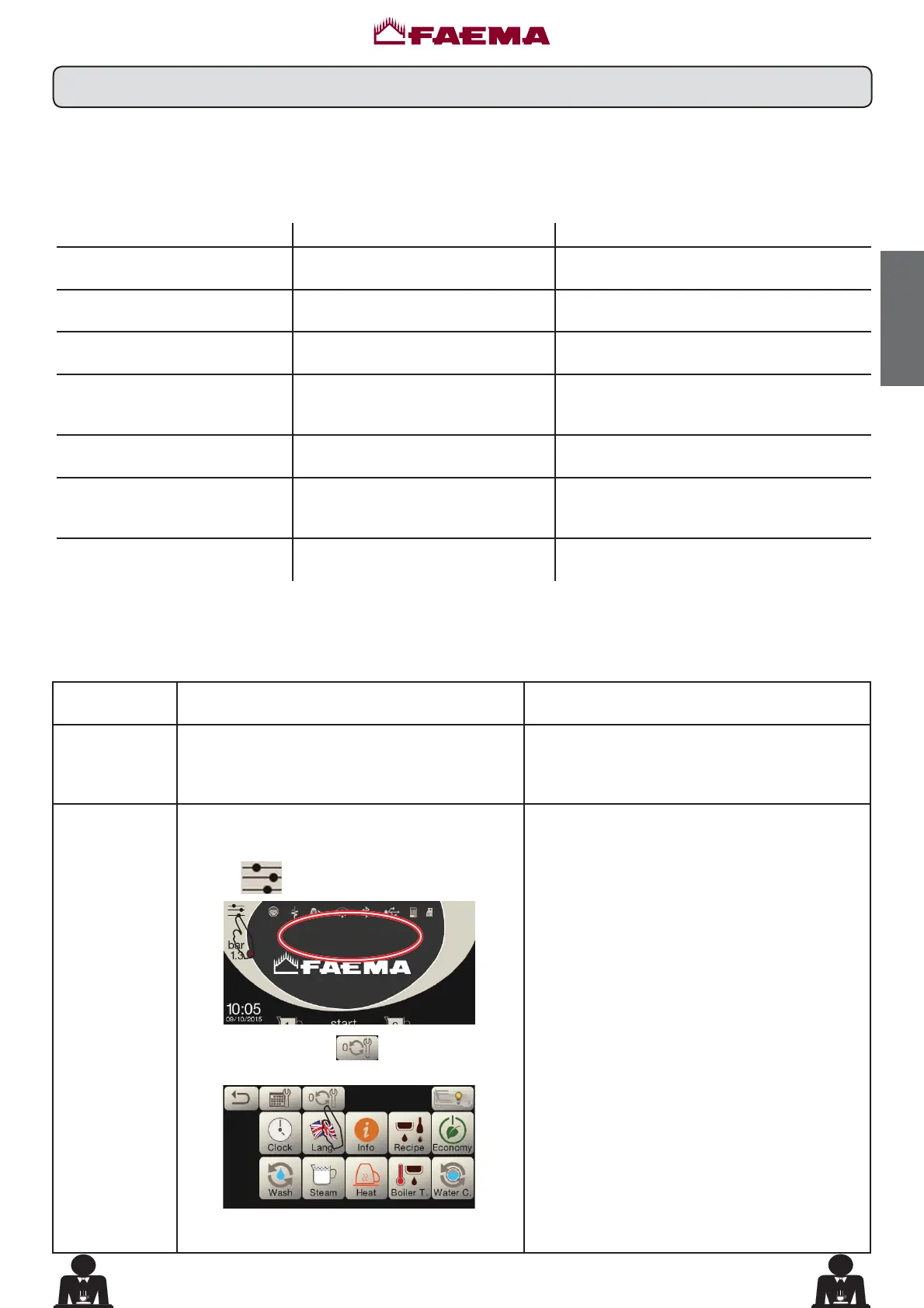
In order to eliminate temporary the message, press
the icon
to access the programming menu:
CARRY OUT
MAINTENANCE
$
and press the icon to cancel out the
message:
$
The message will reappears in the successive
relighting of the machine with the main switch.
Contact the authorized technical department. The
message will be displayed until the service will be
carried out.
Note: the need to carry out maintenance is
recorded by the machine.



 To Next Page