16
$
32
4
1
5
6
11 12
13 14 15
107 98
English
34 EN
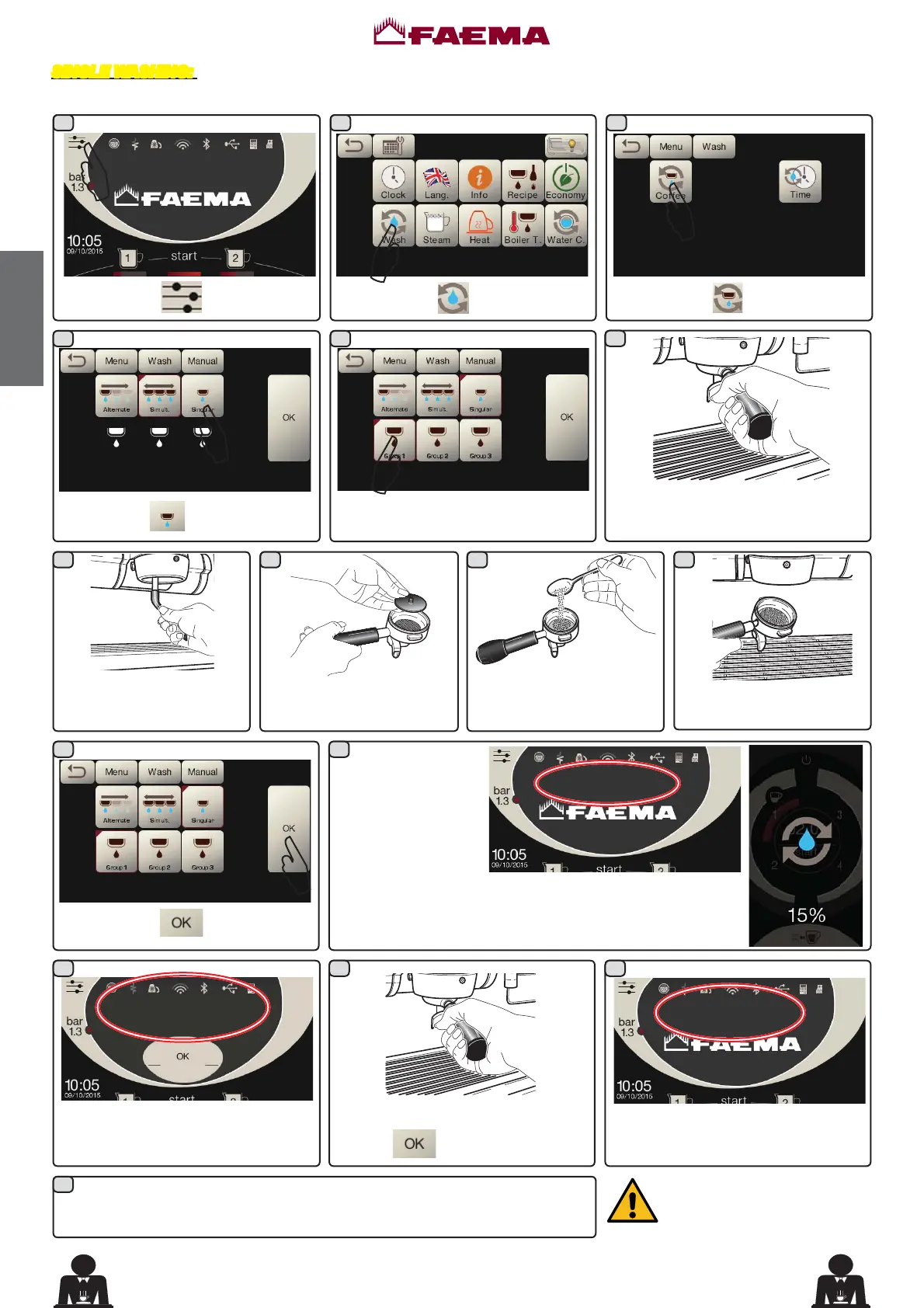
Procedure to follow at the end of the working day on all groups
SINGLE WASHING: Cannot be carried out if the machine launches a warning message.
At the end of the group wash cycle,
the message "REMOVE FILTER
HOLDER GROUP ..." will appear.
Press the icon
.
Press the icon
.
Press the icon .
Remove the filter holder from the
coffee group.
Using a brush, clean the
cover gasket.
Pour in a packet or dosing
cupful of detergent powder.
Insert the rubber disk into
WKH¿OWHUKROGHUZLWKLWV¿OWHU
Press the icon
.
+RRNWKH¿OWHUKROGHUWRWKH
group.
5HPRYH WKH ¿OWHU KROGHUV DQG SUHVV
the icon
.
The message "GR ... RINSE" will
appear.
followed by the percentage
of completion.
$
Choose the group to be washed.
REMOVE FILTER HOLDER
GROUP ...
push
Press the icon .
$
$
$
$
The washing cycle is complete after the rinsing phase.
Repeat these steps for the groups you want to wash.
'RQRWUHPRYHWKH¿OWHUKROGHU
during coffee dispensing.
GR ... WASH
015%
GR ... RINSE
085%
The wash cycle will start
The message "GR.....
WASH"will appear on
the display followed
by the percentage of
completion.
The same information will also appear on the group displays.



 To Next Page