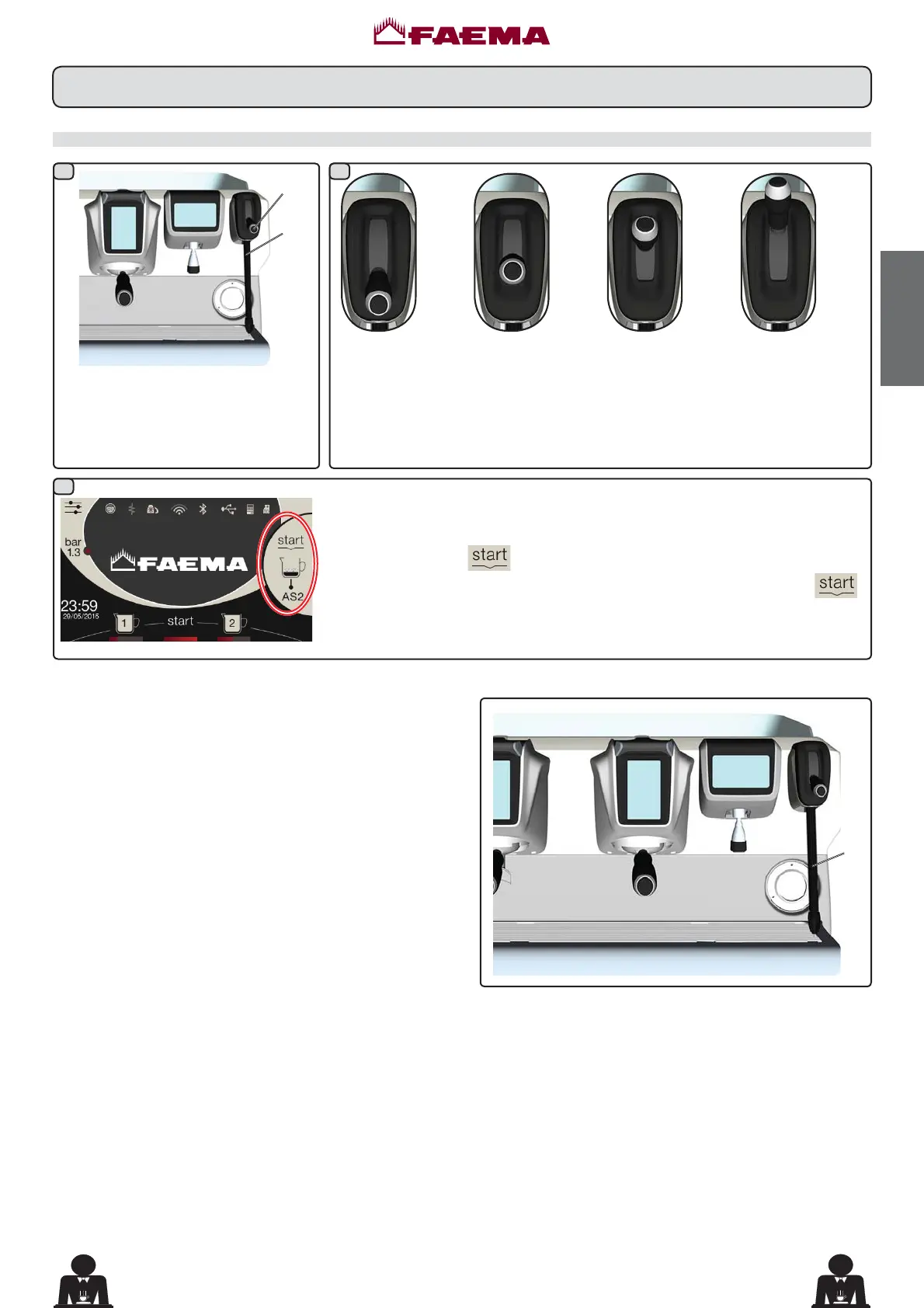
9a
1 2
3
9a
AS1
AS2
AS3
AS4
13
English
19 EN
The type of frothing is displayed on the
touch screen.
Press the icon
to start
dispensing. Once the set temperature
is reached, the steam will stop
automatically.
COLD TOUCH RQO\LQVRPHSURGXFWFRQ¿JXUDWLRQV
The new Autosteam Cold Touch (9a) improves the ease
of use of the steam wand, thanks to an insulating and
non-stick coating that keeps it cold before, during and
after dispensing the steam, thus making it easy to handle
and clean.
Select the type of milk you prefer (heated or frothed) by changing the position
of the "steam selector lever" (13) (AS1 ÷ AS4):
• KRWPLONOHYHUSRVLWLRQ$6
• IURWKHGPLONPLQLPXPIURWKLQJOHYHOOHYHUSRVLWLRQ$6
• IURWKHGPLONPHGLXPIURWKLQJOHYHOOHYHUSRVLWLRQ$6
• frothed milk (maximum frothing level, lever position AS4).
Insert the steam nozzle (9a) into a
suitable container, making sure the
bulb is completely immersed in the
milk.
18. Steam dispensing
Dispensing with the Autosteam selector (13) (where contemplated)
The distribution may be interrupted at
any time by pressing the icon
.



 To Next Page