4a
4b
English
27 EN
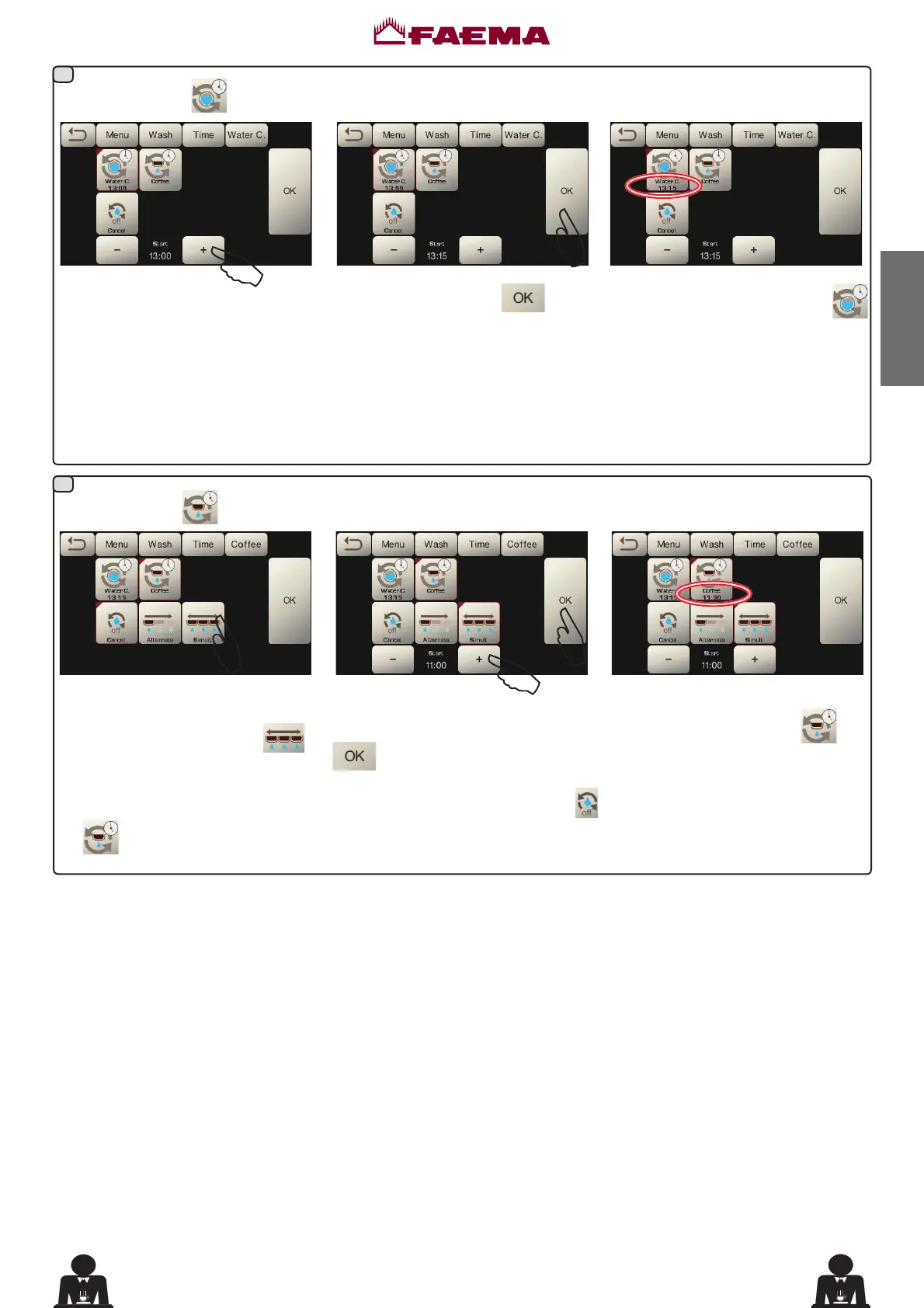
Change: press the key
Change the time depending on your
requirements.
&RQ¿UPE\SUHVVLQJWKH
key.
The new time appears under the
key.
NOTES. The "WATER CHANGE" function with time request is set by the technical personnel who can also enable or
disable the "block" function.
With "block" enabled, if the water change is not done within an hour, the machine prevents beverages from being dispensed.
With request scheduled the user can only change the time the request appears.
Coffee: press the
key
Select which type of coffee wash you
want to perform. For example
.
Change the time depending on your
requirements and confirm with the
key.
The time appears under the
key.
NOTES. It is possible to cancel the scheduled wash request by pressing the
NH\LQWKLVFDVHQRWLPHDSSHDUVXQGHU
the
key.
$
$
$
$
$



 To Next Page