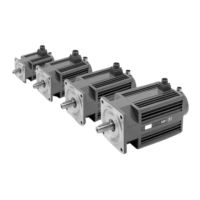
BCSD-92/116 Digital Brushless AC Servo Drive system - Ref. 1809
5.2.7. Software Version Display
Set the Fn007 to select the software version check mode to check the servodrive software version.
5.2.8. Static Inertia Detection
Note:
Make sure that the servomotor has 6 circles travel displacement in the CCW direction at least before
detection.
1. Press the MODE key to select the utility function mode.
2. Press the INC or DEC key to select the utility function number Fn007.
3. Press the ENTER key to display the DSP software version (the highest bit displays d or E or F or 0).
4. Press the MODE key to display the FGPA/CPLD software version (the highest bit displays P).
5. Press the MODE key to return to DSP software version display.
6. Press the ENTER key to return to the utility function mode display Fn007.
1. Press the MODE key to select the utility function mode.
2. Press the INC or DEC key to select the utility function number Fn009.
3. Press the ENTER key, the display will be shown as below.
4. Press the MODE key to rotate the servomotor, and the servomotor dynamic speed will be displayed.
5. The unit of the servomotor and load total inertia displayed when servomotor stops is kg.cm².
Thus, the static inertia detection is completed.



 To Next Page