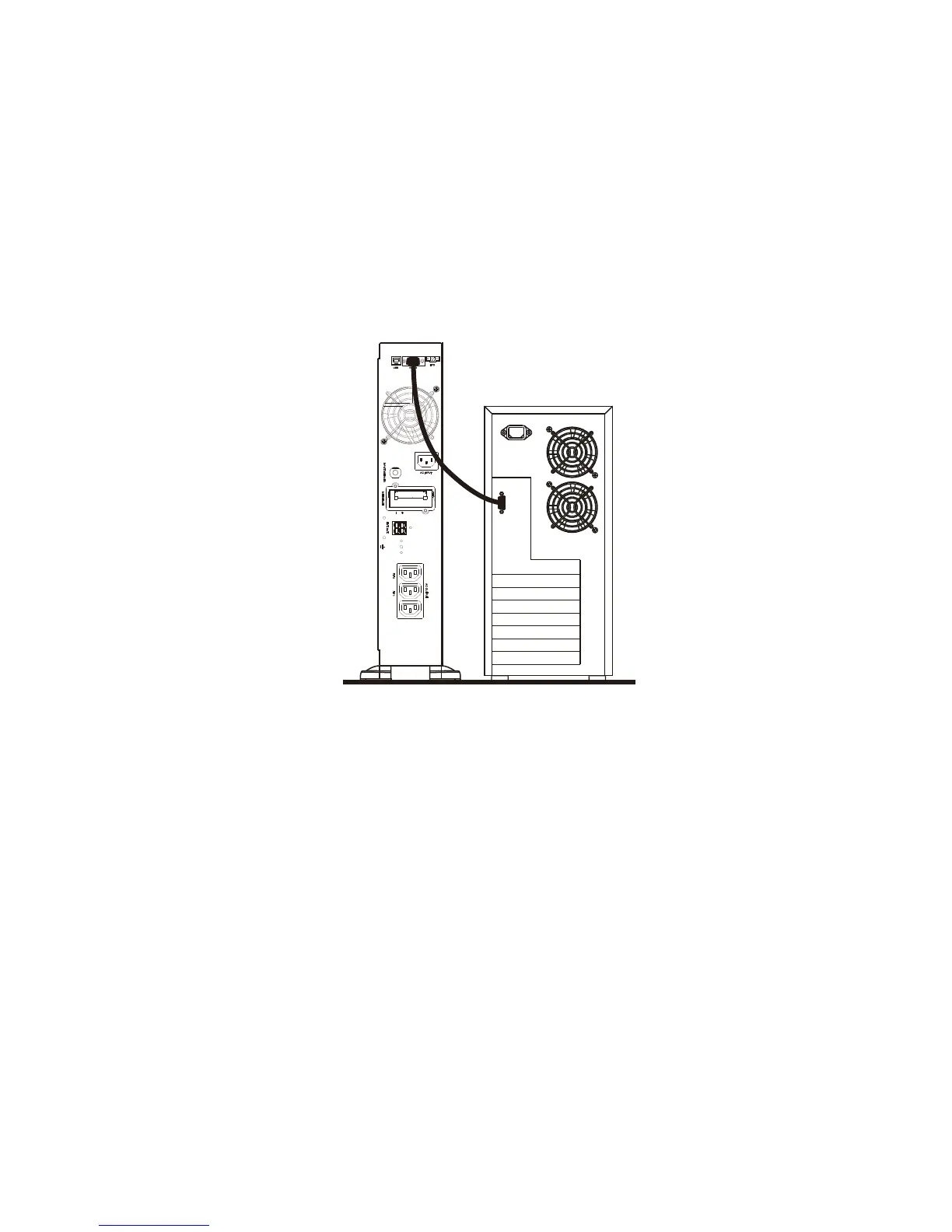
Communication Software
7.1 Hardware Setup
1. Decide whether to use RS-232 communication or USB communication. (For
optional interface cards please refer to Chapter 8.)
2. Connect a male RS-232 connector or a USB cable* to the UPS
communication port. Connect the female RS-232 connector or the other end
of the USB cable to the computer.
*Note: USB cable is supplied.
7.2 Software Installation
Please refer to the software user’s manual.



 To Next Page