DEFINITION(s):
Function #1 – is the function processed when the user presses and lets go of the button immediately.
Function #2 – is the function processed when the user presses a button for a hold time period and then lets go.
Hold Time – the hold time is defined in the global menu parameter “Button Hold Time”
When a user presses a button that has two functions defined, the clock will start. The STATUS #2 LED will blink every
½ second. When the Hold Time is exceeded, the switch will process Function #2. If the hold time was less then the
programmed delay, then it will process Function #1. If a button does not have a second function- then it will
automatically process function #1, unless told to wait for a button release.
What makes this functionality so powerful is that you can program Function #1 and Function #2 to process any
command, preset or IA switch available, in any order you see fit. Lets look at the basic structure:
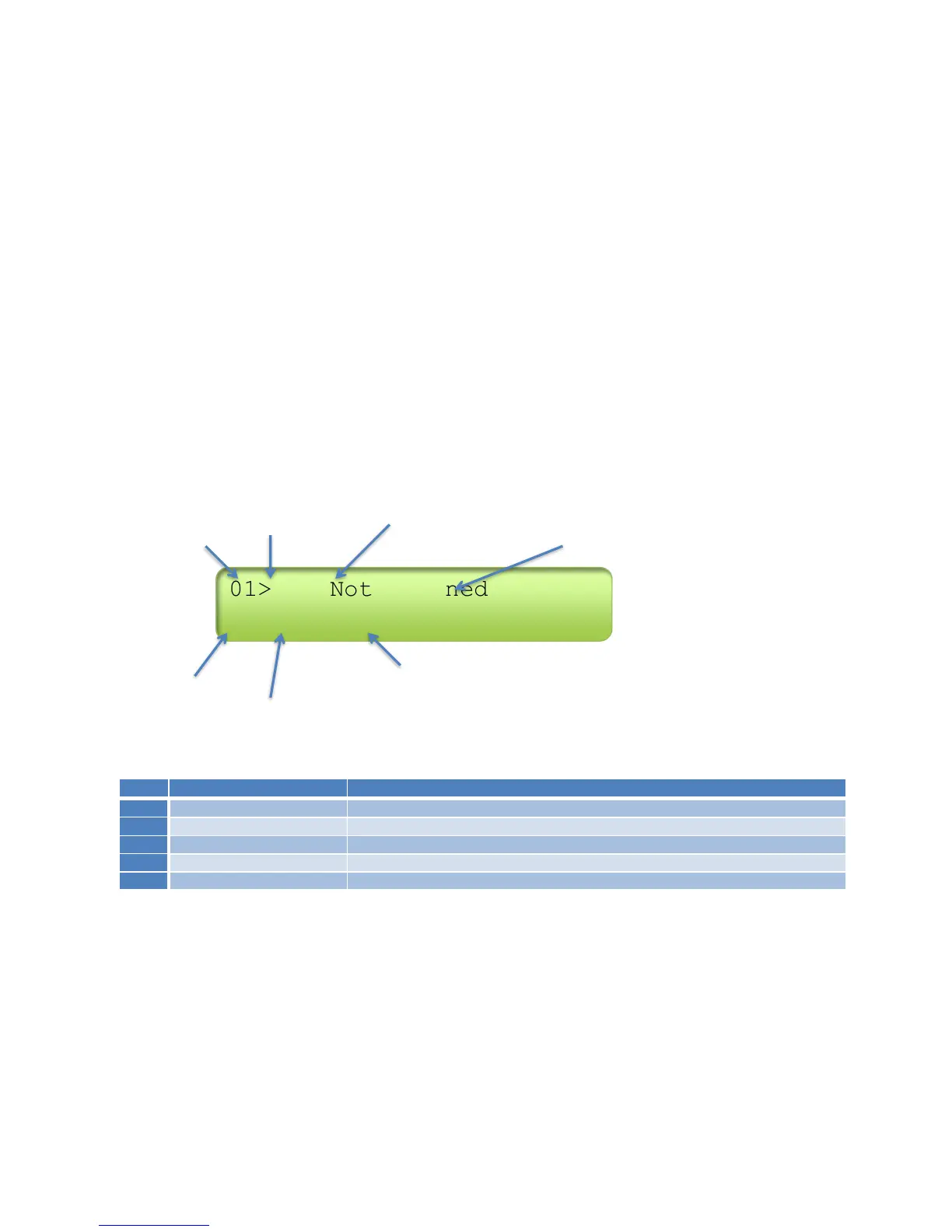
(arrow means more parameters avail) (BOLD indicates it’s the currently selected)
Button Slot Function #1 Currently Programmed Function
Function #2 Currently Programmed Function
Function Type
Parameter # of currently selected Function (#1 in this case since #1 is BOLD)
Function Types
Each Function is defined by its Type, followed by a parameter. The following Types exist:
*Function Type will display the letter in the Type column



 To Next Page