EasyManua.ls Logo

Fanimation WRAP MAD8530 - User Manual

Fanimation WRAP MAD8530
49 pages
Print Icon
To Next Page IconTo Next Page
Loading...
Serial Number
Purchase Date
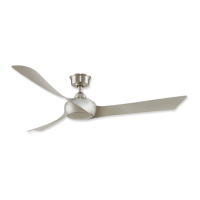
WRAP CUSTOM CEILING FAN
MODEL #MAD8530**
MODEL #MAD8531**
Español p. 25
Questions, problems, missing parts? Before returning to your retailer, call our customer
service department at 1-888-567-2055, 8 a.m.-5 p.m., EST, Monday-Friday.
ATTACH YOUR RECEIPT HERE AND REGISTER YOUR FAN AT FANIMATION.COM
READ AND SAVE THESE INSTRUCTIONS
MAD8530** Net Weight 12.13 lbs (5.50 kg)
MAD8531** Ne t Weight 13.30 lbs (6.03 kg)

Questions and Answers

  • V
    Virginia RuizAug 6, 2025
    What to do if my Fanimation WRAP MAD8530 Fan will not start?
    • J
      Joshua LongAug 6, 2025
      If your Fanimation Fan won't start, there could be several reasons: * A fuse or circuit breaker might be blown. Check both the main and branch circuit fuses or circuit breakers. * There might be loose power line connections to the fan or loose switch wire connections in the switch housing. Ensure the line wire connections to the fan and the switch wire connections in the switch housings are secure. Remember to turn off the main power before checking! * The remote control battery might be dead. Try replacing it with a fresh battery.
  • J
    Janet DaltonAug 14, 2025
    Why is my Fanimation WRAP MAD8530 so noisy?
    • T
      tamaramercerAug 14, 2025
      If your Fanimation Fan is making unusual noises, here's what you can check: 1. Ensure the blades are properly attached to the fan. 2. Check that all screws in the motor housing are snug (but not over-tightened). 3. Make sure wire connectors in the switch housing aren't rattling against each other or the housing's interior wall. Remember to turn off the main power before checking! 4. The motor noise might be caused by a solid-state variable speed control. These controls are not recommended, so consider an alternative control method.
  • L
    Lori WhiteAug 21, 2025
    How to fix a Fanimation WRAP MAD8530 Fan that wobbles a lot?
    • M
      Megan HallAug 21, 2025
      If your Fanimation Fan wobbles excessively, here are a few things to check: * Make sure the setscrew and nut in the downrod support are tightened securely. * Tighten the setscrew in the downrod/hanger ball assembly. * Ensure the groove hanger ball is lined up correctly with the tab; re-hang the hanger ball to secure the tab into the groove. * Check that the hanger bracket and/or ceiling outlet box is securely fastened. Tighten the hanger bracket screws to the outlet box, and secure the outlet box itself.
  • O
    oabbottAug 28, 2025
    How to increase air movement from my Fanimation WRAP MAD8530?
    • B
      Bruce HughesAug 28, 2025
      If your Fanimation Fan isn't moving enough air, consider using a longer downrod. Note that downrods are not included but can be purchased from an authorized Fanimation retailer.

Summary

Important Safety Instructions

General Safety Precautions

Essential safety guidelines to prevent fire, shock, and personal injury during fan installation and use.

Additional Safety Instructions

Specific safety advice for wiring, grounding, mounting, and usage in damp locations.

Limited Lifetime Warranty

Energy Efficient Use of Ceiling Fans

Choosing the Appropriate Mounting Location

Guidance on optimal fan placement for maximum airflow and energy savings.

Using the Ceiling Fan Year Round

Instructions for operating the fan in summer and winter for enhanced comfort and efficiency.

Electrical and Structural Requirements

Mounting Box and Wiring Safety

Details safe practices for outlet box mounting, wiring, and potential hazards.

How to Assemble Your Ceiling Fan

Assemble Downrod and Hanger Ball

Guides through attaching the downrod, hanger ball, and securing them to the motor assembly.

Ceiling Fan Assembly: Canopy and Wire Prep

Install Canopy and Route Wires

Details routing wires, installing the canopy, and preparing wires for connection.

How to Hang Your Ceiling Fan

Secure Hanger Bracket and Safety Cable

Instructions for securely mounting the hanger bracket and attaching the safety cable to the ceiling.

How to Wire Your Ceiling Fan

Connect Receiver and Wiring

Guides on setting receiver codes, connecting the receiver, and making electrical wire connections.

How to Install Your Canopy Housing

How to Assemble Your Ceiling Fan Blades and Cap

Attach Fan Blades and Plastic Cap

Details the process of attaching fan blades to the motor and installing the plastic cap.

How to Operate Your Ceiling Fan

Initial Setup and Programming

Guides on initial power restoration, battery installation, and programming multiple fans to a remote.

Ceiling Fan Operation: Remote Setup

Remote Control Speed (RPM) Setting Process

Step-by-step guide to setting up the remote control and fan speed synchronization.

Ceiling Fan Operation: Remote Functions

Remote Functions Overview

Explains the functions of various buttons on the handheld remote control for fan operation.

How to Set Up the fanSync App (optional)

How to Install Your Remote Control

Maintenance

Periodic Cleaning

Guidelines for routine cleaning of the ceiling fan to maintain its finish and performance.

How to Clean Your Ceiling Fan Blades

Trouble Shooting

Fan Will Not Start

Identifies common causes and suggested remedies for a fan that fails to power on.

Fan Sounds Noisy

Addresses potential causes of fan noise and provides solutions for quiet operation.

Fan Wobbles Excessively

Diagnoses and offers fixes for excessive fan wobble, typically related to loose components.

Not Enough Air Movement

Provides suggestions for improving airflow, possibly by adjusting the downrod length.

Parts List

Optional Light Kit

Details the part number for an optional light kit assembly compatible with the fan.

MAD8530 Exploded-View Illustration

MAD8531 Exploded-View Illustration

Optional MAD8530 Fan Blades and Plastic Cap

Optional MAD8531 Fan Blades and Plastic Cap

Fanimation WRAP MAD8530 Specifications

General IconGeneral
BrandFanimation
ModelWRAP MAD8530
CategoryFan
LanguageEnglish

Related product manuals